
As an Amazon Associate I earn from qualifying purchases. This costs you nothing extra and helps us keep Buyiox free.
That Morning Panic Is Optional
You are already five minutes late. The coffee is poured, the shoes are on, and the keys are gone. Not on the hook. Not in the jacket. Not in the bag where you swear you left them. What follows is the full ritual: the pat-down of every pocket, the couch-cushion excavation, the slow realization that you might have to call a locksmith or, worse, admit defeat and take the bus.
A Bluetooth key finder ends that ritual. These little tags – about the size of a coin – attach to your keys, wallet or bag, and when something goes missing your phone points you straight to it. Some even ring loudly enough to hear from under the sofa cushions. The technology is mature now, the prices are low, and there is genuinely no reason to keep losing twenty minutes of your morning to a key search.
But there is a catch that most roundups bury in the fine print: the right tracker depends on the phone in your pocket. An Apple AirTag is useless with an Android phone. A Samsung SmartTag2 is a paperweight for iPhone owners. Buy the wrong one and you own a $30 piece of frustration. We researched six real, currently available Bluetooth key finders – verified specs from brand pages and retailer listings, honest pros and cons including the complaints – and matched each one to the phone it actually works with.
A note on how we present our picks: these are research-based recommendations, not lab-tested claims. Every feature below comes from official brand specs or retailer listings, and where a fact could not be verified we say so.
Quick Comparison: The 6 Best Bluetooth Key Finders
| Product | Best For | Approx. Price |
| — | — | — |
|---|---|---|
| Apple AirTag (2nd generation) | Best for iPhone users | Around $29 |
| Tile Pro (2024) by Life360 | Best for mixed iPhone + Android households | Around $35 |
| Tile Mate (2024) by Life360 | Best budget pick | Around $25 |
| Chipolo One | Longest battery life, no subscription | Around $25 |
| Samsung Galaxy SmartTag2 | Best for Samsung Galaxy users | Around $30 |
| Pebblebee Clip 5 | Best rechargeable, dual-network pick | Around $35 |
Prices change often on Amazon, so treat these as rough guides. The links below take you to live Amazon search results where you can check the current price.
1. Apple AirTag (2nd generation) – Best for iPhone Users
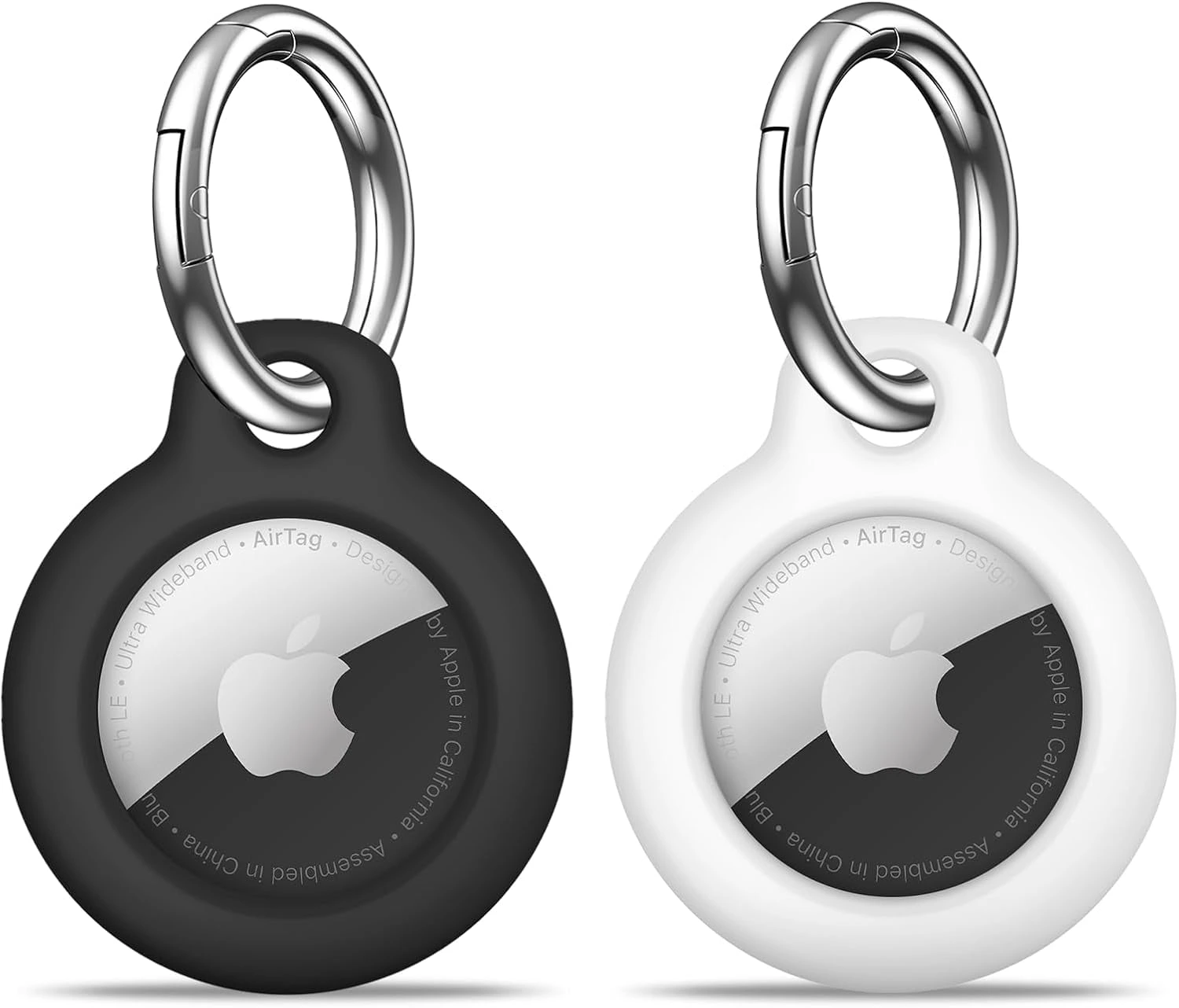
The Apple AirTag: Find My network tracking, Precision Finding, replaceable CR2032 battery and IP67 rating.
If you own an iPhone, this is the tracker to beat, and it is not close. The AirTag rides on Apple’s Find My network – hundreds of millions of Apple devices that quietly and anonymously report your tag’s location when it is out of your own Bluetooth range. In a busy city, that network finds your lost keys faster than any competitor’s network. That single advantage is why CNN Underscored’s months of tracker testing kept coming back to Apple’s network as the clear winner (https://www.cnn.com/cnn-underscored/reviews/best-bluetooth-trackers?cid=external-feeds_iluminar_meta).
The second-generation AirTag, released in early 2026, fixes the original’s two weakest points. The new Ultra Wideband chip extends Precision Finding range by up to 50 percent – when you are in the same room, your iPhone’s screen points you at the tag with directional arrows – and the speaker is 50 percent louder, so you can actually hear it under couch cushions. The replaceable CR2032 coin battery still lasts more than a year, water and dust resistance is still IP67, and the price is unchanged at $29 for one or $99 for a four-pack, according to Apple’s launch details (https://www.macrumors.com/2026/01/26/apple-announces-new-airtag/).
Two honest downsides. First, the AirTag has no keyring hole, so you must buy a separate holder to attach it to keys – budget roughly another $10-20 for that. Second, it is iPhone-only: Android phones can detect an unknown AirTag for anti-stalking purposes, but they cannot set one up or track one. If you might switch to Android within a year or two, one of the cross-platform picks below is the smarter buy.
Pros:
- The largest crowd-finding network in the world – fastest lost-item location
- Precision Finding with directional arrows on compatible iPhones (extended range on the 2nd gen)
- 50 percent louder speaker than the original
- Replaceable CR2032 battery lasts more than a year
- No subscription, IP67 water and dust resistant
Cons:
- iPhone only – useless as a tracker for Android phones
- No built-in keyring hole; you must buy a holder separately
- Only useful if you stay in Apple’s ecosystem
Best for: iPhone owners who want the single most reliable lost-item network. The best Bluetooth key finder overall.
Skip if: Anyone in your household who would share the keys uses Android – the Tile Pro below is the cross-platform pick.
2. Tile Pro (2024) by Life360 – Best for Mixed iPhone + Android Households
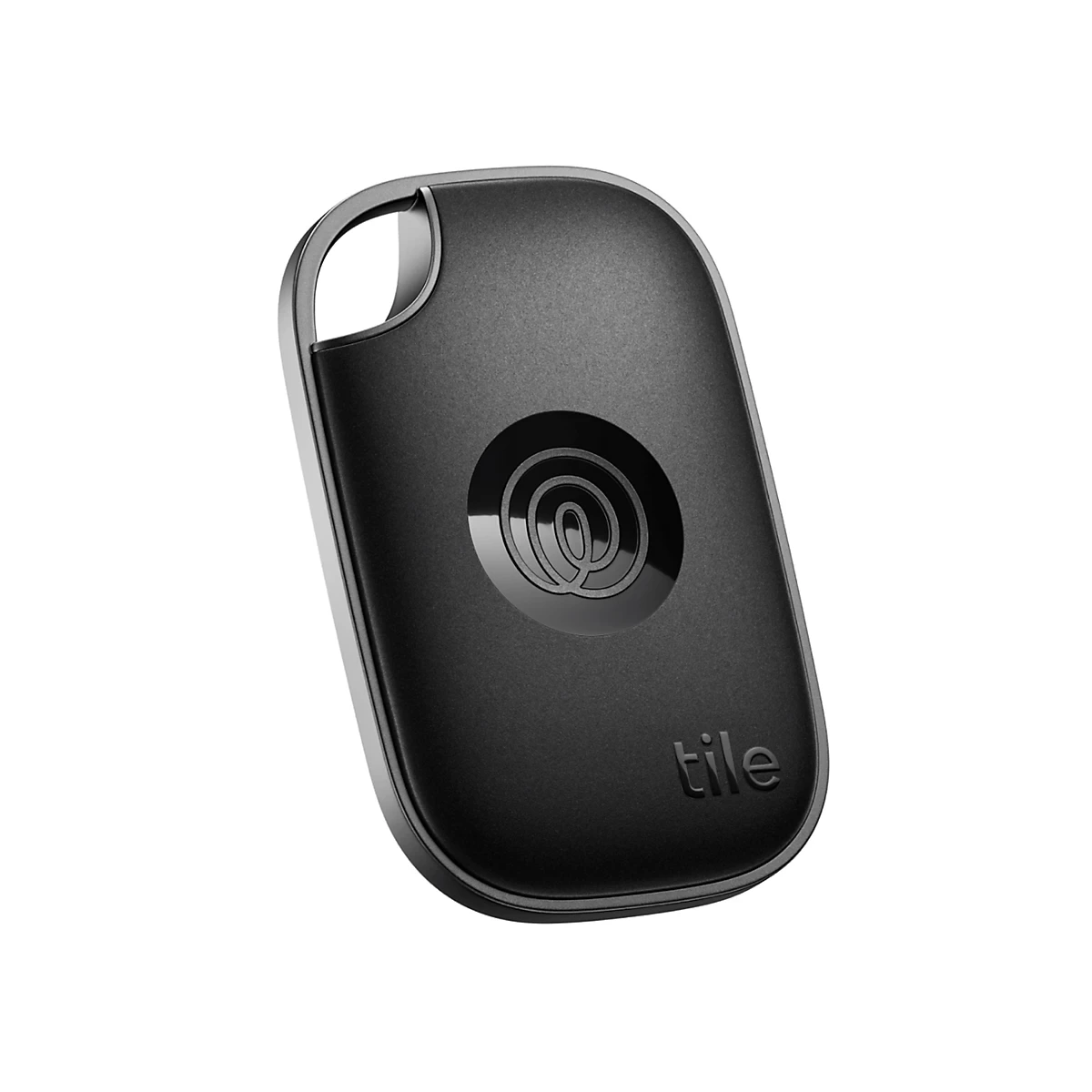
The Tile Pro (2024): 500-foot range, loudest ring in the Tile line, SOS button and Life360 app integration.
The Tile Pro is the tracker for households where iPhones and Androids live side by side. The free Life360 app runs on both platforms, so the same tile can be found by anyone’s phone – and it is the only tracker on this list with a built-in SOS button that can discreetly send an alert to your Life360 Circle in an unsafe situation. That family-safety angle makes it popular with parents tracking kids’ keys, bags and backpacks.
The hardware case is strong on paper. Tile advertises the longest Bluetooth range in its lineup – 500 feet (150 m) – and the loudest ring at 110 dB, which Tom’s Guide verified as genuinely loud in its Tile Pro 2024 review (https://www.tomsguide.com/tech/tile-pro-2024-review). The 2024 model is IP68 water resistant, has a built-in keyring hole (no holder needed), and its battery is replaceable – about a year per coin cell. Double-pressing the Tile button rings your phone even when it is silenced, which alone saves half the morning panics.
The trade-off is the network. Tile’s crowd network runs through the Life360 app, which is far smaller than Apple’s Find My network. CNN Underscored’s real-world test found a Tile tracker’s location updated roughly once per hour in a busy gym, while Find My updated every few minutes. If you mostly lose things at home, this barely matters. If you leave things across town, it matters a lot. Also know that Tile’s best extras – Smart Alerts and 30-day location history – sit behind a $29.99 per year premium plan. The core finding features work fine without it.
Pros:
- Works with both iPhone and Android through the free Life360 app
- Longest listed range: 500 feet / 150 m
- Loudest ring in the Tile lineup (110 dB)
- Built-in keyring hole and replaceable battery
- SOS button that alerts your Life360 Circle
Cons:
- Smaller crowd-finding network than Apple’s Find My or Google’s Find Hub
- Best extras (Smart Alerts, 30-day location history) need a $29.99 per year plan
- No UWB precision finding
Best for: Mixed iPhone and Android households, families already using Life360, and anyone who wants one tracker the whole family can find.
Skip if: You are an iPhone-only household – the AirTag’s network is meaningfully stronger for you.
3. Tile Mate (2024) by Life360 – Best Budget Pick
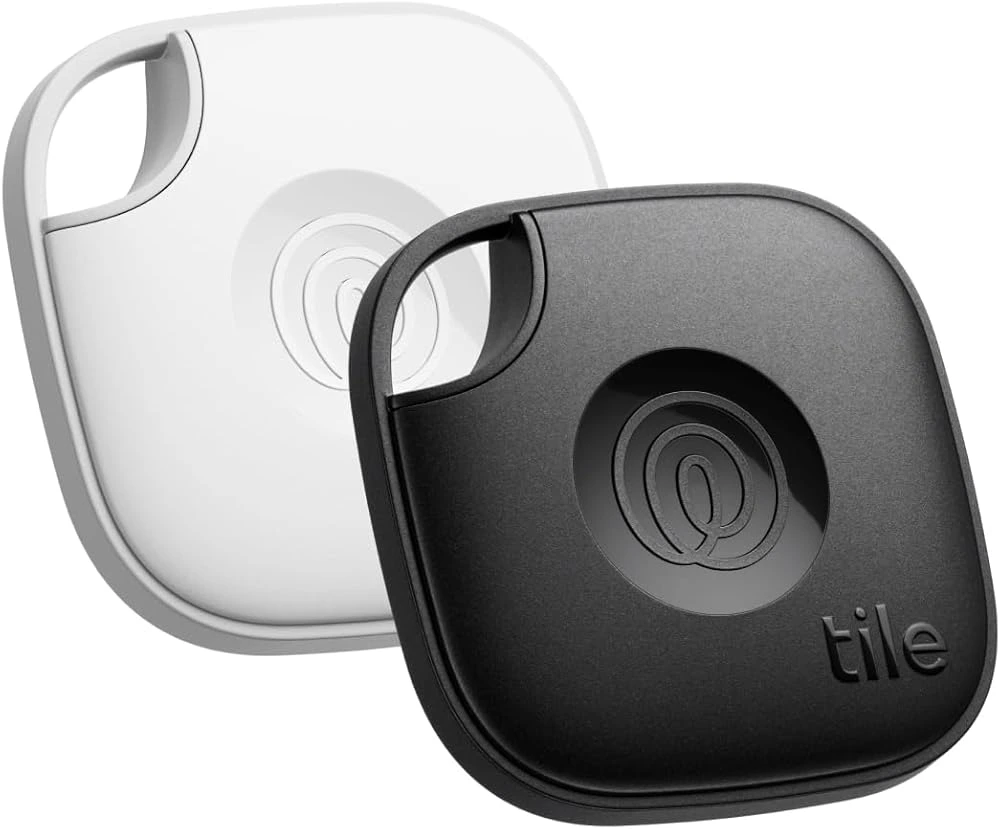
The Tile Mate (2024): 350-foot range, 3-year battery, IP68 water resistance and phone-finder button at the lowest price on this list.
The Tile Mate is the same family as the Tile Pro with the premium stripped out: a shorter 350-foot (105 m) Bluetooth range, a quieter but still clearly audible 100 dB ring, and the same iPhone-plus-Android compatibility through the Life360 app. What makes the 2024 model interesting is the battery: Tile rates it at up to 3 years on a single non-replaceable cell. At around $25 it is the cheapest entry point on this list, and it still gets the IP68 water resistance rating and the phone-finder button.
This is the pick for people who lose things indoors. If your keys always vanish somewhere inside the house – the gap between couch cushions, a coat pocket, yesterday’s bag – the 350-foot range is plenty, and a 3-year battery means you basically buy it and forget it. Tom’s Guide’s 2026 verdict named the Tile Mate at $25 as the pick for Android users in the key-finder category, which is worth taking seriously.
The limits are honest ones. The 2024 Mate’s battery is NOT replaceable, so when the 3 years are up the tag is disposable – factor that into the value. The range is noticeably shorter than the Pro’s, and like the Pro it relies on the Life360 network rather than one of the giant OS-level networks. If you travel a lot and lose things in airports and cities, the Pro or a network-native tracker will serve you better.
Pros:
- Lowest price on this list at around $25
- Up to 3-year battery – buy it and forget it
- Works with iPhone and Android
- IP68 water resistant, phone-finder button included
Cons:
- 2024 model’s battery is NOT replaceable – it is disposable when it dies
- Shorter 350-foot range than the Pro
- Smaller crowd network than Find My or Find Hub
Best for: Budget buyers who mostly lose things at home and want a buy-it-and-forget-it tracker for a few years.
Skip if: You want a replaceable battery or travel widely – the Tile Pro or a network-native pick fits better.
Buying Guide: How to Choose the Right Bluetooth Key Finder
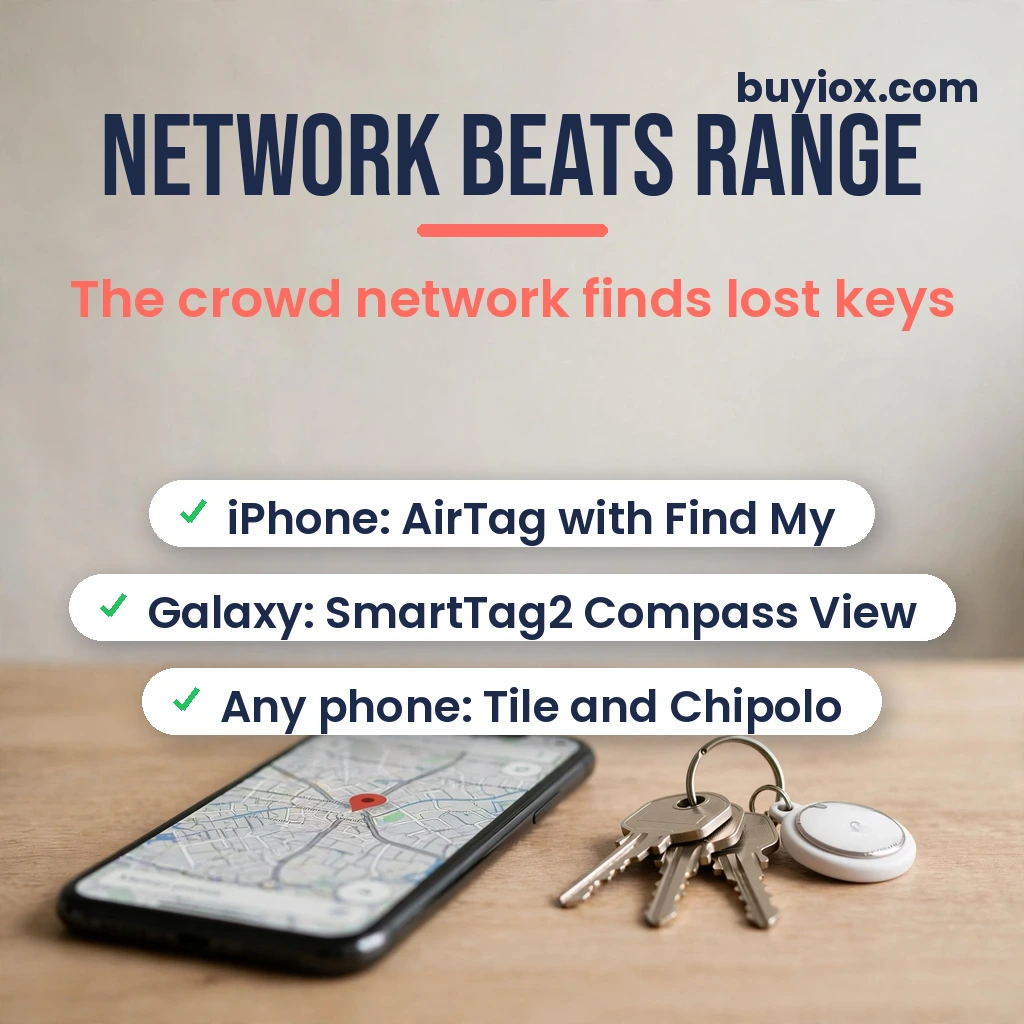
Buy the network first, the hardware second. Every tracker on this list is good at the nearby job – ringing loudly when your keys are in the next room. What separates them is what happens when your keys are across town, and that is decided by the finding network.
The network matters more than the range number
A Bluetooth tracker’s listed range – 200, 350 or 500 feet – only describes how far your own phone can reach it directly. Lose your keys at a coffee shop and what finds them is the crowd network: other people’s phones that silently spot your tag and report its location.
The networks, ranked by size, are roughly: Apple’s Find My (AirTag) first by a wide margin, then Google’s Find Hub, then Samsung’s Galaxy Find network (used by SmartTag2, limited to Samsung phones), then the Life360/Tile network, then the Chipolo app’s network. In practice this means: an AirTag left in a busy city updates its location every few minutes; a Tile in the same city may update once an hour. If you mostly lose things at home, the network barely matters. If you lose things out in the world, the network IS the product.
Match the tracker to your phone first
This is the decision most people skip, and it is the one that determines everything.
- iPhone: Apple AirTag. No other tracker touches the Find My network, and Precision Finding is iPhone-only.
- Samsung Galaxy: Samsung Galaxy SmartTag2 – the UWB Compass View and SmartThings integration only work with Galaxy phones.
- Other Android: Chipolo One works through its own app, the Chipolo ONE Point uses Google’s Find Hub, and the Tile Mate and Pebblebee Clip both work with Android.
- Mixed household: Tile Pro or Tile Mate – one app on both iPhone and Android finds the same keys. The Pebblebee Clip 5 also works on both, but you must choose Apple Find My OR Google Find Hub at setup, so pick the network your household mostly uses.
Never buy a tracker for a phone ecosystem you do not own. An AirTag cannot be tracked by an Android phone, and a SmartTag2 cannot be set up on an iPhone at all.
Bluetooth range and UWB explained honestly
Listed ranges are line-of-sight numbers – an open field, no walls, no pockets. Indoors, through walls and furniture, expect roughly a third to half of the printed figure. So yes, the Tile Pro’s 500 feet beats the Chipolo One’s 200 feet, but the more important nearby-finding features are loudness and precision. A 110 dB ring you can hear matters more than 200 extra feet of theoretical range.
Ultra Wideband (UWB) is the one range feature worth caring about for the last few meters. Apple’s Precision Finding and Samsung’s Compass View use UWB to point your phone at the tag with directional arrows once you are close. Neither Tile model, the Chipolo One nor the Pebblebee Clip has it. If your keys are always buried under things within the same room, UWB is genuinely useful. For a keys-in-the-living-room scenario, the AirTag (iPhone) or SmartTag2 (Galaxy) wins the final approach.
Battery: replaceable coin cell vs rechargeable
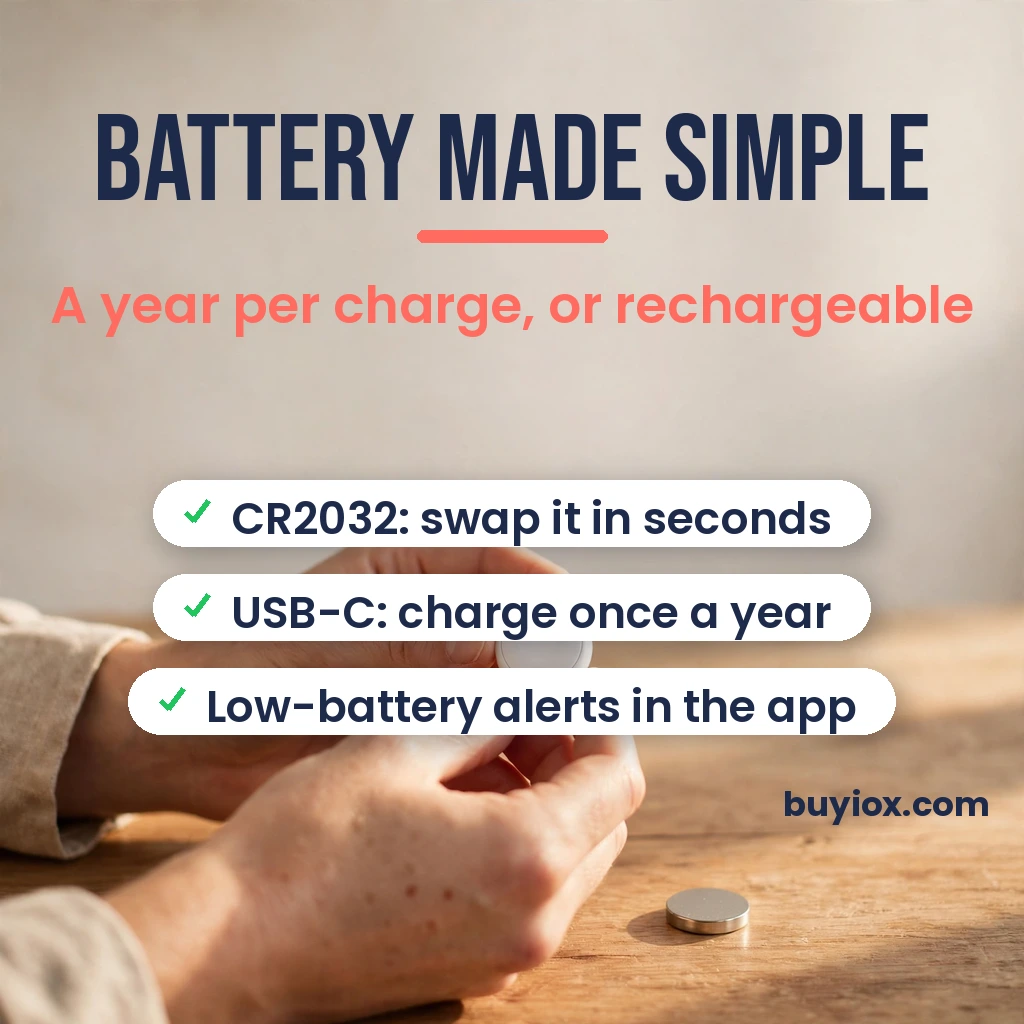
Every tracker here except the Tile Mate (2024) runs on a replaceable CR2032 coin cell lasting about a year – AirTag, Tile Pro, Chipolo One and SmartTag2. The SmartTag2 stretches that to up to 500 days, or 700 in power saving mode, per Samsung’s official spec table (https://www.samsung.com/pk/mobile-accessories/galaxy-smarttag2-black-ei-t5600bbegww/). The Chipolo One advertises the longest at up to 2 years, per Chipolo’s own tech specs (https://chipolo.net/en/products/chipolo-one).
Only the Pebblebee Clip 5 goes rechargeable – one USB-C charge lasts up to 12 months. Rechargeable means no buying coin cells and less e-waste; replaceable means a 2-minute battery swap and no waiting on a charge. Either is fine in practice – pick based on whether you would rather swap a battery or plug in a cable once a year.
Lost mode, phone finder and safety features
The extras that actually get used: Lost Mode puts your contact details on the tag so a stranger who finds your keys can reach you (AirTag uses NFC tap, SmartTag2’s Lost Mode works even on non-Samsung phones via NFC). Phone finder – double-press the tag to ring your phone even on silent – is on the Tile Pro, Tile Mate, Chipolo One and Pebblebee Clip, and it is the feature you will use weekly. The Tile Pro adds an SOS button for its Life360 Circle; the Pebblebee Clip 5 adds an Alert Safety Mode that triggers a 130 dB siren, flashing LED strobe and location sharing with your Safety Circle.
One honest warning: unwanted-tracking protections now ship on all major platforms – if an unknown tracker travels with you, your phone will alert you. That is a good thing. Do not buy a tracker expecting to secretly track a person; that is not what these are for, and the safeguards will block it.
4. Chipolo One – Longest Battery Life, No Subscription
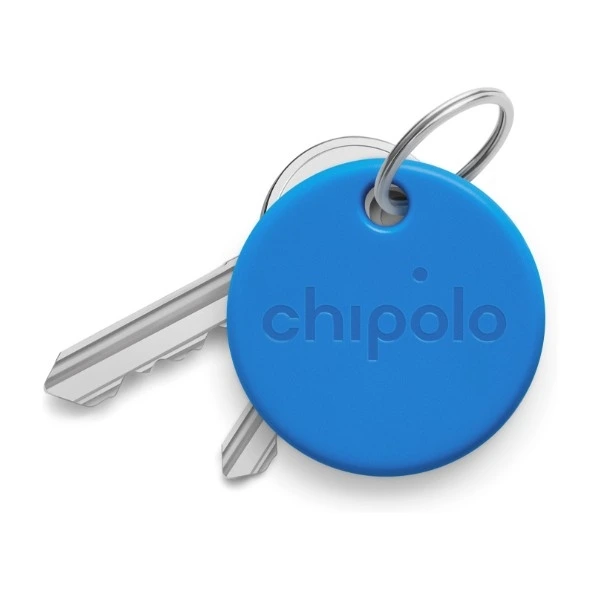
The Chipolo One: 120 dB ring, up to 2-year replaceable battery, IPX5 splash proof and voice control.
The Chipolo One is the quiet workhorse of this list. It does not ride on Apple’s or Google’s networks – it works through the Chipolo app on iOS and Android – but what it does offer is the longest rated battery life here: up to 2 years on a replaceable CR2032, per Chipolo’s official tech specs (https://chipolo.net/en/products/chipolo-one). Add the loudest ring on this list at 120 dB, voice control through Siri, Google Assistant and Alexa, and IPX5 splash proofing, and you have a tracker that is genuinely hard to argue with at around $25.
The Chipolo app’s extras are thoughtful: double-press the One to ring your phone even when it is silenced, get an alert when you leave your keys behind, and see the last known location on a map. Voice control is a sleeper feature – “Hey Siri, find my keys” actually works. Chipolo also sells a separate ONE Point model that uses Google’s Find Hub network for Android users who want the bigger network, but the standard One reviewed here uses the Chipolo app.
The honest trade-off is the network. The Chipolo app’s crowd is far smaller than Find My, Find Hub or even Life360. If you leave your keys somewhere busy, location updates will be slower and less reliable than with a network-native tracker. Also note the water rating: IPX5 handles splashes and rain, but this is not a swim-proof tag. For a buy-it-and-forget-it indoor key tracker on any phone, though, two years of battery and a 120 dB ring is a compelling package.
Pros:
- Up to 2-year replaceable battery – the longest on this list
- Loud 120 dB ring, the loudest of the six
- Works on iPhone and Android, with Siri, Google Assistant and Alexa voice control
- No subscription for any core feature
- Around $25
Cons:
- Works through the Chipolo app – a much smaller crowd network than Find My or Find Hub
- No UWB precision finding
- Only IPX5 splash proof, not swim proof
Best for: Any-phone buyers who want the longest battery life, the loudest ring and voice control, and mostly lose things indoors.
Skip if: You often lose things in busy public places – a network-native tracker (AirTag for iPhone, Chipolo ONE Point for Android) will find them faster.
5. Samsung Galaxy SmartTag2 – Best for Samsung Galaxy Users
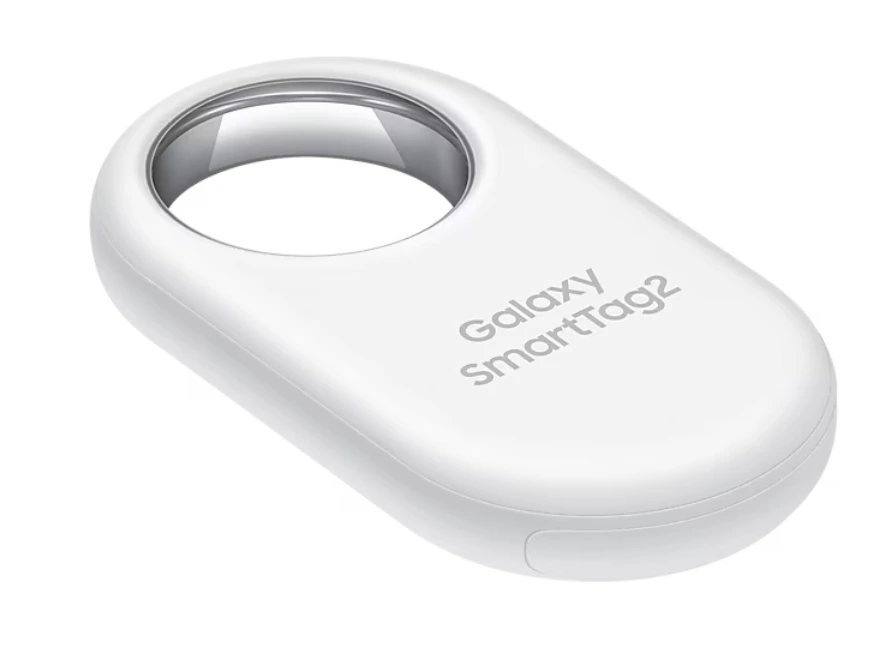
The Samsung Galaxy SmartTag2: UWB Compass View, up to 120 m range, 500-day battery and built-in keyring hole.
If your phone is a Samsung Galaxy, this decision makes itself. The SmartTag2 is Samsung’s answer to the AirTag: UWB Compass View that points you at your keys with on-screen directions on UWB-enabled Galaxy phones, a listed Bluetooth range of up to 120 meters, and a replaceable CR2032 battery rated at up to 500 days – or 700 in power saving mode – per Samsung’s official spec table (https://www.samsung.com/pk/mobile-accessories/galaxy-smarttag2-black-ei-t5600bbegww/).
Samsung thought about the details Apple missed. The SmartTag2 has a built-in keyring hole, so nothing extra to buy. Lost Mode shows your registered contact info to any phone with NFC – even an iPhone – when someone finds your keys. The single button is programmable: press it to ring your phone, or set it to trigger SmartThings routines like turning on your lights. The crowd network is Samsung’s Galaxy Find network, which is large in Galaxy-dense countries but much smaller globally than Apple’s Find My.
Two things to know before buying. First, this tracker only works with Samsung Galaxy phones and tablets – not iPhones, not non-Samsung Androids. Second, Samsung announced the SmartTag 3 in October 2026 – smaller, even longer battery, and reportedly iPhone-compatible – so if you are a Galaxy user upgrading soon, the SmartTag2 is now the discounted, widely available pick while the 3 rolls out. At around $30 list, the SmartTag2 remains excellent value for Galaxy owners.
Pros:
- The only UWB precision finding available on Android (Compass View)
- Up to 120 m listed range and up to 500-day battery (700 in power saving)
- Built-in keyring hole – no holder needed
- Lost Mode readable by any NFC phone, programmable button
- IP67 water and dust resistant
Cons:
- Samsung Galaxy phones only – useless for iPhone or non-Samsung Android
- Galaxy Find network is smaller than Apple’s Find My
- SmartTag 3 was just announced, so a newer model is coming
Best for: Samsung Galaxy owners who want AirTag-style precision finding on Android.
Skip if: You do not own a Samsung phone – this will not set up on anything else.
6. Pebblebee Clip 5 – Best Rechargeable, Dual-Network Pick
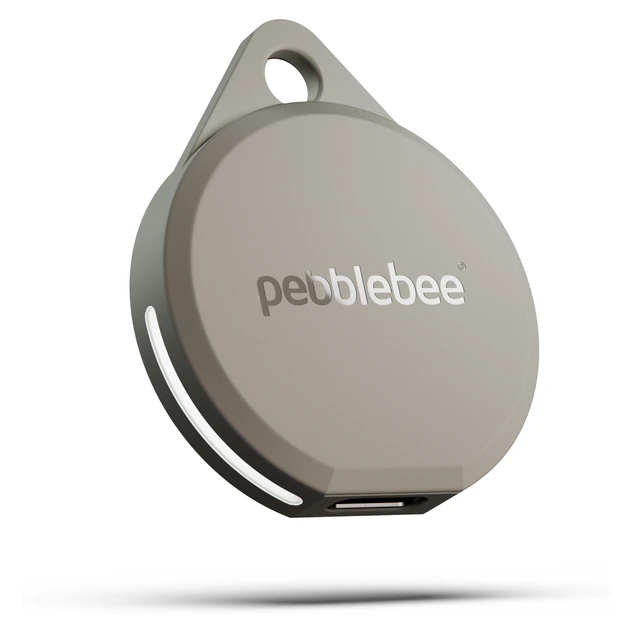
The Pebblebee Clip 5: USB-C rechargeable, works with Apple Find My or Google Find Hub, 130 dB siren and LED strobe.
The Pebblebee Clip 5 is the only tracker here that refuses to pick a side: it works with either Apple’s Find My network OR Google’s Find Hub network. Set it up on your iPhone and it rides Apple’s network; set it up on Android and it rides Google’s. The catch – and be clear on this – is that you choose ONE network at setup, and switching requires a factory reset. It is not truly simultaneous. But for a mixed household, each person can put the same model of tracker on their own network, which is clever.
The hardware is the most feature-packed on this list. One USB-C charge lasts up to 12 months – no coin cells to buy, ever. The siren is rated at a piercing 130 dB, backed by an ultra-bright LED strobe so you can both hear and see the tag in a dark room. Bluetooth range is up to 500 feet, water resistance is IPX6, and the built-in keyring means it goes straight onto your keys. At $34.99 list, it costs a little more than the AirTag and Tile Pro, per Pebblebee’s official product data sheet.
The standout extra is Alert Safety Mode: rapid-press the button and the tag fires the siren, strobes the LED and shares your location with your Safety Circle – designed for students, travelers and late-night walks. Phone finder is included, as is a QR-based recovery option so a finder can return your keys. The downsides: no UWB precision finding, and you must commit to one finding network per tag. If you can live with those, this is the most versatile hardware on the list.
Pros:
- Works with Apple Find My OR Google Find Hub – the only dual-network hardware here
- USB-C rechargeable, up to 12 months per charge – no batteries to buy
- 130 dB siren plus LED strobe you can see in the dark
- Alert Safety Mode with location sharing for your Safety Circle
- Built-in keyring, IPX6 water resistant, phone finder
Cons:
- One network per tag at a time – switching between Apple and Google needs a factory reset
- No UWB precision finding
- Priciest on this list at around $35
Best for: Anyone who wants one tracker that works on either phone platform, rechargeable power, and the loudest alert hardware.
Skip if: You want UWB precision arrows on the final approach – the AirTag or SmartTag2 wins that.
Frequently Asked Questions
Do Bluetooth key finders work without internet?
Partly. Nearby finding – ringing the tag and seeing it in the app – works over Bluetooth alone, no internet needed. But the crowd-finding feature that locates your keys across town needs other people’s phones to have internet, since they report the tag’s location to the network. If your keys are at home, you need nothing but Bluetooth.
Can I use an AirTag with an Android phone?
Not as a tracker. An AirTag must be set up and tracked from an iPhone or iPad – Android phones cannot pair with or locate one. Android phones CAN detect an unknown AirTag that may be traveling with you (Apple’s Tracker Detect feature and built-in alerts), but that is an anti-stalking safety feature, not tracking. If you are on Android, pick the Tile Mate, Chipolo One, Pebblebee Clip or Galaxy SmartTag2 instead.
What is the real Bluetooth range of these trackers?
Less than the box says, and that is true for every brand. Listed ranges are line-of-sight numbers with no walls, pockets or interference – the Tile Pro’s 500 feet, the SmartTag2’s 120 meters and the AirTag’s precision range all shrink indoors. A realistic rule of thumb: expect a third to half of the printed range inside a house. For the “keys in the next room” scenario they all work fine; range differences matter most outdoors and in large buildings.
Do Bluetooth key finders need a subscription?
Five of the six here need none at all – the AirTag, Tile Mate, Chipolo One, SmartTag2 and Pebblebee Clip work fully without paying anything. Tile is the exception: the core finding features are free, but Smart Alerts (notifies you if you leave something behind at a saved address) and 30-day location history sit behind Tile’s $29.99 per year premium plan. You can use a Tile perfectly well without the plan.
Can someone use a tracker to stalk me?
The platforms have built-in protections, but stay aware. iPhones automatically alert you about unknown AirTags moving with you, Android phones flag unknown Find Hub trackers, and Apple publishes a Tracker Detect app for Android. The Chipolo, Tile and Pebblebee tags work within the same alert ecosystems. If your phone warns you about an unknown tracker, follow the on-screen steps – these features exist because misuse happened, and they work best when you act on the alert.
How often do I need to replace the battery?
About once a year for the AirTag, Tile Pro and Chipolo One (the Chipolo is rated up to 2 years), up to 500 days for the Samsung SmartTag2, and up to 3 years for the Tile Mate 2024 – though that one is not replaceable, so it becomes a new purchase at that point. The Pebblebee Clip 5 is rechargeable over USB-C and rated at up to 12 months per charge. All of them warn you in their apps when the battery runs low.
Are Bluetooth key finders waterproof?
None of them are truly waterproof – do not swim with any of them. Most are water resistant enough for real life: the AirTag and SmartTag2 are IP67 (survive 1 meter for 30 minutes), the Tile Pro and Mate are IP68, the Chipolo One is IPX5 (splash proof), and the Pebblebee Clip 5 is IPX6. Rain, splashes and a dropped-in-the-sink accident are fine; a washing machine cycle or a pool is not.
Final Verdict: Which Bluetooth Key Finder Should You Buy?
If you own an iPhone, buy the Apple AirTag – the Find My network is the single biggest advantage any tracker can have, and at around $29 it is also one of the cheapest. Just add a keyring holder to your order.
For mixed iPhone and Android households, the Tile Pro (2024) at around $35 is the pick – one free app on both platforms, the longest range, the loudest Tile ring and a built-in SOS button. On a budget, the Tile Mate (2024) at around $25 does the same job indoors for less. Samsung Galaxy owners should get the Galaxy SmartTag2 – it is the only tracker with UWB precision finding on Android, at around $30. The Chipolo One at around $25 is the set-and-forget pick with the longest rated battery life, and the Pebblebee Clip 5 at around $35 is the most versatile hardware: rechargeable, dual-network, and a 130 dB siren with an LED strobe.
Whichever you choose, the rule from the buying guide matters more than the brand: match the tracker to your phone first, then care about range and extras. A tracker on the wrong network is just an expensive keychain.
Keep your everyday carry organized the same way you organize everything else. Pair your key tracker with one of the best dash cams for drive-time protection, keep the keys you always lose on a tidy desk next to one of the best standing desk converters, and if your car doubles as dog transport, one of the best dog car seat covers keeps the back seat as findable as your keys.
[…] of the six above will serve you well for years. For more travel-ready tech, check our picks for the best bluetooth key finder so you never lose your gear, and the best mini projector for movie nights […]