
As an Amazon Associate I earn from qualifying purchases. This costs you nothing extra and helps us keep Buyiox free.
Your Back Was Not Built for Eight Hours of Sitting
You know the feeling. It creeps in around 2 or 3 p.m. Your lower back goes stiff, your neck feels locked to the screen, and your shoulders have migrated somewhere near your ears. You shift, you stretch, you sit on the edge of the chair for a while. Nothing really helps, because the problem is not how you sit. It is that you never get up.
This is not just discomfort. The Mayo Clinic reports that extended sitting is linked to obesity, metabolic syndrome, cardiovascular disease, and cancer risk – and that 60 to 75 minutes of moderate activity a day helps offset the damage (https://www.mayoclinic.org/healthy-lifestyle/adult-health/expert-answers/sitting/faq-20058005). One Mayo Clinic physician even compares the heart risk of sitting more than eight hours a day to smoking a pack of cigarettes a day (https://newsnetwork.mayoclinic.org/discussion/mayo-clinic-q-and-a-active-work-stations-because-sitting-all-day-is-bad-for-your-health/).
A standing desk converter fixes this without making you buy a whole new desk. It sits on top of your existing desk and lifts your monitor, keyboard, and mouse to standing height in seconds. Sit when you want, stand when you want. We researched six of the most popular converters on the market, pulling specs from official brand pages and combing through owner reviews to find the honest pros and cons. Every product below is real and currently available. No invented specs, no fake testing claims.
Quick Comparison: The 6 Best Standing Desk Converters
| Product | Best For | Approx. Price |
| — | — | — |
|---|---|---|
| Vari VariDesk Pro Plus 36 | Best overall, premium build, dual monitors | Around $425 |
| VIVO DESK-V000K 32 | Best budget pick, huge size range | Around $140 |
| FlexiSpot AlcoveRiser M7 35 | Best vertical lift, oversized keyboard tray | Around $280 |
| VERSADESK PowerPro 36 x 24 Electric | Best electric, heaviest capacity | Around $349 |
| HUANUO 32 Standing Desk Converter (HNSSD9B) | Best compact value pick | Around $220 |
| Stand Steady X-Elite Pro 28 | Best no-assembly pneumatic pick | Around $220 |
Prices move around on Amazon, so treat these as rough guides. The links below take you to live Amazon search results where you can check the current price.
1. Vari VariDesk Pro Plus 36 – The Premium Original
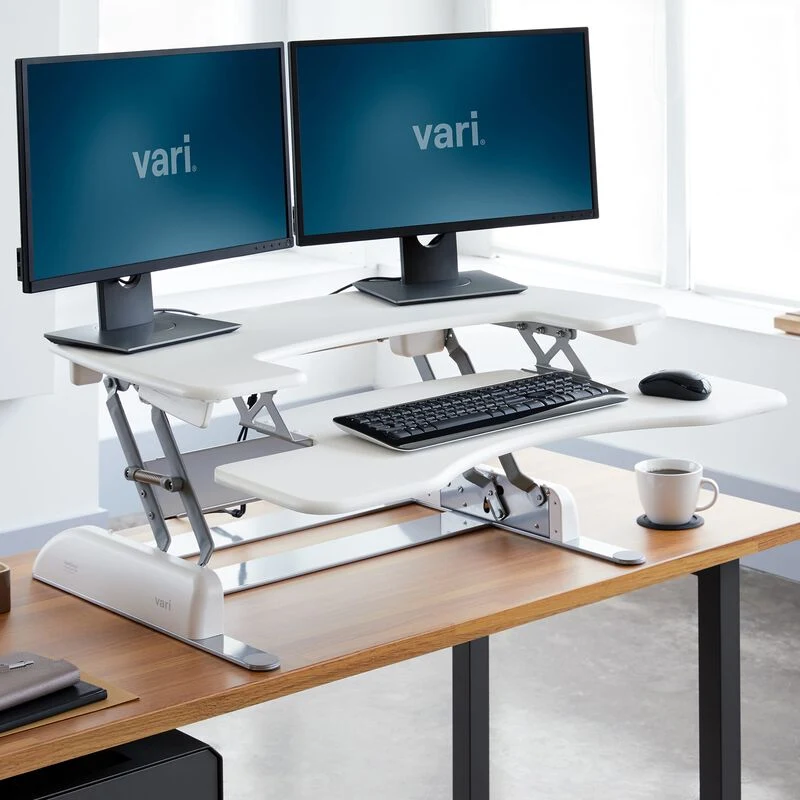
The Vari VariDesk Pro Plus 36: the original sit-stand converter with a rowing-lift mechanism and dual-monitor capacity.
The VariDesk Pro Plus 36 is the original sit-stand converter, and it still sets the standard. This is the premium best-overall pick for a simple reason: it does everything well, with no gimmicks and no weak points that matter in daily use. If you want one purchase that ends the back-pain debate, this is it.
The mechanism is Vari’s patented rowing lift with spring assistance. You grab the two handles, and the platform glides between 11 height settings, from 4.5 inches up to 17.5 inches. The 36-inch desktop (36 in wide by 29.75 in deep) holds up to 35 lb, which is plenty for two monitors, a laptop dock, and your desk essentials. A curved posture bar along the front keeps your keyboard position natural, and the weighted base means no bolts or clamps – it just sits on your desk.
Build quality is where the Vari earns its premium price. It arrives fully assembled, is GreenGuard Gold certified for low chemical emissions, and feels rock solid at sitting height. It comes in 30, 36, and 48-inch widths, so it scales from compact desks to full dual-monitor battlestations.
Honest trade-offs, because there are several. At 52.15 lb, this is a two-person job to lift onto your desk (Android Authority calls this out specifically). The rowing lift moves forward and outward as it rises, so it eats into your desk space – check your depth before buying (Windows Central, ergonoma). Some owners report slight wobble or monitor shaking when fully raised, and it takes more effort to lift when fully loaded with monitors (deskadvisor). The keyboard tray is also not independently adjustable, which one vari.com owner flagged as a limitation.
Pros:
- The original and most proven design in the category
- 35 lb capacity handles dual-monitor setups easily
- 11 height settings, spring-assisted rowing lift, dual handles
- Weighted base: no drilling, clamping, or assembly
- GreenGuard Gold certified, arrives fully assembled
Cons:
- Very heavy at 52.15 lb – needs two people to set up
- Rowing lift moves forward as it rises, eating desk space
- Keyboard tray is not independently adjustable
- Some wobble and monitor shake reported at full height
- Premium price
Best for: Anyone who wants the best overall converter with no compromises on capacity or build quality, especially dual-monitor users.
Skip if: Your desk is shallow, you work alone and cannot recruit a helper, or you want to spend under $300.
2. VIVO DESK-V000K 32 – The Budget Workhorse
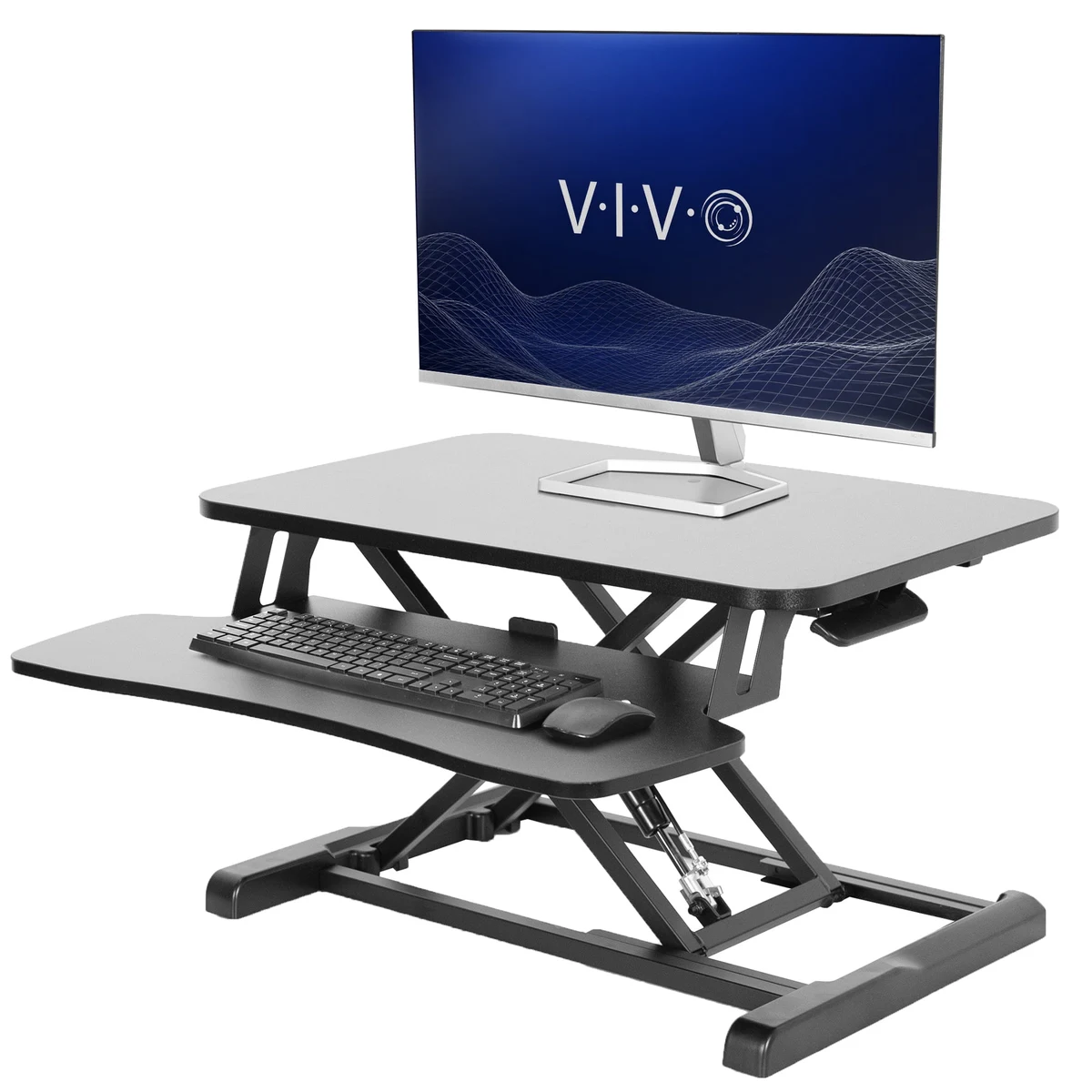
The VIVO DESK-V000K: the budget pick with a pneumatic X-frame lift and a huge range of sizes and finishes.
The VIVO DESK-V000K is proof that you do not need to spend premium money to get a genuinely good converter. At around $140 for the popular 32-inch model, it costs a fraction of the premium picks while offering a 33 lb weight capacity, a pneumatic lift assist rated for 10,000 lift cycles, and unlimited height adjustment within its range. This is the best budget pick by a wide margin.
The standout feature is choice. The DESK-V000K comes in six sizes – 26, 28, 32, 36, 42, and 48 inches – and a long list of finishes including black, dark walnut, light wood, gray, vintage brown, bamboo, and white. Whatever your desk and your decor, there is a VIVO that matches. The two-tier design gives you a main surface (31.5 by 15.7 inches on the 32-inch model) plus a lower keyboard tray, and the patented X-frame mechanism keeps the motion stable through the lift.
You also get real purchase protection at this price: a 3-year manufacturer warranty and a 30-day return policy, which is better coverage than some picks costing twice as much.
The compromises are what you would expect at this price. Multiple owners report slight wobble at maximum height. The desktop is half-inch MDF with thin-gauge metal parts (furnitureguide.net), which feels less premium than the Vari. The keyboard tray needs assembly with the included hex tool, a few owners report lever or cable assembly failures over time (thereviewindex), and raising and lowering can take more force than expected (desertcart owner review). None of these are dealbreakers at $140, but set your expectations accordingly.
Pros:
- Excellent value at around $140 for the 32-inch model
- 33 lb capacity with pneumatic lift assist rated for 10,000 cycles
- Six sizes and many finishes to match any desk
- 3-year manufacturer warranty, 30-day returns
- Two-tier design with removable keyboard tray
Cons:
- Slight wobble at maximum height
- MDF desktop and thin-gauge metal parts feel budget
- Keyboard tray requires assembly
- Occasional lever or cable failures reported over time
- Raising and lowering can need more force than expected
Best for: Budget shoppers who want a full-size converter with real capacity and solid warranty coverage.
Skip if: You need absolute rock-solid stability at full height, or you want a premium-feel desktop surface.
3. FlexiSpot AlcoveRiser M7 35 – The Vertical Lift Pick
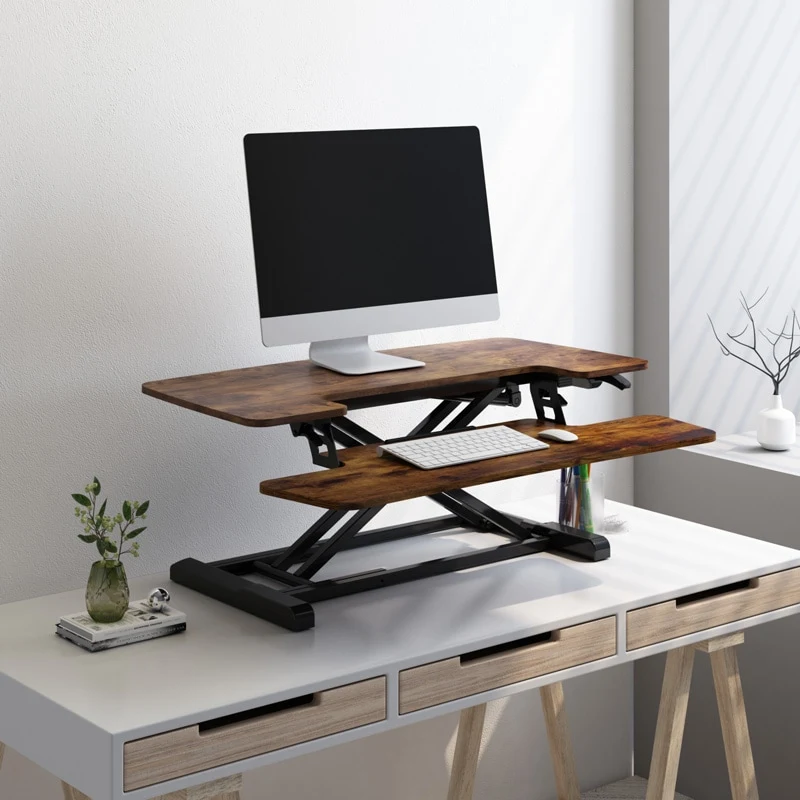
The FlexiSpot AlcoveRiser M7: straight vertical lift with an oversized U-shaped keyboard tray.
The FlexiSpot AlcoveRiser M7 solves the biggest complaint about X-frame converters: the forward drift. Where the Vari and VIVO move outward as they rise, the M7 uses a gas spring mechanism that lifts straight up and down, from about 4.7 inches to 19.7 inches. Your setup stays exactly where it was, just higher. That makes it the best vertical-lift mid-range pick, and a strong choice if your desk is pushed against a wall or you have limited depth.
The keyboard tray deserves its own mention. It is an oversized U-shape that fits a 17-inch laptop or a full-size keyboard plus mouse with room to spare. It is quick-release and removable, so you can detach it when you want a cleaner setup. The 35-inch extra-large desktop gives you generous real estate, and the braced X-lift structure protects against sudden drops. Rubber feet protect your desk surface, and there is built-in monitor mount support for VESA arms. Capacity is rated at 33 lb per FlexiSpot’s CA page.
Honest caveats from owners. The keyboard tray can still feel cramped for a full-size keyboard plus mouse for some users (Android Authority’s M7B review). It needs a very flat desk surface or it can rock (makeuseof), and one Best Buy owner noted the oil coating on the lift cylinders is noticeable when extended. Some owners also find it pricey for a manual converter. Note that we could not verify the current official-site price because FlexiSpot’s pages render with JavaScript – treat the price below as approximate and check the live listing.
Pros:
- Straight vertical lift: no forward drift, great against walls
- Oversized U-shaped keyboard tray fits a 17-inch laptop
- 35-inch extra-large desktop with monitor mount support
- Quick-release removable keyboard tray
- Braced X-lift structure guards against sudden drops
Cons:
- Tray can feel cramped for full-size keyboard plus mouse
- Needs a very flat desk surface or it rocks
- Oil coating on lift cylinders visible when extended
- Feels pricey for a manual converter
- Current official price could not be verified – treat as approximate
Best for: Desk-against-the-wall setups and anyone who wants the tray space without the forward drift of X-frame designs.
Skip if: Your desk surface is not perfectly flat, or you want the absolute cheapest path to standing.
4. VERSADESK PowerPro 36 x 24 Electric – The Electric Pick
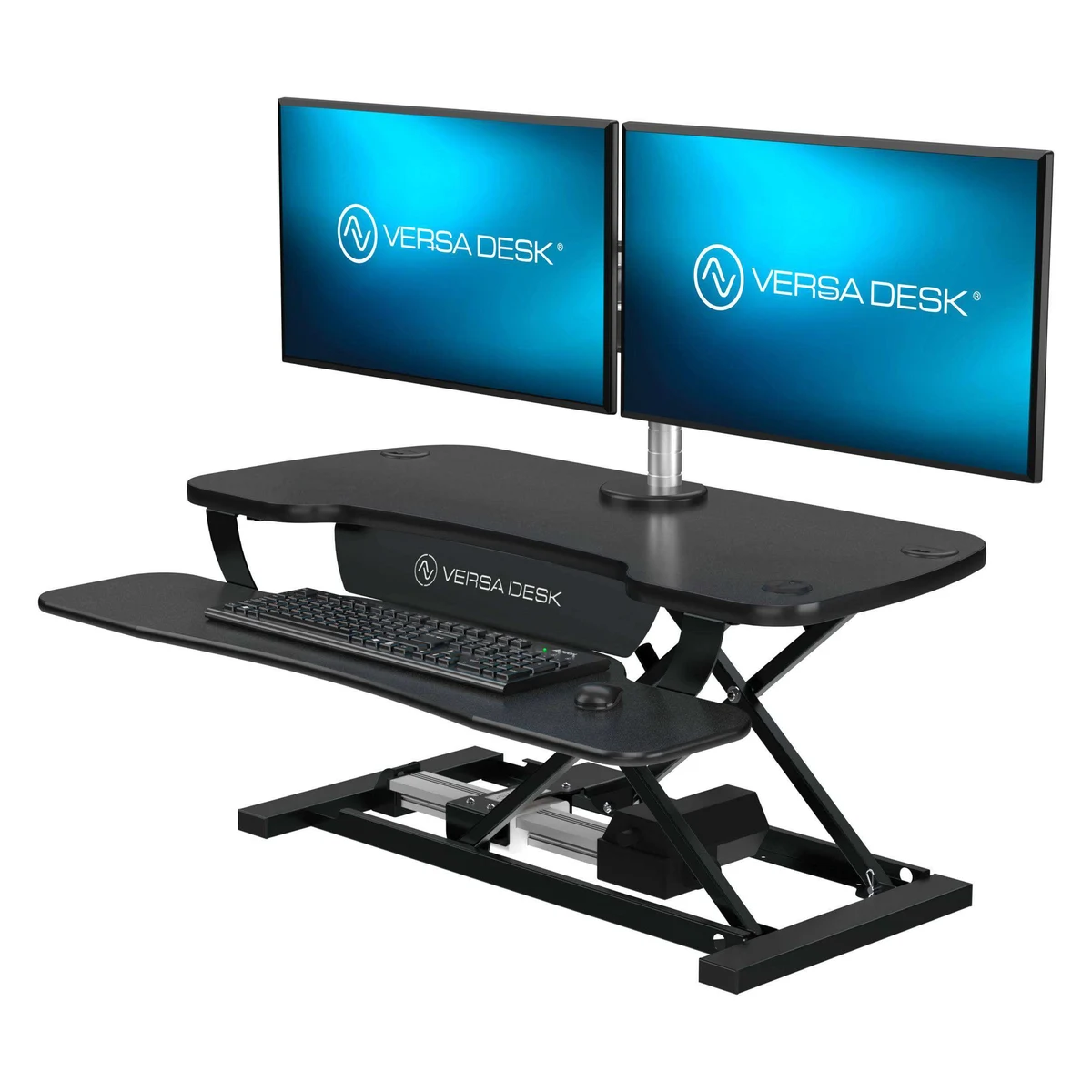
The VERSADESK PowerPro: electric lift with an 80 lb capacity, USB charging port, and whisper-quiet motor.
If you want to press a button instead of pumping a handle, the VERSADESK PowerPro is the pick. It is the best electric converter in this roundup, and it has the heaviest weight capacity here by a wide margin: 80 lb. That is more than double most manual converters. Two large monitors, a laptop dock, speakers, a desk lamp – load it up and the electric actuator still lifts smoothly and quietly.
The electric lift has infinite height adjustment with no preset stopping points, up to 20 inches of travel. The height control has a built-in USB charging port, so your phone charges right where you work. Built-in grommets handle cable management and monitor mounting. The frame is powder-coated steel with a high-density fiberboard surface, available in black, white, gray, maple, and cherry across 36, 40, and 48-inch widths. Assembly is minimal, and it is designed, manufactured, and assembled in the USA.
Owner complaints to know about before buying. It moves slowly compared to gas-spring models (desertcart owner review), so quick sit-stand switching takes patience. The keyboard tray is fixed and shallow – split ergonomic keyboards can hang over the edge. One owner measured a 2.7-degree forward lean. There is a reported motor failure after six months with poor post-return-period support, occasional cosmetic shipping damage, and a brief popping sound at the start of the lift. These are real issues, though most owners are happy with the core experience.
Pros:
- 80 lb capacity – the heaviest in this roundup, by far
- Electric lift with infinite height adjustment, whisper quiet
- Built-in USB charging port in the height control
- Cable grommets and monitor mount support
- Made in the USA, minimal assembly
Cons:
- Lifts slowly compared to gas-spring models
- Fixed, shallow keyboard tray – split keyboards hang over
- One owner measured a 2.7-degree forward lean
- Motor failure report with weak post-return support
- Popping sound at the start of the lift
Best for: Heavy dual-monitor setups and anyone who wants effortless electric adjustment without lifting anything themselves.
Skip if: You want fast sit-stand transitions, or you use a split ergonomic keyboard that needs a deep tray.
5. HUANUO 32 Standing Desk Converter (HNSSD9B) – The Compact Value Pick
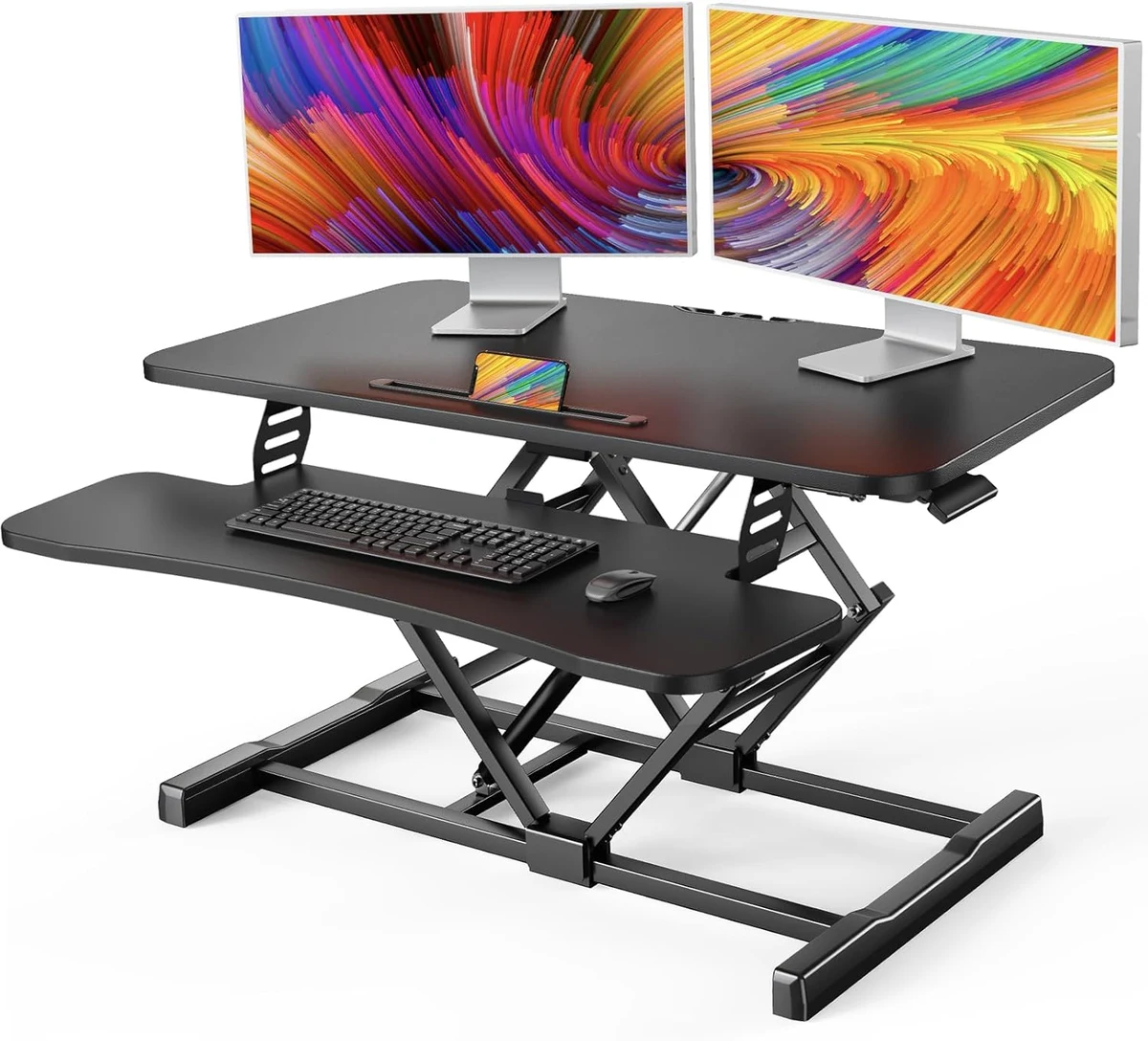
The HUANUO 32: a compact gas-spring converter with a built-in device slot and cable management.
The HUANUO 32 (model HNSSD9B) is the compact value pick for smaller desks and simpler setups. The platform measures 32 by 15.6 inches and lifts from 4.7 to 18.1 inches on a gas spring rated for 20,000 lift cycles – double the cycle rating of the VIVO’s mechanism. That is a durability story worth noting at this price.
Thoughtful details set it apart. There is an integrated phone and tablet storage slot, cable management clips on the back, curved ergonomic edges, and a pre-assembled frame and top so setup is minimal. The keyboard tray (31.2 by 8.3 inches) is optional on the current model rather than included – worth knowing before you order. You get up to a 5-year warranty and 30-day free returns, and it ships from the USA.
The main limitation is capacity: 22 lb is the lowest of the gas-spring models here. Note that the older HNSSD6 model was rated at 33 lb, so this current version is a step down in capacity – one monitor and a laptop are fine, but dual 27-inch monitors will push it. Some official-site variants showed out of stock at research time, though it is also widely sold on Amazon. Treat the price below as approximate.
Pros:
- Gas spring rated for 20,000 lift cycles
- Compact 32-inch footprint fits smaller desks
- Built-in phone and tablet slot, cable clips, curved edges
- Pre-assembled frame and top, minimal setup
- Up to 5-year warranty, 30-day free returns
Cons:
- 22 lb capacity is the lowest of the gas-spring models here
- Keyboard tray is optional, not included
- Some official-site variants out of stock at research time
- Availability varies between the official store and Amazon
- Price is approximate – check the live listing
Best for: Compact desks and single-monitor or laptop setups where you want quality extras without premium cost.
Skip if: You run dual large monitors – the 22 lb capacity will be tight.
6. Stand Steady X-Elite Pro 28 – The No-Assembly Pick
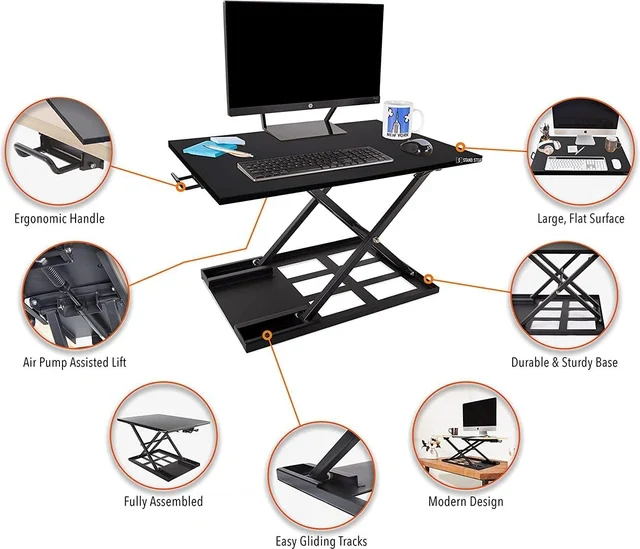
The Stand Steady X-Elite Pro: fully assembled pneumatic converter, ready in seconds.
The Stand Steady X-Elite Pro wins the simplicity award. It arrives fully assembled – you place it on your desk and you are done. The pneumatic (air-pump) assisted lift moves the 28 by 20-inch single-level surface from about 2.5 to 7 inches at sitting height up to 16 to 17 inches standing. No tools, no setup time, no learning curve.
You get a durable metal base with a slim modern frame, available in black, white, cherry, and maple. The support package is strong: a 5-year warranty, a 90-day risk-free trial, and free standard shipping in the continental US. For someone who wants standing at their desk with zero friction, this is the fastest path.
But the honesty section matters most here. The 20 lb weight capacity is the lowest in this roundup, and it is tight for dual-monitor setups (standingdeskgeek). Mid-range heights do not lock firmly, so there is noticeable springiness when typing (workwhilewalking.com). The pump mechanism can deteriorate over time (painfreeworking.com), plastic caps grind against the metal base making noise during adjustment (workwhilewalking.com), and it can crash down when lowered to the lowest setting. There is a pinch threat at the lift handle. And the single tier means your keyboard sits at monitor height, which is less ergonomic than the two-tier designs.
Pros:
- Zero assembly – place on desk and use immediately
- Pneumatic lift assist, simple one-motion adjustment
- 5-year warranty and 90-day risk-free trial
- Slim modern frame, multiple finishes
- Free shipping in the continental US
Cons:
- 20 lb capacity is the lowest in the roundup – tight for dual monitors
- Mid heights do not lock: springiness when typing
- Pump mechanism can deteriorate over time
- Plastic caps grind and make noise during adjustment
- Can crash down at the lowest setting
- Single tier: keyboard at monitor height is less ergonomic
Best for: Laptop users who want the absolute simplest path to standing with zero assembly.
Skip if: You use dual monitors, type heavily at mid heights, or want a two-tier ergonomic layout.
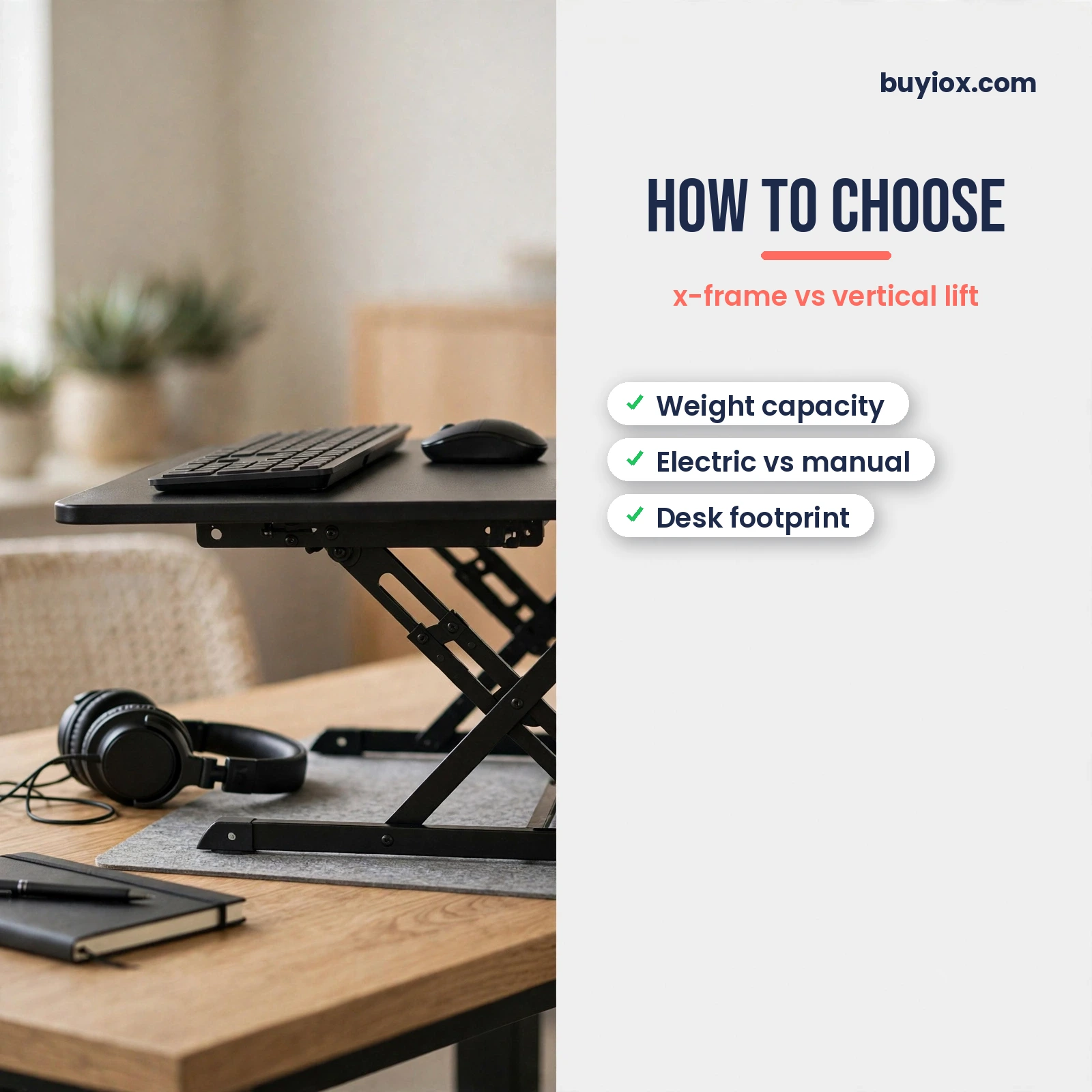
Buying Guide: How to Choose the Right Standing Desk Converter
Weight capacity: match it to your actual setup
This is the spec that matters most, and the one people most often get wrong. Add up everything that will sit on the converter: monitor (a 27-inch monitor is typically 10 to 14 lb), second monitor, laptop or dock, keyboard, mouse, speakers, and anything else. Then leave headroom.
The range in this roundup is wide: the VERSADESK PowerPro handles 80 lb with ease, the Vari takes 35 lb, the VIVO and FlexiSpot take 33 lb, and the HUANUO (22 lb) and Stand Steady (20 lb) sit at the low end. If you run dual monitors, stay with the top three. A converter loaded near its limit is also harder to lift and more prone to wobble – the Vari’s owners noticed this when fully loaded (deskadvisor).
X-frame vs. vertical lift: how it moves matters
X-frame converters (Vari, VIVO) rise in an arc, moving forward and outward as they lift. This is a proven, stable mechanism, but it eats into your desk space as it rises. Vertical-lift converters (FlexiSpot M7) move straight up and down, keeping your setup exactly where it was.
If your desk sits against a wall or you have limited depth, vertical lift is the smarter choice. If you have a deep desk and want the most proven mechanism, X-frame works beautifully. Just measure your desk depth first – the Vari’s 29.75-inch footprint plus forward drift needs real room.
Electric vs. manual lifting
Electric converters like the VERSADESK PowerPro lift at the touch of a button with infinite height adjustment and no preset stops. That is effortless and precise, and essential if you have a heavy load or limited upper-body strength. The trade-offs are speed (electric lifts are slower than gas springs), price, and the small but real risk of motor issues down the line.
Manual gas-spring and pneumatic converters are faster, cheaper, and have no motor to fail. Most people will be perfectly happy with a manual lift. Go electric if your setup is heavy, you adjust height many times a day, or you simply want the smoothest experience.
Footprint: will it fit your desk?
Measure before you buy. The Vari Pro Plus 36 needs a 36 by 29.75-inch surface plus room for the forward drift. The FlexiSpot M7’s vertical lift is kinder to shallow desks. The HUANUO 32 and Stand Steady 28 are the most compact picks here. Also check that your desk surface is flat – the FlexiSpot rocks on uneven surfaces (makeuseof).
Remember the converter sits on top of your desk, so you lose that desktop space permanently while it is there. Make sure you still have room for the things that do not go on the converter.
Height range and keyboard ergonomics
Your standing elbow height determines the height range you need. All six picks here reach at least 16 inches of lift, which works for most adults. Taller users should check the maximums: the VERSADESK goes to 20 inches, the FlexiSpot to about 19.7, and the Vari to 17.5.
Two-tier designs (Vari, VIVO, FlexiSpot, HUANUO) put your keyboard lower than your monitors, which is the ergonomic ideal. Single-tier designs (Stand Steady) put everything at one height, which is a compromise – fine for laptop use, less ideal for long typing sessions. If you pair your converter with posture habits, our guide to the best posture correctors covers the other half of the equation.
Frequently Asked Questions
How much weight can a standing desk converter hold?
It depends on the model, and the range is wider than most people expect. In this roundup, capacities run from 20 lb (Stand Steady) to 80 lb (VERSADESK PowerPro), with most manual converters landing around 33 to 35 lb. Always add up your monitors, laptop or dock, keyboard, and accessories, then leave headroom – a converter loaded near its limit is harder to lift and more likely to wobble. For dual-monitor setups, stick with 33 lb or higher.
Can a standing desk converter hold two monitors?
Yes, if you pick one with enough capacity. The Vari VariDesk Pro Plus 36 is explicitly dual-monitor compatible with its 35 lb capacity and 36-inch width, and the VERSADESK PowerPro’s 80 lb rating handles two large monitors with ease. The VIVO and FlexiSpot at 33 lb also work for typical dual-monitor setups. Avoid the low-capacity picks for this: the Stand Steady’s 20 lb limit is too tight for dual monitors, and the HUANUO’s 22 lb is marginal.
Do standing desk converters wobble?
Some do, especially at full height and under heavy loads. Owner reviews across this roundup report slight wobble at maximum height on the VIVO, monitor shaking when fully raised on the Vari, and a noticeable springiness at mid heights on the Stand Steady. The FlexiSpot’s vertical lift and braced structure are among the most stable designs here. In practice, a little movement is normal – if it bothers you, choose a model with capacity well above your actual load.
Should I get an electric or manual standing desk converter?
Get electric if your setup is heavy, you have limited upper-body strength, or you adjust height many times a day – the VERSADESK’s button lift with infinite adjustment is effortless. Get manual if you want faster transitions, a lower price, and no motor that can fail – one owner did report a VERSADESK motor failure after six months. Gas-spring manual models like the VIVO and FlexiSpot lift in seconds and have nothing electronic to break. Most home-office users will be happy with manual.
Do I need to bolt a standing desk converter to my desk?
No. All six converters in this roundup sit on top of your desk with a weighted base or rubber feet – no drilling, clamping, or permanent mounting. The Vari’s weighted base is specifically designed to stay put without hardware. The one requirement is a flat, stable desk surface: the FlexiSpot can rock if your desk is not level, so check before you buy.
How long should I stand at my desk each day?
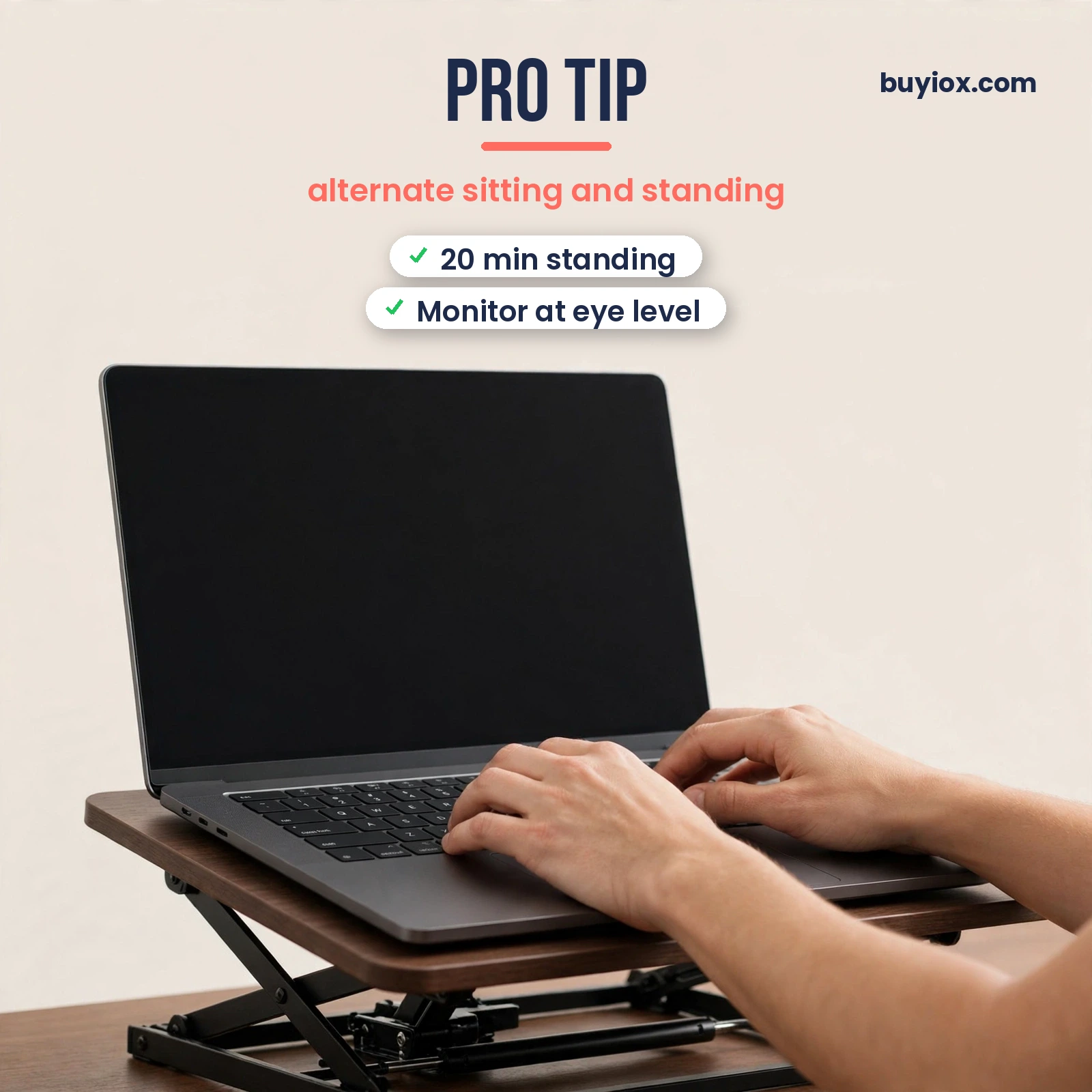
There is no magic number, but the research points in a clear direction. The Mayo Clinic notes that 60 to 75 minutes of moderate activity a day helps offset the risks of extended sitting (https://www.mayoclinic.org/healthy-lifestyle/adult-health/expert-answers/sitting/faq-20058005). And a Mayo Clinic study of 44 office workers found that active workstations – standing, stepping, or walking – improved reasoning scores compared to sitting all day (https://www.newswise.com/articles/mayo-clinic-study-finds-active-workstations-may-improve-cognitive-performance). Start with 20 to 30 minutes of standing per hour and build up. Standing all day is not the goal either – alternating is.
What size converter should I get for my desk?
Match the converter’s footprint to your desk depth first, then width. The Vari Pro Plus 36 needs a deep desk (36 by 29.75 inches plus room for forward drift). The FlexiSpot M7 suits shallower desks thanks to its vertical lift. For compact desks, the HUANUO 32 or Stand Steady 28 fit best. As a rule of thumb, the converter should cover no more than about two-thirds of your desk depth, leaving room in front for writing space and behind for cables.
Final Verdict: Which Standing Desk Converter Should You Buy?
If you want our single top recommendation, it is the Vari VariDesk Pro Plus 36. The original sit-stand converter remains the best overall: 35 lb capacity for dual monitors, 11 smooth height settings, a weighted no-bolt base, and build quality that justifies the premium price at around $425. It is heavy and it costs more, but it is the one purchase that most reliably ends the sitting-all-day problem.
On a budget, the VIVO DESK-V000K 32 is the clear winner at around $140. You get 33 lb of capacity, a pneumatic lift rated for 10,000 cycles, six sizes, and a 3-year warranty – remarkable value. If your desk sits against a wall, the FlexiSpot AlcoveRiser M7 (around $280) with its straight vertical lift is the smarter mechanical choice. For heavy loads and effortless adjustment, the VERSADESK PowerPro (around $349) is the only electric pick and lifts up to 80 lb.
Whichever converter you choose, it works best as part of a healthier workstation. Pair it with the posture habits in our best posture correctors guide, add real movement with a walking pad from our best under-desk treadmills roundup, and ease the aches of long desk days with our best massage guns picks. For the full home office setup, see our best air purifiers guide.