
Affiliate Disclosure: Buyiox is reader-supported. When you buy through links on this page, we may earn a small commission at no extra cost to you. We only recommend products we would buy for our own homes.
Your heating bill arrives, and the number makes you wince. The house feels fine, but the furnace has been running all day, heating empty bedrooms, an empty living room, and a hallway nobody sits in. You turn the thermostat down by hand, then forget, then turn it back up when you feel cold, then forget again. The waste is not dramatic. It is quiet, daily, and it adds up to real money every single month.
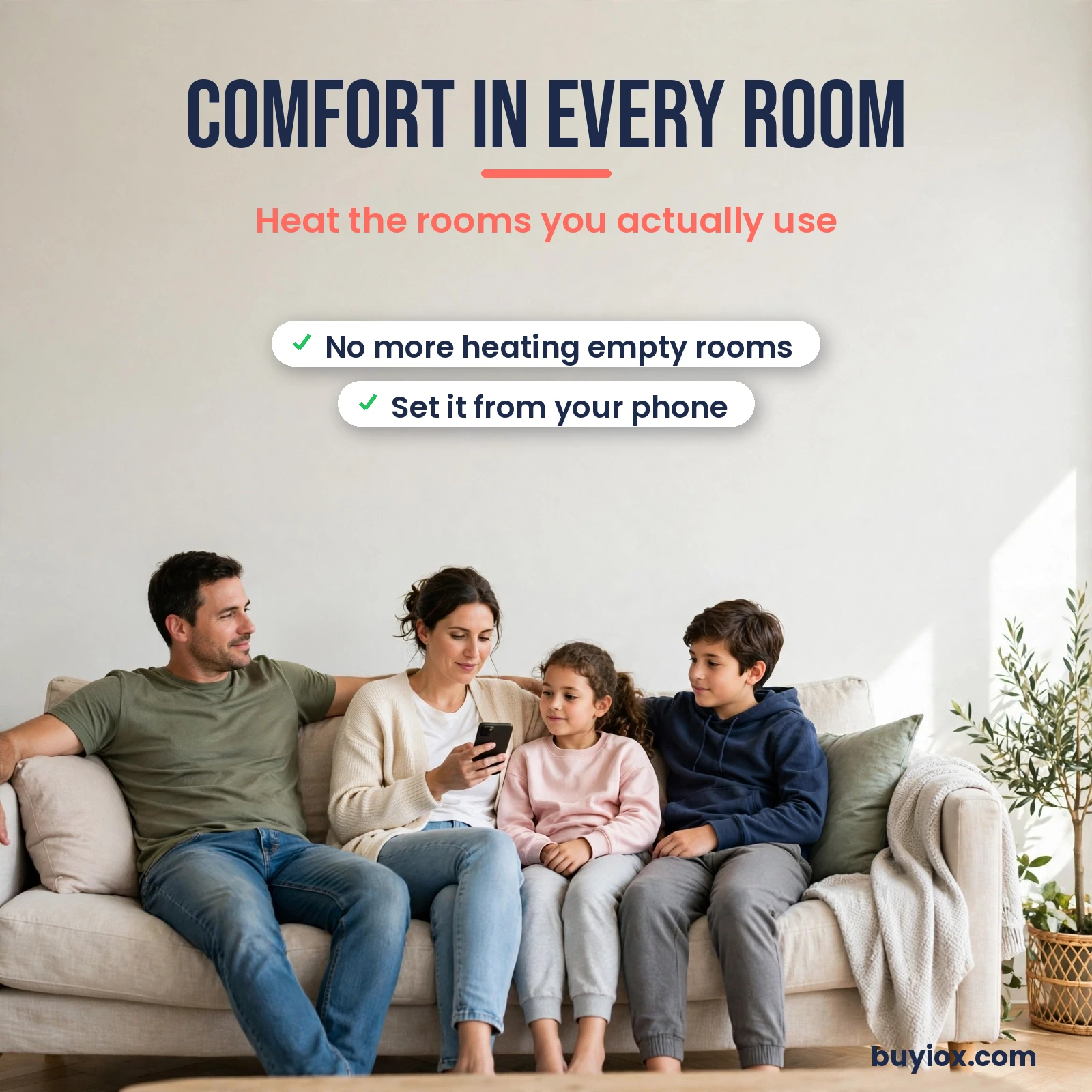
A smart thermostat fixes the forgetting. It builds a schedule around your life, turns the heat down when the house is empty, warms the rooms you actually use, and lets you change the temperature from your phone before you even get home. The honest number to keep in mind comes from ENERGY STAR: certified smart thermostats save on average about 8 percent of heating and cooling bills, or about $50 a year. That is an average from real homes, not a promise for your house. Your savings depend on your climate, your insulation, how often the house sits empty, and how wasteful your current habits are. A home that is empty all day will save far more than a home where someone is always in.
The six best smart thermostats below cover every home and every budget. There is a learning thermostat that writes its own schedule, a sensor-packed flagship that fixes cold bedrooms, a multi-room specialist for big houses, a privacy-friendly pick with a big glass touchscreen, and two budget picks that cost less than a single month of wasted heating. This is a research-based roundup. We did not test these thermostats in our own homes, so every claim below is framed the way it should be: what the manufacturer states, what owners report, and what the trade-offs are. Energy-saving percentages from manufacturers are their own claims, not guarantees. Pick the thermostat that fits your wiring, your heating system, and your smart home, and the bill starts shrinking on its own.
Our Top 6 at a Glance
- Google Nest Learning Thermostat (4th gen) – Best overall, the learning thermostat that writes its own schedule and usually needs no C wire
- ecobee Smart Thermostat Premium – Best for room sensors and air quality, with a SmartSensor in the box and Alexa or Siri built in
- Honeywell Home T9 Smart Thermostat – Best for large and multi-room homes, with up to 20 room sensors and no subscription anywhere
- Sensi Touch 2 Smart Thermostat – Best for privacy and easy use, with a big glass touchscreen and a promise not to sell your data
- Amazon Smart Thermostat – Best budget pick, the cheapest credible smart thermostat for Alexa homes with a C wire
- Wyze Thermostat – Best ultra-budget pick, with a C-wire adapter in the box and support for up to six room sensors
1. Google Nest Learning Thermostat (4th gen) – Best Overall

Google Nest Learning Thermostat (4th gen) (product-style image)
The Google Nest Learning Thermostat (4th gen) is the best smart thermostat for most homes, and the reason is simple: it removes the two biggest headaches before you even start. First, it learns. You set the temperature by hand for a week or so, and the thermostat builds a schedule from your habits, then keeps adjusting it as your life changes. Second, it usually needs no C wire. Google says its Power Sharing design means the thermostat works without a C wire in over 99 percent of homes, and only in limited cases does a system need a C wire or a Nest Power Connector. For most buyers, that means the install is a 30-minute swap, not a wiring project.
The hardware is the prettiest thermostat you can put on a wall. The round display is 2.7 inches across at 600 by 600 pixels, set under domed glass with a weighted metal rotating ring. Soli radar wakes the display as you walk past, and temperature, humidity, and ambient light sensors sit behind the glass. It controls up to 3 heating and 3 cooling stages plus heat pumps with auxiliary and emergency heat, so it covers most forced-air, heat pump, and radiant systems. It works with Google Home and Matter, which means it also shows up in Apple Home and other Matter platforms. One Nest Temperature Sensor (2nd gen) rides in the box, so the cold bedroom finally gets a vote. It is ENERGY STAR certified, and it carries a 2-year warranty.
What makes this thermostat lead the list is how little it asks of you after install day. There is no schedule to program, no app to babysit, and no sensor to buy separately for the one cold room. It learns when you leave and come back, it eases the temperature down while you are out, and it brings the house back to comfort before you walk in. The display is readable from across the room, the rotating ring feels solid, and the Google Home app is the most polished thermostat app in this category. At around $230 on Amazon against a $279.99 list price, it is the most expensive thermostat here, but it is also the one most owners should buy first, because it is the one least likely to send you back to the store for a missing wire or a missing sensor.
The honest trade-offs start with the price. At around $230 it costs three times the Amazon Smart Thermostat below, and the savings gap between the two is far smaller than the price gap. The learning schedule also takes time: for the first week or two it is just a thermostat you set by hand, and if your routine is irregular, the learning may never settle into a clean pattern. There is no voice assistant built into the unit itself, so you need a separate speaker for voice control. And while most homes need no C wire, some systems still do, so run your wire labels through Google’s compatibility checker before you order. If your system is one of the rare exceptions, you will need the Power Connector, which adds a furnace-board step to the install.
Why we like it
- Learns your schedule automatically, so you never have to program it by hand
- Works without a C wire in most homes, according to Google, which removes the biggest install blocker
- One Nest Temperature Sensor (2nd gen) included in the box for the cold or hot room
- 2.7-inch round display at 600 by 600 pixels under domed glass, with Soli radar wake
- Works with Google Home and Matter, and controls up to 3 heating and 3 cooling stages plus heat pumps
- ENERGY STAR certified, with a 2-year warranty
Pros
- Best smart thermostat for most homes, with the easiest install here
- Best pick for buyers with no C wire, and for Google Home households
- Best-looking thermostat on this list, with the most polished app
Cons
- Around $230, the most expensive thermostat here
- Learning takes a week or two, and irregular routines may never settle into a clean pattern
- No voice assistant built into the unit itself
- A small number of systems still need a C wire or a Power Connector
Price: around $230 on Amazon (list price $279.99)
Best for: most homes, Google Home households, buyers with no C wire, and owners who want a thermostat that programs itself.
Who should skip it: owners on a tight budget, where the Amazon Smart Thermostat below does the core job for a third of the price, and Apple HomeKit-first households that want deep native HomeKit control, where the ecobee below is the better fit.
2. ecobee Smart Thermostat Premium – Best for Room Sensors and Air Quality

ecobee Smart Thermostat Premium (product-style image)
The ecobee Smart Thermostat Premium is the best smart thermostat for a home that never heats evenly, and the reason is the sensor in the box. A SmartSensor reports temperature and occupancy from the room you pick, so the thermostat heats or cools for the occupied bedroom instead of the empty hallway where the thermostat happens to hang. The feature is called Follow Me, and it is the single most useful trick in this whole category for a house with one cold room. A built-in radar occupancy sensor covers the room the thermostat sits in, and the included SmartSensor covers the room that actually matters.
The hardware backs up the sensor story. The 4-inch full-color touchscreen runs at 540 by 540 pixels in a zinc body under glass, and it is readable from across the room in any light. A built-in air quality monitor tracks volatile organic compounds with an estimated carbon dioxide reading, so you can see when the air in the house needs attention. Siri or Alexa is built into the unit itself, with a speaker and microphone in the wall plate, so a temperature change is a spoken sentence from the couch. It also shows a live view from an ecobee Smart Doorbell Camera on the same screen, it listens for smoke alarm sounds, and it can warn about freezing temperatures that threaten pipes while you travel. It works with Apple Home, Google Assistant, Amazon Alexa, and Samsung SmartThings from the same wall plate, which is the widest platform list here. The eco+ feature learns your schedule and shifts heating and cooling around occupancy and local energy pricing. It carries a 3-year warranty, and it is ENERGY STAR certified.
What makes this thermostat special is depth. The Home Energy Reports break down runtime, temperature, and humidity in the app, so you can see exactly where the money goes. The heat pump controls are the most detailed here, with numeric thresholds for when backup heat may run, which matters because electric backup strips are far more expensive to run than the heat pump itself. For a heat pump home, for a house with a cold bedroom over the garage, and for a household that wants voice control at the wall without buying a separate speaker, this is the honest best pick. At around $245 on Amazon against a $249.99 list price, it costs about the same as the Nest above, and it gives you more sensing hardware for the money.
Now the honest problems. First, the C wire: ecobee requires a C wire or the included Power Extender Kit, and the kit installs at the furnace control board, which is a bigger job than a wall swap for some owners. Second, the app and the settings are deep, and that depth can feel like homework if you just want a thermostat that works. Third, one sensor rides in the box, and a bigger house will want more, with a 2-pack of SmartSensors costing around $93 to $100. Fourth, the air quality monitor is a useful guide, not a lab instrument, so treat its readings as a trend, not a measurement. Buy it when one cold room runs your comfort complaints all winter, when you have a heat pump, or when you want the most detailed energy reports here. Buy it as a simple set-and-forget thermostat, and the Nest above is the easier choice.
Why we like it
- SmartSensor included in the box reports temperature and occupancy from the room you pick
- Built-in air quality monitor tracks volatile organic compounds with an estimated carbon dioxide reading
- Siri or Alexa built into the thermostat, with a speaker and microphone in the unit
- 4-inch full-color touchscreen at 540 by 540 pixels in a zinc body
- Works with Apple Home, Google Assistant, Amazon Alexa, and Samsung SmartThings
- Power Extender Kit included for homes without a C wire, and a 3-year warranty
Pros
- Best smart thermostat for cold rooms, heat pumps, and air quality readings
- Best pick for households that want voice control at the wall
- Best energy reports here, with detailed runtime and humidity breakdowns
Cons
- Around $245, one of the most expensive thermostats here
- C wire or Power Extender Kit install at the furnace can be fiddly
- Extra SmartSensors cost extra, around $93 to $100 for a 2-pack
- Deep settings can feel like homework for owners who want simple controls
Price: around $245 on Amazon (list price $249.99)
Best for: homes with uneven temperatures, heat pump systems, and households that want room sensors, air quality readings, and voice control at the wall.
Who should skip it: owners who want a thermostat that programs itself with no setup, where the Nest above is easier, and owners with simple single-stage systems and no cold rooms, where the cheaper picks below do the same core job.
3. Honeywell Home T9 Smart Thermostat – Best for Large and Multi-Room Homes
Honeywell Home T9 Smart Thermostat (product-style image)
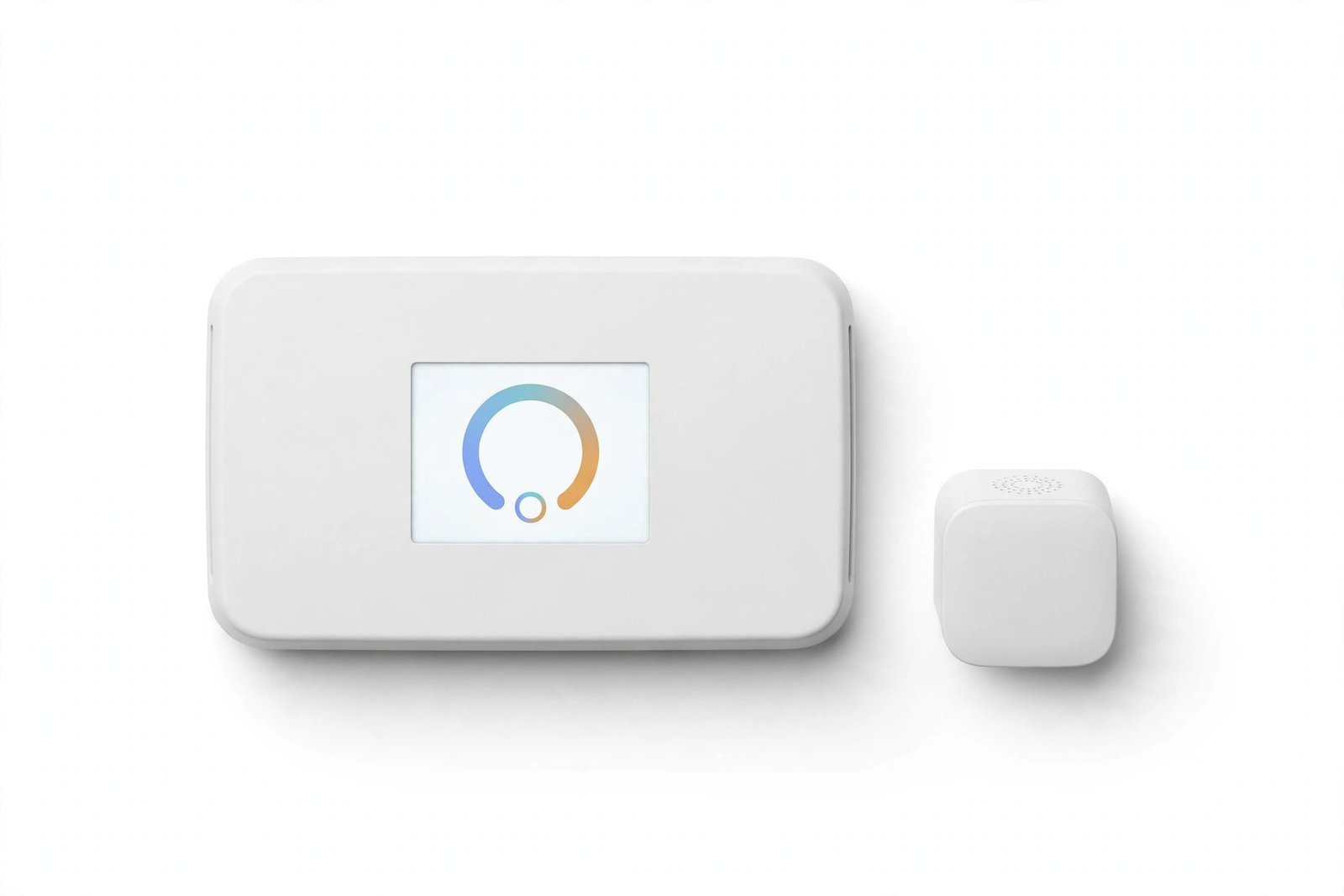
The Honeywell Home T9 Smart Thermostat is the best smart thermostat for a large home, and the reason is scale. It supports up to 20 room sensors, and the sensors talk to the thermostat on a 900 MHz link that reaches up to 200 feet, through thick walls and across floors, where other brands top out far sooner. One Smart Room Sensor rides in the box, it reports temperature and occupancy, and the T9 can prioritize the rooms you choose at the times you choose, so the bedroom wins at night and the office wins during work hours. For a multi-story house, a house with a basement office, or a house where the upstairs is always five degrees off from the downstairs, that range and that sensor count are the whole argument.
Underneath the touchscreen it is a Resideo thermostat, and that matters. Honeywell Home has been making thermostats for decades, and the T9 carries that track record into the smart category: deep support for conventional systems up to 2 heating and 2 cooling stages, and heat pumps up to 3 heating and 2 cooling stages with auxiliary heat. The 3-inch color touchscreen is clean and readable, Smart Response learns how long your system takes to reach a temperature and starts early so the house is right on time, and geofencing turns the temperature down when the last phone leaves and back up when the first phone comes home. It works with Alexa and Google Assistant, plus SmartThings and IFTTT. Best of all, there is no subscription for any feature: geofencing, scheduling, and sensor averaging are all free, which is not something every smart home brand can say. It is ENERGY STAR certified.
What makes this thermostat worth its price is the combination of sensor range and honest value. At around $200 with one Smart Room Sensor included, it gives you a multi-room system for less than the Nest or ecobee above, and each extra sensor costs around $35, which is far cheaper than the sensor packs for the other brands. The 900 MHz link is also more reliable through thick walls than the Bluetooth-style links some sensors use, so the basement sensor actually stays connected. For a big house, for a family that wants the bedroom cool at night and the living room warm in the evening, and for a buyer who trusts an HVAC brand over a tech brand, this is the honest best pick. Pair it with a strong home network and a mesh wifi system, and the thermostat stays connected in every corner of a big house.
Now the honest problems. First, the C wire is strictly required, and the T9 does not work with electric baseboard or millivolt systems, so check your wiring and your system type before you order. Current listings include a C-wire power adapter in the box, but bundle contents vary, so confirm the listing before you buy. Second, there is no learning schedule: the T9 runs the schedules you set plus geofencing, so it will not build a routine from your habits the way the Nest does. Third, there is no Apple HomeKit support in most listings, so a HomeKit-first household should look at the ecobee or the Sensi below instead. Fourth, the app is solid but plain, and it lacks the polish of the Nest or ecobee apps. Buy it when the house is big, the rooms are uneven, and the sensors need to reach far. Buy it for a small apartment, and the sensor system is wasted money.
Why we like it
- Supports up to 20 room sensors, with a 900 MHz link that reaches up to 200 feet
- One Smart Room Sensor included, reporting temperature and occupancy
- Room priority by time of day, so the bedroom wins at night and the office wins at work
- Smart Response predictive heating and cooling, plus geofencing
- No subscription for any feature, and extra sensors cost around $35 each
- Deep HVAC support from an established HVAC brand, including multi-stage heat pumps
Pros
- Best smart thermostat for large and multi-room homes
- Best sensor range here, at the lowest cost per extra sensor
- Best pick for buyers who want no subscription anywhere
Cons
- C wire strictly required, and it does not work with electric baseboard or millivolt systems
- No learning schedule, only schedules plus geofencing
- No Apple HomeKit support in most listings
- App is solid but plain next to the Nest and ecobee apps
Price: around $200 with one Smart Room Sensor included
Best for: large and multi-story homes, houses with uneven room temperatures, and buyers who want a multi-room sensor system without a subscription.
Who should skip it: owners without a C wire, where the Nest above is the safer buy, and HomeKit-first households, where the ecobee above or the Sensi below is the better fit.
4. Sensi Touch 2 Smart Thermostat – Best for Privacy and Easy Use
Sensi Touch 2 Smart Thermostat (product-style image)
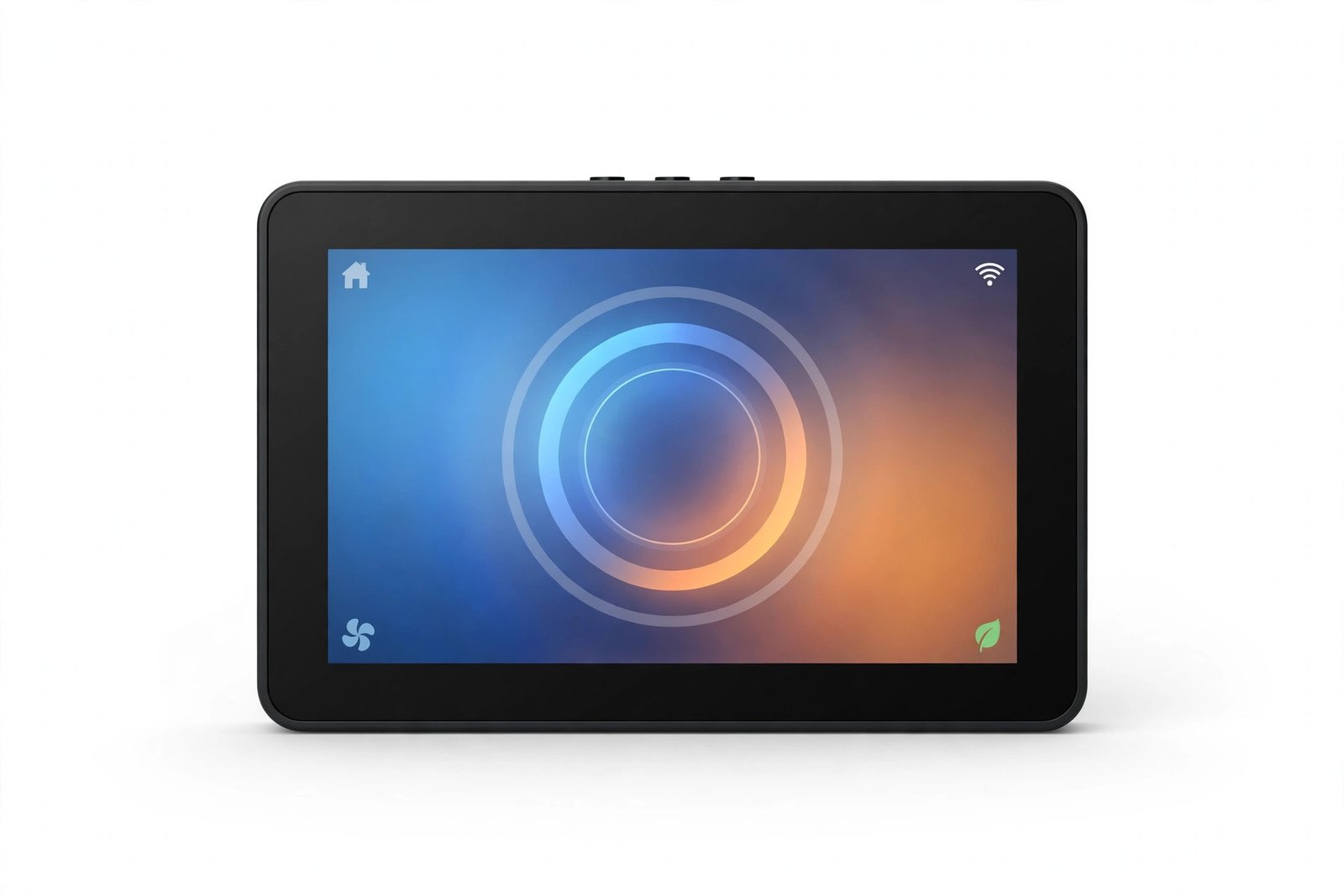
The Sensi Touch 2 Smart Thermostat is the best smart thermostat for people who want a thermostat and not a project, and the reason is the experience. The app walks you through installation over Bluetooth, step by step, checking each wire as you go, and most homeowners with standard wiring finish in well under an hour. The 4.3-inch glass color touchscreen is clean, bright, and easy to read from across the room, and the black beveled frame looks sharp on any wall. There is no learning curve to climb, no schedule to teach, and no deep settings menu to get lost in. You set a flexible 7-day schedule, turn on geofencing, and the thermostat does the job.
The privacy story is what sets this thermostat apart from every other pick here. Sensi states in its listing copy that it will not sell your personal information to third parties, which is a useful line to see in writing in a category where every major player collects behavioral data. There is no camera watching the room, no microphone listening for voice commands, and no account feature that needs your data to work. It is a thermostat that minds its own business. It also carries a 3-year warranty, which matches the ecobee and doubles the Nest term, and it is ENERGY STAR certified, so it qualifies for the same utility rebates as the bigger names.
What makes this thermostat a smart buy is the combination of price, platforms, and heat pump support. It works with Alexa, Google Home, Apple HomeKit, and Samsung SmartThings, which is the broadest platform list at this price. It handles heat pumps up to 4 heating and 2 cooling stages, plus multi-stage conventional systems, so it covers the systems that trip up cheaper thermostats. It gives usage reports for heating, cooling, and fan runtimes, so you can see where the money goes without paying for a premium app. It pairs with Sensi Room Sensors, sold separately, to balance hot and cold spots across the house. At around $160 on Amazon against a $189 list price, it undercuts the ecobee by a wide margin, and it is the pick for a buyer who wants a big touchscreen, a good app, and a clear privacy promise. Pair it with a smart speaker in the living room, and you get voice control without putting a microphone in the thermostat itself.
Now the honest problems. First, the C wire: unlike the original Sensi, the Touch 2 requires a common wire on all systems, and a C-wire adapter kit is sold separately for around $28, so a home without a C wire pays extra and does extra work. Second, room sensors cost extra, around $40 each, so the multi-room system that comes in the box with the Nest, ecobee, and Honeywell picks is a paid add-on here. Third, it does not learn your schedule, so you have to build the 7-day program yourself, though geofencing covers the away-from-home part. Fourth, it runs on 2.4 GHz Wi-Fi only, so a dual-band router needs the 2.4 GHz band available, and it is not compatible with electric baseboard heating. Buy it when privacy terms decide the purchase, when you want a glass touchscreen and an easy install, and when you have a C wire. Buy it without checking your wiring first, and you will be ordering an adapter before the thermostat even goes on the wall.
Why we like it
- 4.3-inch glass color touchscreen, clean and readable from across the room
- Sensi states it will not sell your personal information to third parties
- App-guided setup over Bluetooth, with wiring checks at each step
- Works with Alexa, Google Home, Apple HomeKit, and Samsung SmartThings
- Handles heat pumps up to 4 heating and 2 cooling stages
- 3-year warranty, ENERGY STAR certified, and utility rebate eligible
Pros
- Best smart thermostat for privacy, with the clearest data promise here
- Best pick for easy DIY installation, with the most helpful setup app
- Best value touchscreen thermostat, at around $160
Cons
- C wire required on all systems, with an adapter kit sold separately for around $28
- Room sensors sold separately at around $40 each
- No learning schedule, only a 7-day program plus geofencing
- 2.4 GHz Wi-Fi only, and not compatible with electric baseboard heating
Price: around $160 on Amazon (list price $189.00)
Best for: privacy-conscious buyers, easy DIY installers, and owners who want a big glass touchscreen without a premium price.
Who should skip it: owners without a C wire, where the Nest above or the Wyze below is the safer buy, and owners who want a thermostat that learns their schedule, where the Nest above is the better fit.
5. Amazon Smart Thermostat – Best Budget Pick
Amazon Smart Thermostat (product-style image)
The Amazon Smart Thermostat is the best budget smart thermostat you can buy, and the reason is the math. At around $80 list price, and often found lower, it costs less than a third of the Nest or ecobee above, yet it does the core job that actually saves money: it runs a schedule, it turns the temperature down when you are away, and it lets you change it from your phone. It is built with Honeywell Home thermostat technology, it is ENERGY STAR certified, and it is UL ECOLOGO certified, which is why so many utilities offer rebates on it. In some utility areas the rebates bring the real price down to almost nothing, so check your utility’s rebate finder before you pay full price.
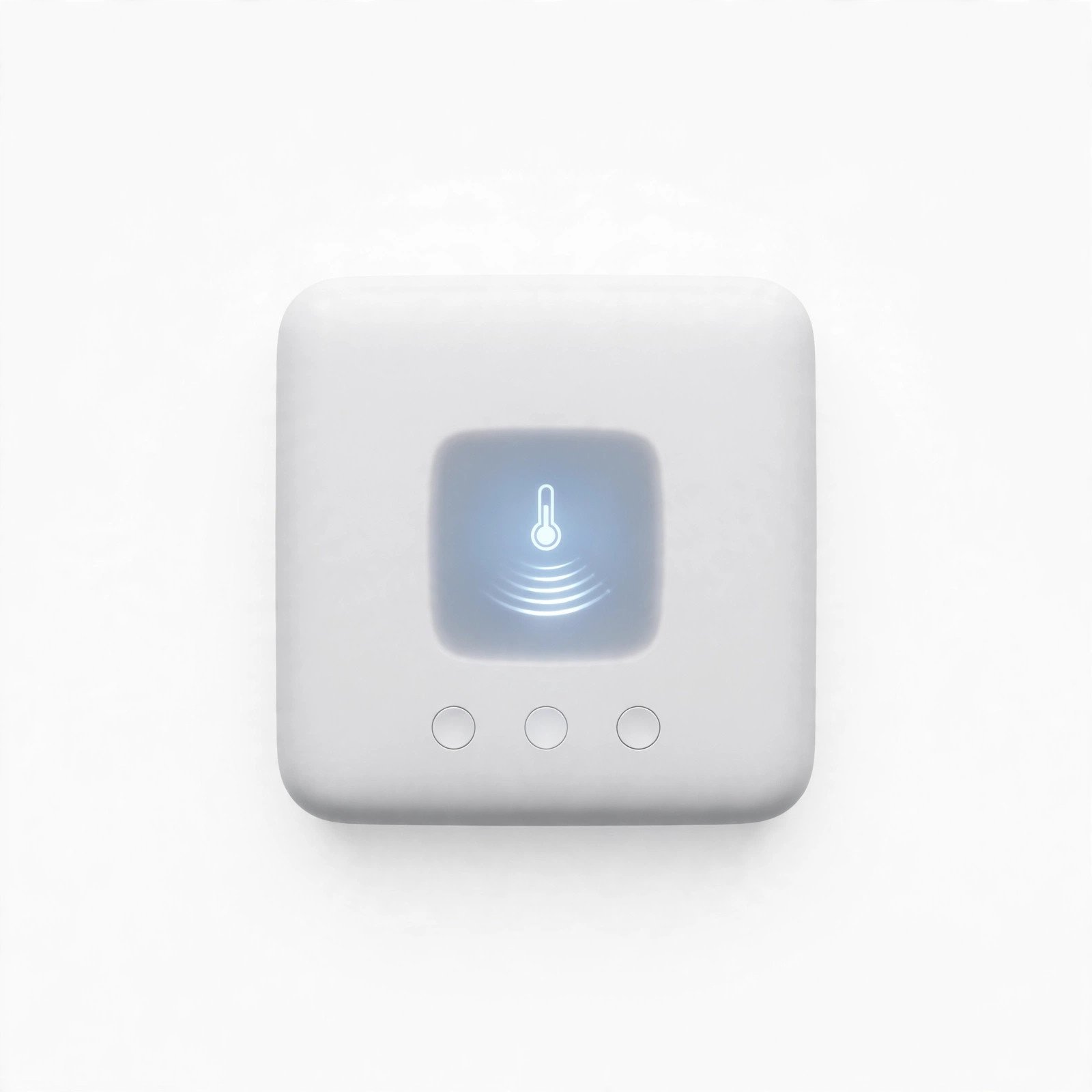
The thermostat itself is a small white square, about 3.5 by 3.5 inches on the wall and about 0.8 inches deep. The display is simple and lit, with three touch buttons for temperature up, temperature down, and mode. There is no touchscreen, no color display, and no room sensor, and that is the point: every dollar went into the schedule and the Alexa integration instead of the screen. You control it through the Alexa app or any Echo device, it works with Alexa Hunches to adjust the temperature based on your routines, and it integrates with Ring, so a Ring doorbell and an Amazon thermostat can share the same Alexa household. It covers most 24-volt heating and cooling systems, including forced-air furnaces, central air, heat pumps, and radiant boilers. A 2-pack was listed at $109.99, which works out to about $55 per thermostat, and that is the cheapest way into a real smart thermostat from a major brand if your home needs two of them.
What makes this thermostat a smart buy is honesty about what it is. It is not a learning thermostat, and it does not pretend to be one. It will not build a schedule by watching you, the way the Nest does. It runs the schedule you set, it adjusts when Alexa Hunches suggest it, and it does that reliably, day after day, without a subscription. For an Alexa household, for a rental, for a second home, or for a first smart thermostat where the budget is tight, it is the honest best budget pick. Pair it with a smart plug or two, and an Alexa household can automate the small stuff around the house for very little money.
Now the honest problems, and there are real ones. First, the C wire: it is required, and unlike ecobee there is no Power Extender Kit in the box. If your home has no C wire, Amazon sells a separate C-wire adapter bundle for around $75, which brings the total to over $130 and narrows the value gap to a mid-range thermostat fast. Second, it is Alexa-only, with no Google or Apple support, so a Google Home or HomeKit household should skip it outright. Third, the display and controls feel budget, because they are, and there is no room sensor support at all. Fourth, accessory support for complex HVAC is limited compared with the ecobee or the Sensi above. Buy it when you have a C wire, you live in Alexa, and you want the cheapest credible thermostat that still earns its ENERGY STAR label. Buy it without checking your wiring first, and the adapter will cost you almost as much as the thermostat.
Why we like it
- Cheapest credible smart thermostat here, at around $80 list price and often found lower
- Built with Honeywell Home thermostat technology, and ENERGY STAR certified
- Alexa Hunches adjust the temperature based on your routines
- Works with Echo devices and Ring, in a single Alexa household
- Covers most 24-volt systems, including heat pumps, with a C wire
- Utility rebates can bring the real price down sharply in many areas
Pros
- Best budget smart thermostat, with the lowest real cost after rebates
- Best pick for Alexa households, rentals, and second homes
- Best pick for a first smart thermostat on a tight budget
Cons
- C wire required, with no adapter in the box, and the separate adapter bundle costs around $75
- Alexa-only, with no Google or Apple support
- Basic display and controls, with no room sensor support
- No learning schedule, and limited support for complex HVAC systems
Price: around $80 on Amazon (list price $79.99, often found lower)
Best for: Alexa households with a C wire, budget buyers, rentals, and second homes.
Who should skip it: owners without a C wire, where the adapter cost kills the value, and Google Home or HomeKit households, where the Nest above or the Sensi above is the better fit.
6. Wyze Thermostat – Best Ultra-Budget Pick

Wyze Thermostat (product-style image)
The Wyze Thermostat is the best ultra-budget smart thermostat here, and the reason is the box. It is the only thermostat on this list at this price that includes a C-wire adapter in the box, which means a home without a C wire can still install it without buying anything extra. The adapter installs at the furnace, which is a bigger job than a wall swap, but the part itself is free, and that is a meaningful difference from the Amazon Smart Thermostat above, where the adapter costs around $75. It also supports up to six Wyze room sensors, sold separately, which is the most sensor support of any budget thermostat here.
The hardware is simple and honest. The rectangular white unit has an IPS display with a 180-degree viewing angle and a rotary dial for quick temperature changes, and a built-in humidity sensor keeps an eye on indoor moisture. It runs a 7-day schedule, it lets you change the temperature from your phone, and it works with Alexa and Google Assistant, though there is no speaker built in, so voice control runs through your existing Echo or Google speaker. It is compatible with most low-voltage 24-volt systems, including forced air, hydronic, heat pump including dual fuel, oil, gas, and electric. It handles heat pumps up to 4 heating and 2 cooling stages, which is strong for a thermostat at this price. The app is clean, the setup is straightforward, and the whole thing costs around $80 at list price, with street prices often lower.
What makes this thermostat worth a look is the value for a specific buyer: a home without a C wire, on a tight budget, that wants room sensors later. The included adapter solves the wiring problem, the sensor support solves the cold-room problem, and the price solves the budget problem, all in one box. For a first smart thermostat, for a rental where the landlord will not pay for a premium unit, or for a second zone in a house that already has a premium thermostat upstairs, it punches above its price point. Pair it with a smart lock and a video doorbell, and a modest budget still builds a genuinely smart front door and hallway.
Now the honest problems, and the biggest one is certification. The Wyze Thermostat is not ENERGY STAR certified, and Wyze’s own answer is no, not at this time. That matters for two reasons: the ENERGY STAR label is the independent check that a thermostat saves energy in real homes, and many utility rebate programs require it, so a Wyze buyer may miss out on rebates that would have made a certified thermostat cheaper in the end. Second, availability is inconsistent: the maker’s own store showed the new unit as sold out on the day we checked, and the refurbished unit was out of stock too, so check the listing before you order and be ready to buy from a retailer instead. Third, the design is plain plastic, the display is small, and there is no learning schedule. Fourth, it runs on 2.4 GHz Wi-Fi only, and it does not support heat-pump-only or high-voltage systems. Buy it when the budget is tight, the C wire is missing, and the rebate math does not matter to you. Buy it when utility rebates are the plan, and a certified thermostat like the Amazon Smart Thermostat above is the better buy.
Why we like it
- C-wire adapter included in the box, the only budget pick here that includes one
- Supports up to six Wyze room sensors, sold separately
- IPS display with a 180-degree viewing angle and a rotary dial
- Built-in humidity sensor, and 7-day scheduling with remote control
- Works with Alexa and Google Assistant, and handles heat pumps up to 4 heating and 2 cooling stages
- Around $80 at list price, often found lower
Pros
- Best ultra-budget smart thermostat, with the adapter included
- Best pick for homes without a C wire on a tight budget
- Best budget pick for future room sensor coverage
Cons
- Not ENERGY STAR certified, which can rule it out of utility rebates
- Availability is inconsistent at the maker’s own store, so check the listing before ordering
- Plain plastic design, small display, and no learning schedule
- 2.4 GHz Wi-Fi only, and no support for heat-pump-only or high-voltage systems
Price: around $80 (list price $79.98, often found lower)
Best for: tight budgets, homes without a C wire, and buyers who plan to add room sensors later.
Who should skip it: owners who want utility rebates, where a certified thermostat like the Amazon Smart Thermostat above is the better buy, and owners who want a premium display or a learning schedule, where the Nest above is the better fit.
Smart Thermostat Comparison Table
| Smart Thermostat | Best For | C-Wire Needed | Room Sensors | Around Price |
|---|---|---|---|---|
| Google Nest Learning Thermostat (4th gen) | Most homes, best overall | Usually not needed | 1 Nest Temperature Sensor included | ~$230 |
| ecobee Smart Thermostat Premium | Cold rooms, air quality, heat pumps | Yes, or included Power Extender Kit | 1 SmartSensor included | ~$245 |
| Honeywell Home T9 Smart Thermostat | Large and multi-room homes | Yes, adapter included in current listings | 1 Smart Room Sensor included, up to 20 | ~$200 |
| Sensi Touch 2 Smart Thermostat | Privacy, easy use, big touchscreen | Yes, adapter sold separately | Sold separately, around $40 each | ~$160 |
| Amazon Smart Thermostat | Best budget, Alexa homes | Yes, no adapter in the box | Not supported | ~$80 |
| Wyze Thermostat | Best ultra-budget, no C wire | Adapter included in the box | Up to 6 sensors, sold separately | ~$80 |
Do Smart Thermostats Actually Save Money? The Honest Answer
Yes, but less than the box suggests, and the honest number is the one from ENERGY STAR, not from a manufacturer. The ENERGY STAR smart thermostat FAQ says certified models save on average about 8 percent of heating and cooling bills, or about $50 a year, based on field data from real homes. That is the average across all households, and your home will land above or below it depending on your climate, your insulation, how often the house sits empty, and how wasteful your current habits are. A home that is empty all day will save far more than a home where someone is always in, because the savings come from not heating an empty house.
The mechanism is simple, and it is the same one the US Department of Energy describes. The Department of Energy guidance says you can save as much as 10 percent a year on heating and cooling by turning the thermostat back 7 to 10 degrees for 8 hours a day from its normal setting. A smart thermostat does that setback automatically, every day, without you remembering. It also does it in the other direction: it brings the house back to comfort before you arrive, so you never sit in a cold house waiting for the furnace to catch up. The savings are not magic, they are the result of a schedule that actually runs.
Be skeptical of the bigger numbers on the box. Some manufacturers quote savings of 20 percent or more, and those figures come from their own customer data, measured against their own baselines, and they are not independently verified guarantees. The ENERGY STAR number is the independent check, because the label is only earned when field data shows measured savings. If a claim sounds too good to be true, compare it with the 8 percent average and ask what baseline the manufacturer used. A thermostat can only save the energy you were wasting in the first place, and a home that already runs a tight schedule will save less than a home that heats empty rooms all day.
There are two other ways a smart thermostat pays for itself that have nothing to do with the schedule. The first is rebates: many utilities offer $50 to $100 or more for an ENERGY STAR certified smart thermostat, and some offer instant discounts at checkout, which can cut the real price of a budget model to almost nothing. The second is awareness: the energy reports in the ecobee and Sensi apps show you exactly when the system runs, and that visibility alone changes behavior. Owners who see the runtime graph start closing vents, sealing drafts, and fixing the habits that cost money. The thermostat is the tool, but the awareness is half the saving.

Buying Guide: How to Choose the Right Smart Thermostat
A smart thermostat looks simple on the wall, but the wrong one is a wiring headache, a platform mismatch, or a sensor system you will never use. Check your wiring first, then your heating system, then your smart home, because those three answers decide everything else.
1. Check the C wire before you buy anything
The C wire, short for common wire, is the wire that gives a smart thermostat continuous power. A smart thermostat is a small computer that stays awake all the time, running a screen, a radio, and a schedule, and it needs a steady power supply to do that. Older mechanical thermostats were just switches, so many older homes were never wired with a C wire at all. Turn off power to your heating equipment first, then pull the old thermostat off the wall and look for a wire on the terminal labeled C. The wire is often blue, but colors are not standardized, so trust the letter, not the color. If no wire is on C, look behind the plate for an unused wire tucked into the wall, because a spare wire can often be connected at both ends and used as a C wire. If there is no spare wire, your options are a thermostat that works without one, like the Nest above, or an adapter kit, like the ones included with the ecobee and Wyze above. Never open the furnace panel or run a new wire unless you are comfortable doing it safely, and call a professional if you are not sure.
2. Match the thermostat to your HVAC system
Most smart thermostats cover most 24-volt systems, but the exceptions are the ones that cost money. Heat pumps need a thermostat that understands the O and B reversing valve terminals and manages auxiliary heat carefully, because electric backup heat is far more expensive to run than the heat pump itself. The ecobee above has the most detailed heat pump controls, with numeric thresholds for when backup heat may run. Multi-stage systems need a thermostat with enough terminals for each stage, and the Nest above handles up to 3 heating and 3 cooling stages. Boilers, radiant heat, and dual-fuel systems all have their own quirks, and the compatibility checkers on the maker sites exist for exactly this reason. Run your wire labels through the checker before you order, and do not trust a generic compatibility claim. The systems this list does not cover are electric baseboard heat and millivolt systems, which need a line-voltage thermostat instead, and the Honeywell T9 and Sensi Touch 2 above both say so plainly.
3. Decide whether you need room sensors
A room sensor fixes the oldest complaint in home heating: the thermostat reads the hallway, but you live in the bedroom. If one room in your house is always too hot or too cold, a sensor in that room changes the whole equation, because the thermostat starts heating for the room you use instead of the room it hangs in. The Nest, ecobee, and Honeywell picks above all include one sensor in the box, so a single cold room costs you nothing extra. The Sensi and Wyze picks sell sensors separately, so a multi-room system costs more than the thermostat price suggests. Think about how many rooms are actually uneven before you buy. One cold bedroom needs one sensor. A big house with three uneven rooms needs a system that supports several sensors at a reasonable price per sensor, and the Honeywell T9 above wins that math, with up to 20 sensors at around $35 each. A small apartment with even temperatures needs no sensor at all, and the Amazon Smart Thermostat above is the honest buy.
4. Learning vs programmable: pick the brain that fits your life
There are two kinds of smart thermostat brain, and they suit different lives. A learning thermostat, like the Nest above, watches what you do and builds a schedule from your habits, then keeps adjusting it. It is the best choice for a household with a regular routine and an owner who never wants to program anything. A programmable thermostat, like the Sensi, Honeywell, Amazon, and Wyze picks above, runs the schedule you set, plus geofencing that turns the temperature down when the last phone leaves. It is the best choice for a household with an irregular routine, or an owner who wants to know exactly what the thermostat will do and when. Neither is better in the abstract. The learning thermostat is easier after the first two weeks. The programmable thermostat is more predictable from day one. If your routine changes every week, the programmable pick will serve you better, because the learning thermostat will keep chasing a pattern that does not exist.
5. Check your smart home platform before you fall in love
A smart thermostat is only smart inside the ecosystem you actually use. The Nest above is the best pick for Google Home, and its Matter support means it also shows up in Apple Home and other Matter platforms. The ecobee above is the best pick for a mixed household, because it works with Apple Home, Google Assistant, Amazon Alexa, and Samsung SmartThings from the same wall plate. The Sensi above covers Alexa, Google, HomeKit, and SmartThings at a mid-range price. The Amazon Smart Thermostat above is Alexa-only, so a Google Home or HomeKit household should skip it outright. The Honeywell T9 above covers Alexa and Google but not HomeKit. The Wyze above covers Alexa and Google. Before you order, open the app you actually use every day, and check that the thermostat you want appears in it. A thermostat that does not talk to your speakers, your routines, and your phone is just an expensive programmable thermostat.
6. Think about privacy and voice assistants
Some thermostats listen, and some do not, and that is a real choice, not a detail. The ecobee Premium above has Siri or Alexa built into the wall plate, with a speaker and microphone in the unit, so you can change the temperature by speaking from the couch. That is convenient, and it is also a microphone on your hallway wall. The Sensi Touch 2 above has no camera and no microphone, and Sensi states it will not sell your personal information to third parties. The Nest above has no built-in voice assistant, so voice control runs through a separate speaker you already own. There is no right answer, only a preference. If you want voice control at the wall, buy the ecobee. If you want a thermostat that minds its own business, buy the Sensi. If you want voice control without a microphone in the thermostat, buy the Nest or the Sensi and pair it with a speaker you already trust.
7. Count the real price, not the sticker price
The price on the box is rarely the price you pay, and the accessories are where the budget breaks. A thermostat that needs a C-wire adapter you do not own costs the adapter price on top. A thermostat that needs room sensors for your cold bedroom costs the sensor price on top. A thermostat that is not ENERGY STAR certified may miss out on utility rebates worth $50 to $100, which can make a certified thermostat cheaper in the end than a cheaper uncertified one. Check three numbers before you order: the thermostat price, the cost of the adapter and sensors you actually need, and the rebate your utility offers for that exact model. The ENERGY STAR rebate finder lists current utility incentives by zip code, and it is worth five minutes before you buy. The cheapest thermostat on this list is the one with the lowest total cost after rebates, not the lowest sticker price.
8. Know when to call a professional
Most smart thermostat installs are a 30-minute DIY job, and the apps for the Nest, Sensi, and ecobee above walk you through it wire by wire. But some installs are not DIY, and knowing the difference saves you a blown fuse or a damaged control board. Call a professional if you need to open the furnace panel to install an adapter, if you need to run a new wire through the wall, if your system has wires you cannot identify, if your home has a proprietary communicating system, or if the compatibility checker says your system is not supported. Turn the power off at the breaker before you touch any wire, label every wire before you disconnect it, and take a photo of the old wiring before you start. A professional install costs far less than a control board, and a thermostat that is wired wrong can damage the equipment it is supposed to protect.
Frequently Asked Questions
Do smart thermostats really save money?
Yes, on average, but less than the box suggests. The ENERGY STAR FAQ says certified smart thermostats save on average about 8 percent of heating and cooling bills, or about $50 a year, based on field data from real homes. Your savings depend on your climate, your insulation, how often the house sits empty, and how wasteful your current habits are. A home that is empty all day will save far more than a home where someone is always in. Manufacturer claims of 20 percent or more come from the maker’s own customer data, not from independent verification, so treat them as marketing, not as a promise for your house.
What is a C wire and do I need one?
A C wire, short for common wire, is the wire that gives a smart thermostat continuous 24-volt power. It does not control heating or cooling, it only provides constant power so the screen, Wi-Fi radio, and schedule can stay awake all the time. Whether you need one depends on the thermostat. The Nest Learning Thermostat (4th gen) above is designed to work without one in most homes. The ecobee Premium above needs one, but includes a Power Extender Kit for homes that lack one. The Wyze above includes a C-wire adapter in the box. The Honeywell T9, Sensi Touch 2, and Amazon Smart Thermostat above all require one, with the adapter included, sold separately, or not available depending on the model. Pull your old thermostat off the wall, with the power off, and look for a wire on the terminal labeled C before you order.
Can I install a smart thermostat myself?
Most owners can, and most makers design for it. The Nest, Sensi, and ecobee apps walk you through the install wire by wire, and a standard swap takes well under an hour. Turn the power off at the breaker before you touch any wire, label every wire before you disconnect it, and take a photo of the old wiring before you start. Call a professional if you need to open the furnace panel, run a new wire, or work with wires you cannot identify. If the compatibility checker says your system is not supported, do not force the install, because a thermostat wired wrong can damage your heating equipment.
Will a smart thermostat work with my HVAC system?
Most smart thermostats work with most 24-volt systems, including forced-air furnaces, central air, heat pumps, and radiant heat, but the exceptions matter. Heat pumps need a thermostat that manages auxiliary heat carefully, multi-stage systems need enough terminals for each stage, and electric baseboard or millivolt systems need a line-voltage thermostat instead, not one of the six on this list. Run your wire labels through the maker’s compatibility checker before you order, because the checker knows your exact system and a generic claim does not. If the checker says your system needs a C wire or an adapter, believe it.
Nest vs ecobee: which is better?
Neither is better in the abstract, and the right answer depends on your home. Choose the Nest Learning Thermostat (4th gen) if you want a thermostat that builds its own schedule, you live in Google Home or a Matter household, or you have no C wire. Choose the ecobee Smart Thermostat Premium if you have a heat pump, you want room sensors and detailed energy reports, you want air quality readings, or you want Alexa or Siri built into the wall plate. On savings it is a tie, because both are ENERGY STAR certified and the ENERGY STAR average applies to both. Choose on features, on wiring, and on ecosystem, not on a savings claim.
Do smart thermostats work without Wi-Fi?
Yes, for the basics. If the Wi-Fi goes down, a smart thermostat keeps running the last schedule it was given, and you can still change the temperature at the wall. What stops working is everything that needs the internet: remote control from your phone, learning updates, geofencing, voice control through a cloud speaker, and energy reports in the app. The thermostat will not freeze your house or overheat it just because the router restarted. But if your Wi-Fi is unreliable, the smart features you paid for will be unreliable too, so fix the network first. A mesh wifi system is the honest fix for a thermostat that keeps dropping off the network in a big house.
Do I need a subscription for a smart thermostat?
No, not for any of the six thermostats on this list. Scheduling, geofencing, room sensors, app control, and energy reports are all included in the purchase price, with no monthly fee. The Honeywell T9 above makes a point of charging no subscription for any feature, and the same is true of the Nest, ecobee, Sensi, Amazon, and Wyze picks here. Be wary of any thermostat that locks basic scheduling or history behind a paywall, because that is not normal in this category. You may pay for optional extras, like extra room sensors or a professional monitoring plan, but the thermostat itself should never need a subscription to do its job.
Our Verdict: Which Smart Thermostat Should You Buy?
If you want one smart thermostat that does the most for the most homes, get the Google Nest Learning Thermostat (4th gen). It learns your schedule, it usually needs no C wire, it includes a room sensor, and at around $230 it is the easiest install here. For most homes, for most systems, and for most owners, it is the honest first buy.
If you want the best thermostat for a home that never heats evenly, get the ecobee Smart Thermostat Premium, because its SmartSensor, air quality monitor, and built-in voice assistant fix the cold bedroom and the stale air in one box, for around $245. If you want the best thermostat for a large or multi-story home, get the Honeywell Home T9 Smart Thermostat, with its 200-foot sensor range and support for up to 20 sensors, for around $200. If you want the best thermostat for privacy and easy use, get the Sensi Touch 2 Smart Thermostat, with its big glass touchscreen and its promise not to sell your data, for around $160. If you want the cheapest credible smart thermostat for an Alexa home with a C wire, get the Amazon Smart Thermostat, for around $80. And if you want the cheapest thermostat that still solves a missing C wire, get the Wyze Thermostat, with its included adapter, for around $80.
Whatever you choose, remember the simple rule: check the C wire first, run the compatibility checker second, and check the utility rebate third. A thermostat that fits your wiring, your system, and your smart home will pay for itself in comfort and in lower bills. A thermostat that fights your wiring will cost you a weekend and a service call. Start with the wiring, pick the thermostat that fits, and let the schedule do the saving for you.
Was this guide helpful? Share it with a friend whose heating bill keeps climbing. And if you install one of these thermostats, come back and tell us how it went – your experience helps other owners choose with confidence.