Affiliate Disclosure: This article contains affiliate links. If you buy through them, we may earn a commission at no extra cost to you. It helps us keep testing and publishing honest reviews.
https://buyiox.com/wp-content/uploads/2026/11/sl-featured.webp
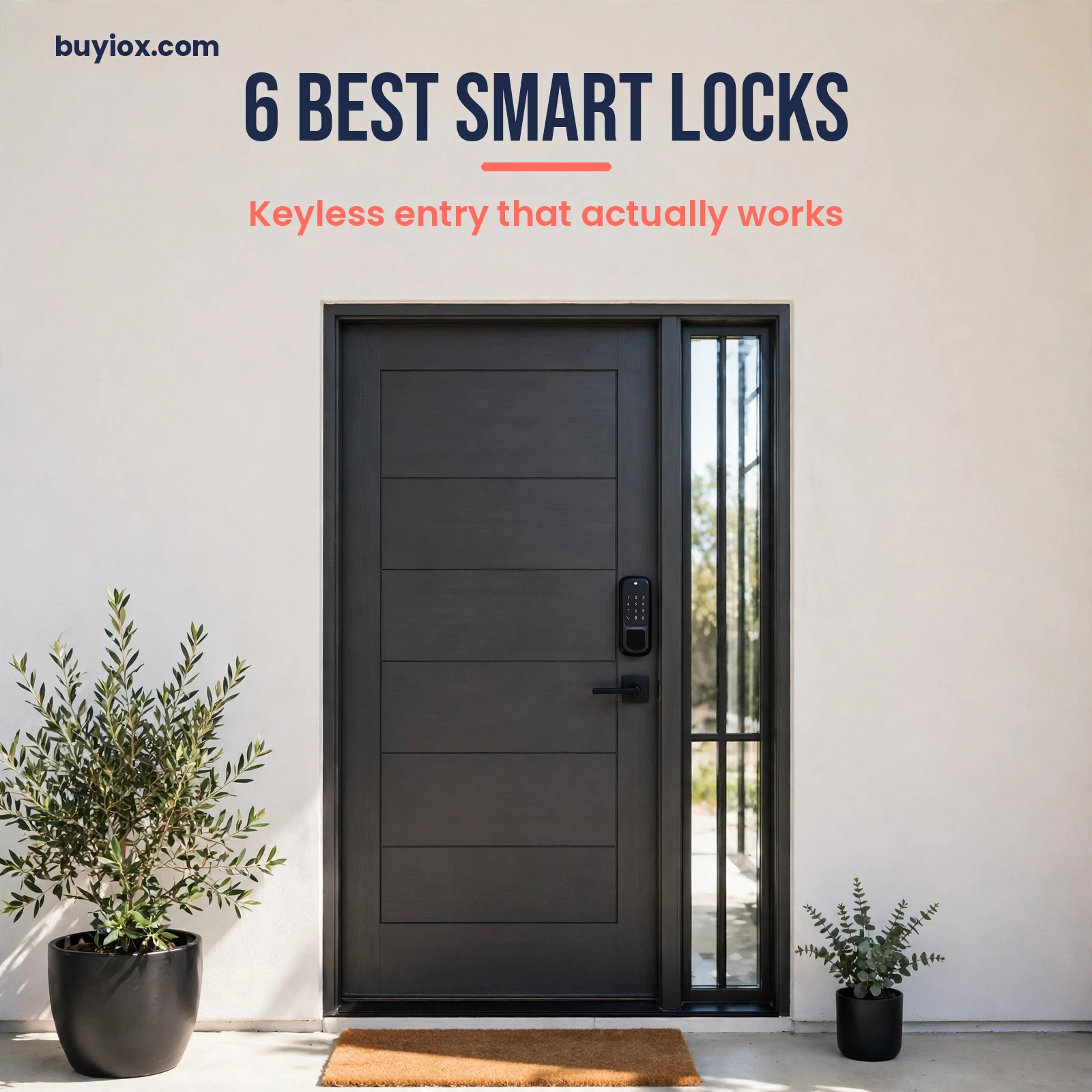
6 Best Smart Locks for Keyless Entry That Actually Work
You know the feeling. You get home with your arms full of groceries, it is raining, and your keys are at the bottom of your bag. Or worse, they are not in your bag at all. They are on the kitchen counter, inside the house, behind the locked door you just closed. A traditional lock has one answer to that problem: call a locksmith and pay for it.
Then there are the everyday key headaches that never quite go away. The kids lose their house key again. The dog walker needs to get in while you are at work. A guest arrives early and you are stuck in traffic. Your cleaner needs a key, and handing out copies of your front door key to half the neighborhood never felt like a great security plan. A key is a single point of failure, and it fails at the worst possible moment.
A good smart lock removes the key from the equation without removing the security. You unlock with a code, your fingerprint, or your phone. You give the dog walker a code that only works on weekdays, the guest a code that expires after the weekend, and the kids a code they cannot lose because it lives in their head. You can check from anywhere whether the door is locked, and lock it again if you forgot. The best smart lock does all of that reliably, every single day, without turning your front door into a gadget that needs babysitting.
We researched the most recommended smart locks across independent roundups, hands-on testing from major tech reviewers, and thousands of owner reviews to find six that genuinely work in real homes. Every lock below is a proven seller from a real lock brand, and every one is available on Amazon right now. We cover the best overall deadbolt, the most flexible modular lock, a renter-friendly retrofit that needs no new holes, a fingerprint-first pick, the best Apple Home option, and a budget lock that costs less than a locksmith visit, so whatever your door, your phone, and your budget look like, there is a pick here for you.
Before you buy, know the single most important rule of smart locks. Measure your door first. Most of these locks fit standard US doors that are 1-3/8 to 1-3/4 inches thick with a 2-3/8 or 2-3/4 inch backset, but older doors, thick doors, and doors with a separate handle and deadbolt can all surprise you. Check the fit guide on the listing before you order, and check whether your door is left-handed or right-handed if the lock cares. A lock that does not fit your door is a return, not a review.
Our Top Picks at a Glance
- Best overall: Schlage Encode Smart WiFi Deadbolt – the toughest hardware in the guide with built-in Wi-Fi and no hub
- Best for most homes: Yale Assure Lock 2 with Wi-Fi – modular connectivity, DoorSense, and up to 250 codes
- Best for renters: August Wi-Fi Smart Lock 4th Gen – fits over your existing deadbolt, keeps your keys and your deposit
- Best fingerprint lock: ULTRALOQ U-Bolt Pro WiFi – eight ways in, fingerprint in a fraction of a second, Grade 1 certified
- Best for Apple Home: Aqara Smart Lock U100 – fingerprint plus Apple Home Key at a mid-range price
- Best budget: Wyze Lock Bolt – fingerprint and keypad for around $70, no subscription and no hub
Comparison Table
| Smart Lock | Best For | Unlock Methods | Connectivity | Security Grade | Around Price |
|---|---|---|---|---|---|
| Schlage Encode Smart WiFi Deadbolt | Best overall | Code, app, key | Built-in Wi-Fi | BHMA Grade 1 | Around $230 |
| Yale Assure Lock 2 with Wi-Fi | Most homes | Code, app, key | Wi-Fi module, Bluetooth | BHMA Grade 2 | Around $180 |
| August Wi-Fi Smart Lock 4th Gen | Renters, retrofit | App, auto-unlock, key | Built-in Wi-Fi | Retrofit, keeps existing deadbolt | Around $200 |
| ULTRALOQ U-Bolt Pro WiFi | Fingerprint entry | Fingerprint, code, app, key | Built-in Wi-Fi | ANSI Grade 1 | Around $180 |
| Aqara Smart Lock U100 | Apple Home | Fingerprint, Home Key, code, key | Bluetooth, Zigbee hub for remote | IP65 weatherproof | Around $150 |
| Wyze Lock Bolt | Budget | Fingerprint, code, app, key | Bluetooth | BHMA Grade 2 | Around $70 |
https://buyiox.com/wp-content/uploads/2026/11/sl-in1.webp
The 6 Best Smart Locks
1. Schlage Encode Smart WiFi Deadbolt – Best Overall Smart Lock
If you only buy one smart lock, make it this one. The Schlage Encode is the lock that every other smart lock gets compared to, and it has earned that position the old-fashioned way: it is built like a real deadbolt first and a smart gadget second. Schlage is a lock company, not a tech startup, and it shows in the hardware. The Encode carries the highest residential security rating in its class, and it is the lock we would put on our own front door.
https://buyiox.com/wp-content/uploads/2026/11/sl-prod-1.jpg
The Schlage Encode Smart WiFi Deadbolt (Matte Black Century) – our best overall smart lock.
The Encode connects directly to your home Wi-Fi, with no hub and no bridge to buy, plug in, or troubleshoot. You control it from the Schlage Home app, create and schedule up to 100 access codes for family, guests, and service people, and get notifications when someone locks or unlocks the door. It works with Alexa and Google Assistant for voice control, and it pairs with Airbnb and Ring, so a rental guest can get a code that only works during their stay. The touchscreen keypad is backlit and smudge-resistant, and there is a physical key hidden under the cover for the day the batteries run out. Four AA batteries power the lock for up to six months with typical use, and the lock warns you weeks in advance when they get low.
The honest caveat is the price and the ecosystem. At around $230, the Encode costs more than the budget picks, and the standard Encode does not support Apple Home Key. If tapping your iPhone to unlock matters to you, the Encode Plus is the Apple version, and it costs more again. The Encode is also a full deadbolt replacement, so it needs a standard pre-drilled door, and installation takes a screwdriver and about half an hour. None of that is a flaw, but it is worth knowing before you order.
- Model: BE489WB CEN 622, Century trim, Matte Black
- Unlock methods: Touchscreen code, Schlage Home app, physical key
- Connectivity: Built-in Wi-Fi, no hub needed; Alexa, Google Assistant, Ring, Airbnb
- Codes: Up to 100 scheduled access codes
- Battery: 4 AA batteries, up to 6 months with typical use
- Security: BHMA/ANSI Grade 1 certified, the highest residential rating
- Price: Around $230
Pros:
- Grade 1 hardware, the toughest deadbolt in this guide
- Built-in Wi-Fi means remote access with no hub or bridge
- Up to 100 codes with schedules, ideal for guests and rentals
- Backlit touchscreen that stays readable at night
- Physical backup key included for dead-battery days
Cons:
- Costs more than the budget and fingerprint picks
- No Apple Home Key on the standard Encode, the Plus model costs more
- Full deadbolt replacement, so it needs a standard pre-drilled door
- Wi-Fi only works on 2.4 GHz networks
Best for: Homeowners who want the strongest lock first and the smart features second, anyone managing guest or rental access, and anyone who wants remote control with no extra hub.
Skip it if: You rent and cannot change the deadbolt, you need Apple Home Key, or your budget is under $100.
2. Yale Assure Lock 2 with Wi-Fi – Best Smart Lock for Most Homes
The Yale Assure Lock 2 is the most flexible smart lock you can buy. Instead of locking you into one wireless standard, it uses a swappable smart module, so you can start with Wi-Fi and move to Z-Wave or Matter later without buying a new lock. That future-proofing is why it tops so many independent roundups, and why it is the safest recommendation for a home that might change smart home platforms in a few years.
https://buyiox.com/wp-content/uploads/2026/11/sl-prod-2.jpg
The Yale Assure Lock 2 with Wi-Fi (Satin Nickel) – the best smart lock for most homes.
The Assure Lock 2 replaces your existing deadbolt with a slim, good-looking unit that comes in keyed and key-free versions. The Wi-Fi model in this guide includes the Wi-Fi smart module, so you get remote locking, unlocking, and code management from the Yale Access app with no extra hub. It holds up to 250 entry codes, far more than most households will ever need, and it includes DoorSense, a small sensor that tells you whether the door is actually closed, not just locked. That is a genuinely useful detail: a locked deadbolt means nothing if the door is standing open. The lock also supports Auto-Unlock, so it can open as you walk up with your phone, and it works with Alexa, Google Home, and Apple HomeKit.
The trade-off is that the Assure Lock 2 is a system with choices, and choices take a little homework. The exact model number matters: the keyed touchscreen is the YRD450, the key-free touchscreen is the YRD430, and the fingerprint version is the Assure Lock 2 Touch. Make sure the listing you buy is the Wi-Fi version with the module included, because the Bluetooth-only version needs a separate module for remote access. Battery life is solid at around six to nine months on four AA batteries, but heavy Wi-Fi use shortens it, so keep spare batteries in the drawer. And while the lock is BHMA Grade 2 certified, it is not Grade 1 like the Schlage, which is the one place the Encode beats it on paper.
- Model: YRD450-WF1-619, Satin Nickel, keyed touchscreen with Wi-Fi
- Unlock methods: Touchscreen code, Yale Access app, physical key, Auto-Unlock
- Connectivity: Wi-Fi module included, Bluetooth; swappable Z-Wave and Matter modules available
- Codes: Up to 250 entry codes in the Yale Access app
- Battery: 4 AA batteries, around 6 to 9 months with typical use
- Extras: DoorSense open or closed sensor included
- Security: ANSI/BHMA Grade 2 certified
- Price: Around $180
Pros:
- Swappable module means you can change wireless standards without a new lock
- DoorSense tells you if the door is open, not just unlocked
- Up to 250 codes, the most in this guide
- Works with Alexa, Google Home, and Apple HomeKit
- Slim design that looks good on a modern door
Cons:
- Model numbers are confusing, buy the exact Wi-Fi version you need
- Grade 2, not Grade 1 like the Schlage Encode
- Heavy Wi-Fi use shortens battery life
- The fingerprint version costs more and is a different model
Best for: Most homeowners, anyone who might switch smart home platforms, and families that need lots of codes for kids, guests, and helpers.
Skip it if: You want the absolute toughest Grade 1 deadbolt, or you rent and cannot replace the deadbolt at all.
3. August Wi-Fi Smart Lock 4th Gen – Best Smart Lock for Renters
Renters get the worst deal in smart locks. Most locks demand that you replace the deadbolt, drill new holes, and hand the landlord a new set of keys. The August Wi-Fi Smart Lock 4th Gen is the answer to that problem, and it is the reason it keeps winning best smart lock awards from independent testers. It does not replace your deadbolt at all. It fits over the inside thumb-turn of the lock you already have, so the outside of your door, your existing keys, and your deposit all stay exactly as they are.
https://buyiox.com/wp-content/uploads/2026/11/sl-prod-3.jpg
The August Wi-Fi Smart Lock 4th Gen (Silver) – the best smart lock for renters.
Installation takes about ten minutes with a screwdriver, and when you move out, you take the August off and the original lock is untouched. The 4th Gen has Wi-Fi built in, so there is no separate bridge to plug in, and you can lock and unlock from anywhere with the August app. Auto-Unlock is the feature owners love most: the lock senses your phone approaching and opens the door as you reach it, which is genuinely useful when your hands are full. You can share virtual keys with family and guests, set them to expire, and see a full activity log of who came and went. It works with Alexa, Google Assistant, Apple HomeKit, and SmartThings, and it pairs with Airbnb for rental hosting.
The honest limits come from the retrofit design. The August has no keypad of its own, so guests without the app need the separate August keypad, which costs extra. It also inherits the security of your existing deadbolt, so if your landlord fitted a cheap cylinder, the August will not make it stronger. And because it is a motor turning your existing thumb-turn, it can struggle on a sticky or misaligned deadbolt, so make sure your current lock turns smoothly by hand before you buy. If your deadbolt is stiff, fix the alignment first, or the August will fight it every day.
- Model: AUG-SL05-M01-S01, Silver
- Unlock methods: August app, Auto-Unlock, voice, physical key (your existing key still works)
- Connectivity: Built-in Wi-Fi, Bluetooth; Alexa, Google Assistant, Apple HomeKit, SmartThings, Airbnb
- Codes: Keypad sold separately; virtual keys and schedules in the app
- Battery: 2 CR123 batteries, around 3 to 6 months with typical use
- Extras: DoorSense sensor included, activity log in the app
- Price: Around $200
Pros:
- Retrofit design, no deadbolt replacement and no landlord permission needed
- Your existing keys keep working, and you take it with you when you move
- Auto-Unlock opens the door as you approach with your phone
- Built-in Wi-Fi, no bridge required
- Works with every major smart home platform
Cons:
- No keypad included, the add-on keypad costs extra
- Security depends on your existing deadbolt, it does not upgrade it
- Can struggle on a stiff or misaligned deadbolt
- CR123 batteries cost more than AA batteries
Best for: Renters, anyone who cannot change the outside of their door, and homeowners who love their existing deadbolt but want smart features.
Skip it if: You want a keypad in the box, your deadbolt is stiff or misaligned, or you want the strongest possible Grade 1 replacement deadbolt.
4. ULTRALOQ U-Bolt Pro WiFi – Best Fingerprint Smart Lock
If you hate typing codes, the ULTRALOQ U-Bolt Pro WiFi is the lock for you. It unlocks with your fingerprint in about a third of a second, and it offers eight ways in total: fingerprint, anti-peep keypad, app, auto-unlock, voice, web portal, shared eKeys, and a physical key. No other lock in this guide gives you that many ways through the door, and at around $180 it undercuts the big-name brands while matching them on security grade.
https://buyiox.com/wp-content/uploads/2026/11/sl-prod-4.jpg
The ULTRALOQ U-Bolt Pro WiFi with Door Sensor – the best fingerprint smart lock.
The fingerprint reader is the star. It stores up to 100 fingerprints, works at any angle, and learns as you use it, so it gets more reliable over time rather than less. The anti-peep keypad lets you type random digits before or after your real code, so nobody watching can guess it. Built-in Wi-Fi means remote access with no bridge, and the included door sensor tells you if the door is open and alerts you if it is left open. The lock is ANSI Grade 1 certified, the same top rating as the Schlage, and it is IP65 weatherproof, so rain and dust are not a problem. It also comes with a door lever in the handle version, which is a nice bonus if your door needs one.
The trade-off is brand and app polish. ULTRALOQ is a younger brand than Schlage or Yale, and its app, while capable, does not feel as refined as the Yale Access or Schlage Home apps in daily use. Some owners also report that setup takes a little longer than the big brands, because there are more features to configure. Battery life is strong at around a year on four AA batteries in the Bluetooth version, but the Wi-Fi version uses more power, so expect several months rather than a full year. None of that changes the value: if fingerprint entry is your priority, this is the most fingerprint for the least money.
- Model: U-Bolt Pro WiFi with Door Sensor, U-BOLT-PRO-WiFi
- Unlock methods: Fingerprint, anti-peep keypad, app, auto-unlock, voice, eKey sharing, physical key
- Connectivity: Built-in Wi-Fi, Bluetooth; Alexa, Google Assistant
- Codes: Up to 50 codes, up to 100 fingerprints
- Battery: 4 AA batteries, several months with Wi-Fi use
- Extras: Door sensor with left-open alert, IP65 weatherproof
- Security: ANSI Grade 1 certified
- Price: Around $180
Pros:
- Fast fingerprint unlock, about a third of a second
- Eight ways in, the most entry methods in this guide
- Grade 1 certified hardware at a mid-range price
- Anti-peep keypad hides your real code from onlookers
- Door sensor alerts you if the door is left open
Cons:
- Younger brand with a less polished app than Yale or Schlage
- Setup takes longer because there are more features to configure
- Wi-Fi use shortens battery life versus the Bluetooth version
- No Apple Home Key support
Best for: Anyone who wants fingerprint entry above all else, large families who need many fingerprints and codes, and buyers who want Grade 1 security without the premium price.
Skip it if: You live in Apple Home and want Home Key, or you prefer a century-old lock brand and the most polished app.
5. Aqara Smart Lock U100 – Best Smart Lock for Apple Home
Apple Home users have a specific wish list: tap your iPhone or Apple Watch to unlock, even when the phone battery is dead, and have it just work with the rest of the house. The Aqara Smart Lock U100 delivers that at a price the premium Apple locks cannot match. It supports Apple Home Key, it has a fingerprint reader built into the keypad, and it costs around $150, which is roughly half the price of the Apple-first locks from the big brands.
https://buyiox.com/wp-content/uploads/2026/11/sl-prod-5.jpg
The Aqara Smart Lock U100 (Gray) – the best smart lock for Apple Home.
The U100 is a full deadbolt replacement with a touchscreen keypad, a fingerprint reader, and a physical key backup. Apple Home Key is the headline: add the lock to Apple Wallet, tap your iPhone or Apple Watch, and the door opens, even with Express Mode and even if your iPhone battery has run flat. It also works with Alexa and Google Home, it is IP65 weatherproof, and it runs for up to eight months on four AA batteries. The build quality is genuinely good for the price, with a clean, modern design that suits a contemporary front door, and it supports Matter over Zigbee, so it fits into a modern smart home without a mess of bridges.
The catch is the hub. Out of the box, the U100 talks to your phone over Bluetooth, which means no remote access when you are away from home. For remote locking, unlocking, and code management, you need an Aqara Zigbee hub, which is sold separately. That is an extra purchase and an extra device to set up, and it is the one thing that stops the U100 from being the obvious best overall pick. It also has no built-in Wi-Fi, so if you do not want a hub at all, buy the Schlage or the Yale instead. But if you already own an Aqara hub, or you are happy to add one, the U100 is the best value Apple Home lock on the market.
- Model: SDL-D01, Gray
- Unlock methods: Fingerprint, Apple Home Key, touchscreen code, NFC card (sold separately), physical key
- Connectivity: Bluetooth, Matter over Zigbee; Aqara hub required for remote access; Apple HomeKit, Alexa, Google Home
- Codes: One-time and scheduled codes in the Aqara Home app
- Battery: 4 AA batteries, up to 8 months
- Extras: IP65 weatherproof, auto-lock, doorbell-style chime when locked
- Price: Around $150
Pros:
- Apple Home Key support at half the price of premium Apple locks
- Fingerprint reader plus keypad plus Home Key in one lock
- Clean modern design and solid build quality
- IP65 weatherproof for exposed doors
- Up to eight months of battery life
Cons:
- Needs an Aqara hub for remote access, sold separately
- No built-in Wi-Fi
- NFC cards cost extra
- Smaller brand with a smaller support network than Schlage or Yale
Best for: iPhone and Apple Watch owners who want Home Key, anyone already using Aqara or Apple Home, and buyers who want premium Apple features at a mid-range price.
Skip it if: You do not want to buy a hub, you need built-in Wi-Fi, or you use Alexa or Google as your main platform.
6. Wyze Lock Bolt – Best Budget Smart Lock
Sometimes the right smart lock is the cheap one. The Wyze Lock Bolt costs around $70, it unlocks with your fingerprint in about half a second, and it does the core job, keyless entry for your family, as well as locks that cost three times as much. If you want to try a smart lock without spending $200, or you need a second lock for a side door, this is the honest budget pick.
https://buyiox.com/wp-content/uploads/2026/11/sl-prod-6.jpg
The Wyze Lock Bolt (Silver) – the best budget smart lock.
The Lock Bolt is a full deadbolt replacement with a fingerprint reader, a backlit keypad, and a physical key. It stores up to 50 fingerprints and 50 codes, it auto-locks behind you, and it keeps an access history in the Wyze app so you can see who came in and when. It is BHMA Grade 2 certified, it is IPX5 weatherproof, and it runs for around a year on four AA batteries, which is the longest battery life in this guide. The fingerprint reader is genuinely fast, and the lock is easy to install with a screwdriver in about half an hour.
Be honest about what you are getting, though. The original Lock Bolt has no Wi-Fi, only Bluetooth, which means you can only control it when you are standing near the door. There is no remote unlocking from work, no checking the lock from vacation, and no Alexa or Google voice control. If remote access matters, the newer Wyze Lock Bolt v2 adds built-in Wi-Fi for around $80, and it is worth the small step up. The Lock Bolt also has no auto-unlock as you approach, and its app is basic compared to Yale or Schlage. This is a lock for the front door of a home where someone is usually nearby, not for a rental you manage from another city.
- Model: WLCKB1, Silver
- Unlock methods: Fingerprint, backlit keypad, Wyze app (Bluetooth), physical key
- Connectivity: Bluetooth only, no Wi-Fi and no voice assistant support
- Codes: Up to 50 fingerprints and 50 codes
- Battery: 4 AA batteries, around 12 months
- Extras: Auto-lock, access history, anti-peep keypad
- Security: BHMA Grade 2 certified, IPX5 weatherproof
- Price: Around $70
Pros:
- The cheapest real smart lock in this guide, around $70
- Fast fingerprint unlock in about half a second
- Longest battery life here, around a year
- Auto-lock and access history included
- Simple installation, no hub and no subscription
Cons:
- No Wi-Fi, so no remote control when you are away
- No Alexa or Google voice control
- No auto-unlock as you approach
- Basic app compared to Yale or Schlage
Best for: Budget buyers, a first smart lock, a side door or garage entry, and anyone who is usually home and just wants to stop carrying keys.
Skip it if: You need remote access, you manage a rental from far away, or you want voice control. In that case, step up to the Wyze Lock Bolt v2 with Wi-Fi for around $80.
Smart Lock Buying Guide: How to Choose the Right One
Buying a smart lock looks simple until you are staring at fifty locks that all claim to be the most secure, the easiest to install, and the best on the market. Here is what actually matters, and what you can safely ignore.
Deadbolt replacement vs retrofit: pick your install first
There are two kinds of smart lock, and the choice shapes everything else. A deadbolt replacement, like the Schlage Encode, the Yale Assure Lock 2, the ULTRALOQ U-Bolt Pro, the Aqara U100, and the Wyze Lock Bolt, swaps out your whole deadbolt for a new one. You get a new keypad, a new cylinder, and the strongest possible result, but you need a standard pre-drilled door, and you need permission if you rent. A retrofit lock, like the August, fits over the inside thumb-turn of the deadbolt you already own. You keep your existing keys, the outside of the door never changes, and you can take it with you when you move. If you rent, or you love your existing deadbolt, retrofit is the only honest answer. If you own your home and want the strongest lock, a replacement deadbolt is the better buy.
Wi-Fi vs Bluetooth vs Matter: how the lock talks to you
A lock with built-in Wi-Fi, like the Schlage Encode, the August 4th Gen, and the ULTRALOQ U-Bolt Pro WiFi, connects straight to your router. You can lock and unlock from anywhere, get notifications, and manage codes remotely, with no extra hardware. The price is battery life: Wi-Fi uses more power, so expect three to nine months per set of batteries. A Bluetooth-only lock, like the original Wyze Lock Bolt, sips battery and can last a year, but it only works when your phone is near the door. A hub-based lock, like the Aqara U100, uses Zigbee to a hub, which then talks to your Wi-Fi. It is efficient and reliable, but you have to buy and place the hub. Matter is the new standard that lets locks from different brands work together, and the Yale Assure Lock 2 and Aqara U100 both support it in some form. If remote access matters to you, buy built-in Wi-Fi or budget for a hub. If it does not, Bluetooth saves you money and battery changes.
A strong home network helps every Wi-Fi lock. If your front door is far from the router, or your Wi-Fi drops in the hallway, fix that first with one of our best mesh WiFi systems, or your lock will blame the network every time it is slow to respond. And if you are building out the rest of the entryway, a smart lock pairs naturally with one of our best video doorbells, so you can see who is at the door before you unlock it.
Battery life: what to expect and how to avoid a lockout
Every lock in this guide runs on batteries, and every one of them will run flat one day. The honest range is three months to a year, depending on the lock and how often the door is used. Wi-Fi locks sit at the short end, Bluetooth locks at the long end, and a busy front door with kids coming and going will always use more battery than a quiet side door. The good news is that no lock here will strand you without warning. They all flash a low-battery warning on the lock and in the app weeks before they die, and they all have a physical key or an emergency power option. Keep a spare set of batteries in the drawer by the door, keep the physical key somewhere safe but not inside the house, and change the batteries the week the warning appears, not the month after.
BHMA grade: what Grade 1 and Grade 2 actually mean
Smart lock security is not just software. The physical deadbolt still has to survive a kick, a drill, and a determined intruder. The Builders Hardware Manufacturers Association grades deadbolts from Grade 3 (basic residential) to Grade 1 (commercial level, the toughest). The Schlage Encode and the ULTRALOQ U-Bolt Pro are Grade 1, which means they survived the hardest cycle, impact, and bolt-strength tests in the standard. The Yale Assure Lock 2 and the Wyze Lock Bolt are Grade 2, which is the normal residential standard and is fine for most homes. Grade is not the whole story, a good installation on a solid door matters as much as the grade, but if physical security is your top worry, Grade 1 is the honest answer.
https://buyiox.com/wp-content/uploads/2026/11/sl-in2.webp
Ecosystem compatibility: match the lock to your phone and your home
A smart lock is only smart inside the ecosystem you actually use. iPhone households should look for Apple Home Key, which the Aqara U100 has and the Yale Assure Lock 2 supports in its key-free Touch models. Alexa households should check for Alexa routines, which the Schlage, Yale, and August all support. Google Home households get the same from Schlage, Yale, and August. If you run a hub like SmartThings or Home Assistant, the Yale Assure Lock 2 with its swappable Z-Wave module is the most flexible choice. And if you use voice control around the house, pair the lock with one of our best smart speakers so you can lock the door with a sentence as you head to bed. The wrong move is buying a lock for an ecosystem you do not use, then discovering its best feature is one you will never touch.
Renter-friendliness: what you can and cannot change
If you rent, the rules are simple. Do not replace the deadbolt without written permission, do not drill new holes, and do not hand the landlord a lock they cannot open with their key. The August is the only lock in this guide designed for that reality: it leaves the existing deadbolt untouched and comes off cleanly when you move. Every other lock here is a replacement deadbolt, which means it is a homeowner purchase unless your landlord agrees in writing. If your landlord does agree, get it in writing, keep the original deadbolt and screws in a labeled bag, and put the original back before you move out. Your deposit will thank you.
Matching the lock to your home
Homeowners who want the best: the Schlage Encode, for Grade 1 hardware and no-hub Wi-Fi. Families with lots of people coming and going: the Yale Assure Lock 2, for up to 250 codes and DoorSense. Renters: the August Wi-Fi Smart Lock 4th Gen, full stop. Fingerprint fans: the ULTRALOQ U-Bolt Pro WiFi, for the fastest reader and eight ways in. Apple households: the Aqara U100, for Home Key at half the premium price. Budget buyers: the Wyze Lock Bolt, for fingerprint entry at around $70. Airbnb and rental hosts: the Schlage Encode or the August, for scheduled codes that expire when the guest leaves. If you are automating the rest of the house too, our best smart plugs are the cheapest way to start, and they share the same Alexa and Google routines as your new lock.
Frequently Asked Questions
Are smart locks safe?
Yes, a good smart lock is at least as safe as a traditional deadbolt, and in some ways safer. The physical hardware is graded the same way: the Schlage Encode and ULTRALOQ U-Bolt Pro carry a Grade 1 rating, the highest residential standard, and the Yale Assure Lock 2 and Wyze Lock Bolt carry Grade 2. On the digital side, codes can be changed in seconds if one leaks, you can see exactly who unlocked the door and when, and you can delete a guest code the moment they leave. The real risk is a weak code like 1234 or a code you never change. Use a code that is not your birthday, change guest codes after every stay, and keep the lock firmware updated.
Can a smart lock be hacked?
Any connected device can be attacked, but a smart lock from a major brand is a hard target. The locks in this guide use encrypted connections between the lock, the app, and the cloud, and they do not store your codes in plain text. The realistic risks are simpler than a Hollywood hack: someone watching you type your code, a code you shared and never deleted, or a weak password on your lock account. Protect yourself with a strong, unique password for the lock app, turn on two-factor authentication where the app offers it, and use the anti-peep feature on locks like the ULTRALOQ that let you add random digits around your real code. No lock, smart or not, survives a bad installation on a weak door, so fit the strike plate with long screws into the door frame.
Do smart locks work if the Wi-Fi goes out or the power goes out?
Yes, for the important part. A smart lock runs on batteries, not mains power, so a power cut changes nothing. If the Wi-Fi goes out, the keypad, the fingerprint reader, and the physical key all keep working, because they do not need the internet. What stops working is remote access: you cannot lock or unlock from your phone while you are away, and you cannot add new codes until the Wi-Fi comes back. Bluetooth locks like the Wyze Lock Bolt keep working from your phone nearby even without Wi-Fi. The one thing that truly locks you out is flat batteries with no key, which is why every lock here includes a physical key or an emergency power port, and why you should keep the key outside the house, with a trusted neighbor or in a lockbox.
Do smart locks work on any door?
Almost any standard US residential door, but not literally every door. The locks in this guide fit doors 1-3/8 to 1-3/4 inches thick with a standard 2-1/8 inch bore hole and a 2-3/8 or 2-3/4 inch backset, which covers the vast majority of front doors. They do not fit sliding doors, doors with a mortise lock, doors with an integrated handle and deadbolt in one unit, or very thick or very thin doors without an adapter. Measure your door thickness and backset before you order, check the fit guide on the listing, and if your door is unusual, the August retrofit is often the easiest fit because it reuses your existing deadbolt.
Are smart locks good for renters?
Yes, but only the retrofit kind, unless your landlord agrees in writing. The August Wi-Fi Smart Lock 4th Gen is built for renters: it fits over your existing deadbolt, changes nothing on the outside of the door, keeps your existing keys working, and comes off cleanly when you move. Replacement deadbolts like the Schlage Encode or Yale Assure Lock 2 are homeowner locks in practice, because they change the hardware and the keys. If your landlord does approve a replacement, get it in writing, keep the original deadbolt and all its screws, and reinstall the original before you hand the keys back.
How long do smart lock batteries last?
It depends on the lock and how busy your door is. Bluetooth-only locks like the Wyze Lock Bolt last the longest, around a year on four AA batteries. Wi-Fi locks like the Schlage Encode last around six months, the Yale Assure Lock 2 around six to nine months, and the Aqara U100 up to eight months. A front door used twenty times a day will always drain faster than a side door used twice. Every lock here warns you on the lock and in the app weeks before the batteries die, so a lockout from flat batteries is almost always avoidable. Keep spare AA batteries by the door and change them the week the warning appears.
Do I need a hub for a smart lock?
It depends on the lock. The Schlage Encode, the August 4th Gen, and the ULTRALOQ U-Bolt Pro WiFi have Wi-Fi built in, so they need no hub at all. The Yale Assure Lock 2 includes a Wi-Fi module in the Wi-Fi version, so it needs no hub either. The Aqara U100 needs an Aqara Zigbee hub for remote access, because it talks Bluetooth to your phone and Zigbee to the hub. The original Wyze Lock Bolt needs no hub, but it also has no Wi-Fi, so it only works near the door. If you hate extra hardware, buy a lock with built-in Wi-Fi. If you already own a hub, a hub-based lock can be cheaper and gentler on batteries.
Final Verdict: Which Smart Lock Should You Buy?
For most people, the Schlage Encode Smart WiFi Deadbolt is the right answer. It has the toughest hardware in the guide, built-in Wi-Fi with no hub, up to 100 scheduled codes, and a brand that has been making locks for a century. It costs more than the budget picks, but a front door lock is the one place where spending more buys real peace of mind.
If you want the most flexible lock, get the Yale Assure Lock 2 with Wi-Fi. Its swappable module, DoorSense sensor, and 250 codes make it the best fit for a home that might change smart home platforms. If you rent, the August Wi-Fi Smart Lock 4th Gen is the only honest choice, because it leaves your deadbolt and your deposit alone. Fingerprint fans should buy the ULTRALOQ U-Bolt Pro WiFi, Apple households should buy the Aqara Smart Lock U100, and budget buyers should buy the Wyze Lock Bolt and never carry a house key again.
Whatever you choose, do the three things that matter more than the brand: measure your door before you order, use a code that is not your birthday, and change the batteries the week the low-battery warning appears. Do those three things, and the next time you come home with your arms full, the door will open with a tap, a touch, or a few digits, and your keys can stay exactly where they are: in the drawer, where they belong.