
Affiliate Disclosure: Buyiox is reader-supported. When you buy through links on this page, we may earn a small commission at no extra cost to you. We only recommend products we would buy for our own desks and travel bags.
6 Best Portable Monitors for a Second Screen Anywhere
You know the feeling. You are working from a hotel room, a cafe, or a kitchen table, and your laptop screen is the whole office. Your email is on top of your spreadsheet, your spreadsheet is on top of your video call, and every time you need a number you alt-tab through three windows to find it. At your desk at home you have a big monitor and everything fits. On the road you have thirteen inches of chaos, and the work that took an hour at home takes two.
A portable monitor fixes this, and it fixes it for less than most people expect. It is a thin, light second screen, about the size of a laptop lid, that plugs into your laptop with a single cable and gives you a full extra display. Put your video call on one screen and your notes on the other. Put your reference document on the portable screen and your work on the laptop. Students use them for research and writing. Remote workers use them for spreadsheets and Slack. Travellers use them for movies and games in hotel rooms. The best ones weigh under two pounds, slip into a laptop bag beside the laptop, and need no power brick, because the same USB-C cable carries video and power.
The six best portable monitors below cover every buyer and every budget. There is a brand-name workhorse with a three-year warranty, a budget bestseller that costs less than a dinner out, a sharper 2.5K screen for people who read all day, the lightest serious travel monitor made by a major brand, the cheapest way to try a second screen, and a wide-color budget panel that punches above its price. This is a research-based roundup. We did not lab-test these monitors ourselves, so every claim below is framed the way it should be: what the manufacturer states, what independent reviewers measured, and what owners report. Prices are approximate street prices from current listings, and they move often, so check the live price before you buy. Pick the screen that fits your laptop, your bag, and your budget, and the single-screen squeeze ends.
Our Top 6 Portable Monitors at a Glance
- ASUS ZenScreen MB16ACV: Best overall, the reliable brand-name pick with a 3-year warranty and a real kickstand
- ARZOPA A1: Best budget, a 15.6 inch 1080p screen with a kickstand for around $80
- ARZOPA Z1RC: Best sharp screen, a 16 inch 2.5K panel with 123% sRGB for around $120
- Lenovo ThinkVision M14: Best for travel, the lightest serious monitor here at around 1.3 lb
- KYY K3: Best under $60, the cheapest proven second screen with 13,000 plus Amazon reviews
- UPERFECT 15.6 Inch Portable Monitor: Best color on a budget, 125% sRGB and a bright panel for around $90
1. ASUS ZenScreen MB16ACV: Best Overall
ASUS ZenScreen MB16ACV (product-style image)
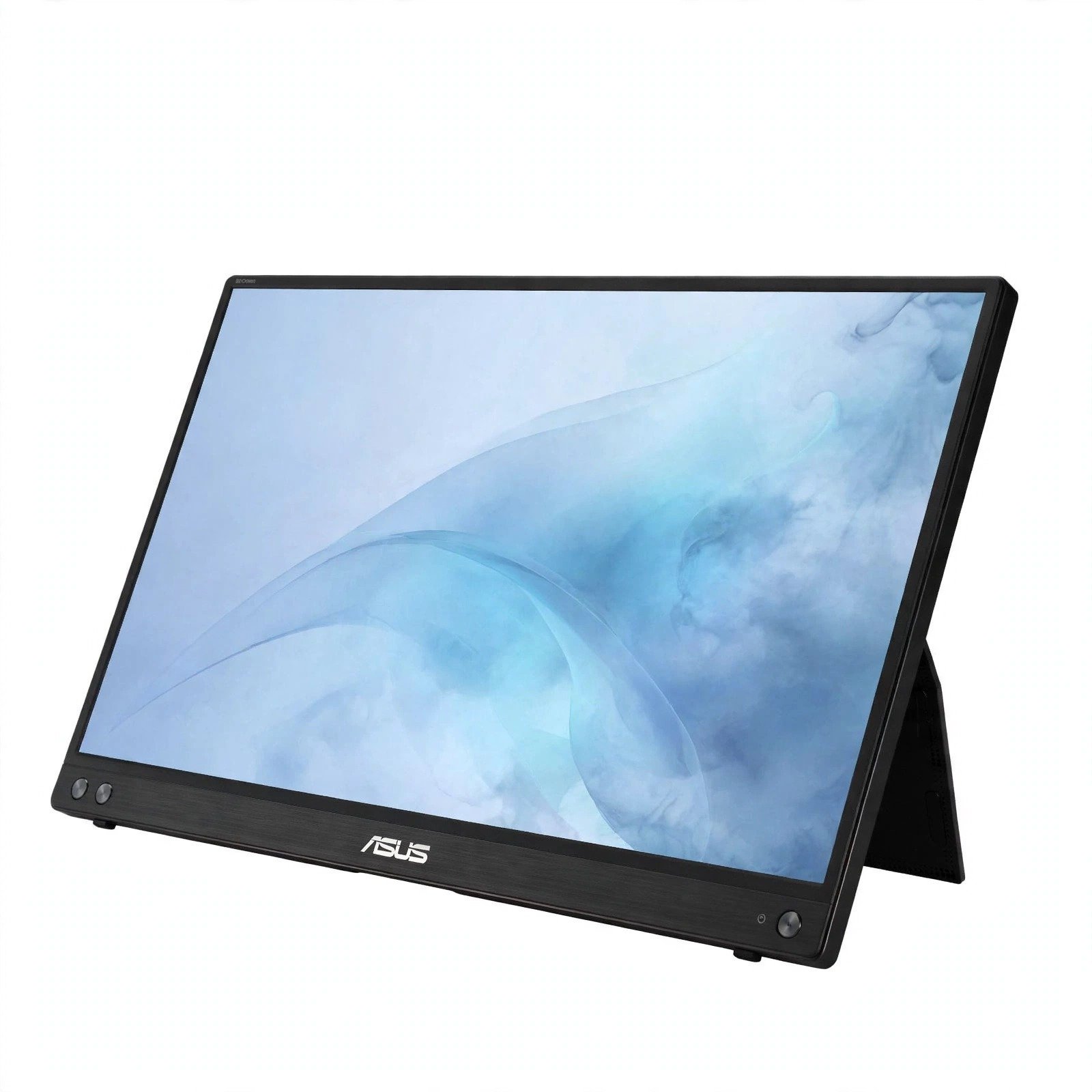
The ASUS ZenScreen MB16ACV is the best portable monitor for most people, and the reason is trust. ASUS is a major monitor brand with real support, real spare parts, and a three-year warranty, which is unusually long in a category where one year is typical. The monitor itself is a 15.6 inch Full HD IPS panel with an anti-glare finish, a built-in kickstand, and a single USB-C cable that carries both video and power. It weighs around 0.83 kg, about 1.83 lb, and it is around 10.5 mm thin, so it slides into a laptop bag like a thin notebook. Independent testing measured brightness at around 248 nits with 99% sRGB coverage and a color error under 2, which means colors look accurate straight out of the box with no calibration.
What makes this monitor lead the list is that it removes friction. The hybrid USB-C signal port handles video and power over one cable on a modern laptop, and a USB-A connection works too with a DisplayLink driver installed, so it connects to older laptops that lack video over USB-C. The built-in kickstand folds out and holds the angle you set, which matters more than it sounds, because a wobbly folio cover is the most common complaint about cheap portable monitors. The anti-glare surface stays readable under cafe windows and office lights, and ASUS eye-care features, flicker-free backlighting and a low blue light filter, make long days easier on the eyes. The monitor also carries an antibacterial treatment on the bezels and rear, a small detail that matters when a screen is handled all day and passed around a meeting table. Pair it with a good laptop stand and the whole setup rises to eye level and feels like a real desk.
The panel is honest about what it is. It is 1080p at 60 Hz, which is perfect for documents, email, spreadsheets, video calls, and browsing, and it is not a gaming monitor. There is no touchscreen, no HDMI port, and no built-in battery, so a laptop without video-capable USB-C needs the USB-A driver route, and a games console needs an adapter. Brightness is the main trade-off. At around 250 nits it is fine indoors, but it is dim by a bright window, and the ARZOPA Z1RC below is brighter. The price is the second trade-off. At around $170 it costs more than twice the ARZOPA A1 below, and the screen is the same size and resolution. You are paying for the brand, the warranty, the kickstand, and the color accuracy, not for more pixels.
Buy it when you want the safe pick. If you travel for work, you need a second screen every day, and you do not want to gamble on an unknown brand, this is the monitor to buy. Skip it when the budget is tight, and the ARZOPA A1 below does the same basic job for around $80, or when you want sharper text, and the Z1RC below gives you 2.5K for less money.
Why we like it
- 15.6 inch 1920 x 1080 IPS panel with anti-glare finish and 178 degree viewing angles
- Measured around 248 nits brightness with 99% sRGB and color error under 2
- One-cable USB-C connection for video and power, plus USB-A support with a driver
- Built-in kickstand that holds its angle, with a protective sleeve included
- Three-year warranty, unusually long for a portable monitor
- Flicker-free backlighting, low blue light filter, and antibacterial bezels
Pros
- Best portable monitor for most people, with the most reliable brand and support here
- Best color accuracy out of the box in the 1080p group, at 99% sRGB
- Best kickstand here, stable on desks, hotel tables, and tray tables
Cons
- Around $170, more than twice the price of the budget picks below
- Around 250 nits is dim by a bright window
- 60 Hz only, no touchscreen, no HDMI, no built-in battery
- 1080p only, so text is less sharp than the 2.5K pick below
Price: around $170 on Amazon
Best for: remote workers, frequent travellers, and buyers who want a brand-name monitor with a three-year warranty.
Who should skip it: budget buyers, where the ARZOPA A1 below does the same job for around $80, and readers who want sharper text, where the ARZOPA Z1RC below is the better fit.
2. ARZOPA A1: Best Budget
ARZOPA A1 (product-style image)
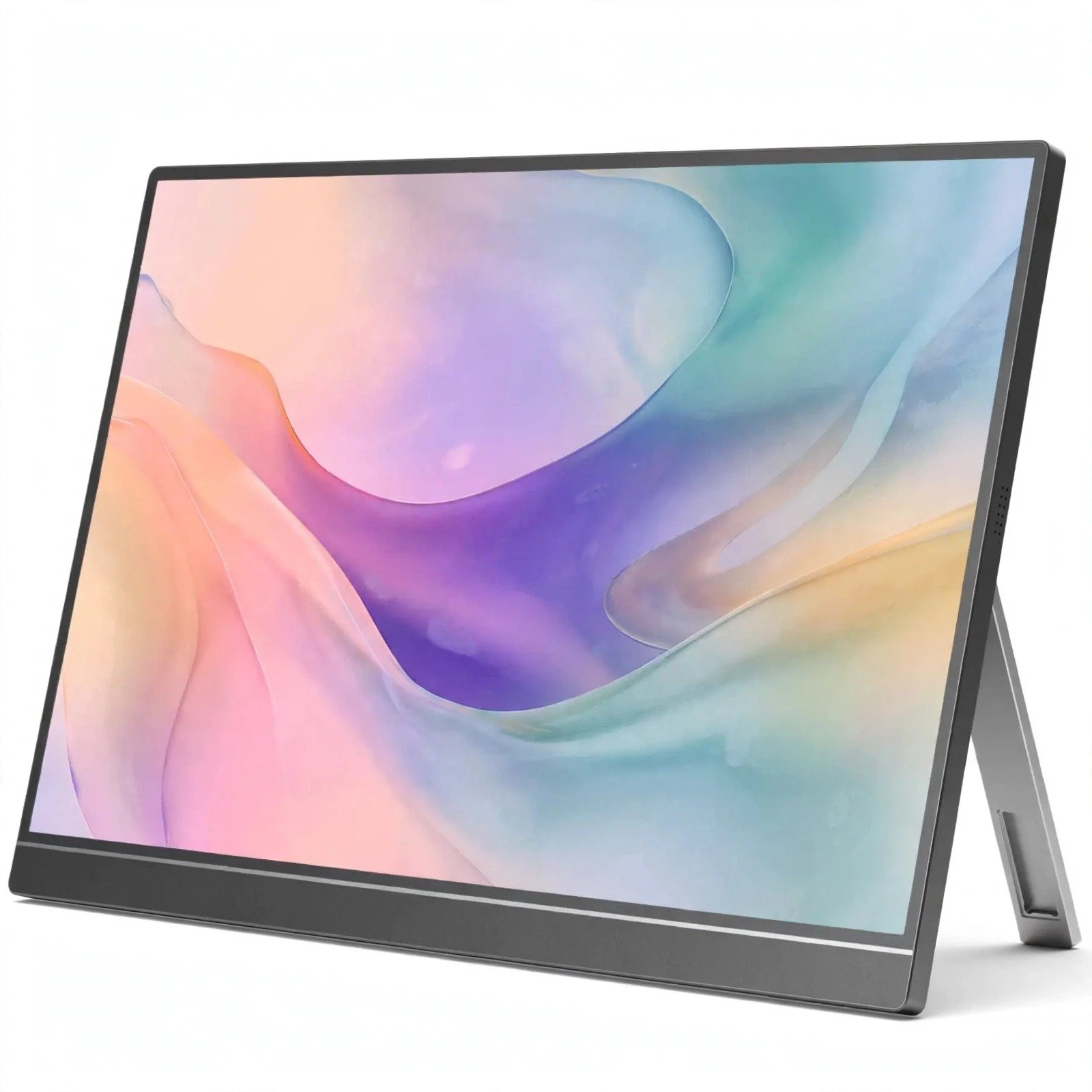
The ARZOPA A1 is the reason budget portable monitors went mainstream. It is a 15.6 inch Full HD IPS panel with a built-in metal kickstand, two USB-C ports, a mini-HDMI port, and a protective magnetic cover, and it sells for around $80, often less with a coupon. It weighs around 1.6 lb and it is around 0.35 inch thin, so it disappears into a laptop bag. The panel runs at 60 Hz with around 300 nits of brightness, which is brighter than the ASUS above, and the 178 degree viewing angles keep the picture consistent when you sit off to the side at a shared table.
What makes the A1 the budget pick is that it skips nothing important. The built-in kickstand folds out from the metal back and locks into different angles, so it stands on a desk, a tray table, or your lap without a separate stand. One USB-C cable carries video and power from a modern laptop, and the mini-HDMI port takes a signal from a games console, a desktop, or a camera, with a cable included in the box. The package also includes a USB-C to USB-C cable, a USB-C to USB-A cable, a mini-HDMI to HDMI cable, and the magnetic cover, so you can connect it to almost anything the day it arrives. Review roundups updated in the last few weeks still name it the best portable monitor under $100, and it is one of the most bought portable monitors on Amazon, which means the listing, the cables, and the support have all been tested by a very large number of buyers.
The honest trade-offs are color and finish. The standard A1 covers around 70% of sRGB, which is fine for documents, video calls, and casual video, but it is not the panel for photo editing or design work, where the Z1RC below is the better buy. The screen surface is glossy on some listings and matte on others, so check the listing you buy, because a glossy panel turns into a mirror near a window. The kickstand is metal and sturdy, but it is a single fold-out leg, not the adjustable hinge on the Lenovo below, so the angle choices are limited. None of this matters for the buyer this monitor is for: someone who wants a second screen for work, study, or travel, and does not want to spend more than $100 to get it.
Buy it when you are buying your first portable monitor, when you are not sure a second screen will change your work, or when you need a spare screen for a home office and a travel bag. Skip it when color accuracy matters for your work, and the Z1RC below or the ASUS above are the better fit, or when you want the lightest possible carry, and the Lenovo M14 below is lighter.
Why we like it
- 15.6 inch 1920 x 1080 IPS panel, 60 Hz, around 300 nits, 178 degree viewing angles
- Built-in metal kickstand plus a protective magnetic cover included
- Two USB-C ports and a mini-HDMI port, with all cables included in the box
- Around 1.6 lb and 0.35 inch thin, easy to carry every day
- One-cable USB-C setup on modern laptops, no drivers needed
- Around $80, the best value full-size portable monitor here
Pros
- Best budget portable monitor, with the lowest price for a complete kit here
- Best brightness per dollar, at around 300 nits for around $80
- Best included accessories, with a cover and every cable in the box
Cons
- Around 70% sRGB, so colors are not accurate enough for photo or design work
- Glossy screen surface on some listings, which reflects light near windows
- Kickstand angle choices are limited compared with the Lenovo hinge below
- One-year typical warranty, far shorter than the ASUS three-year cover
Price: around $80 on Amazon
Best for: first-time buyers, students, budget home offices, and anyone who wants a second screen without spending over $100.
Who should skip it: photo editors and designers, where the Z1RC below covers 123% sRGB, and buyers who want the lightest bag, where the Lenovo M14 below is lighter.
3. ARZOPA Z1RC: Best Sharp Screen
ARZOPA Z1RC (product-style image)
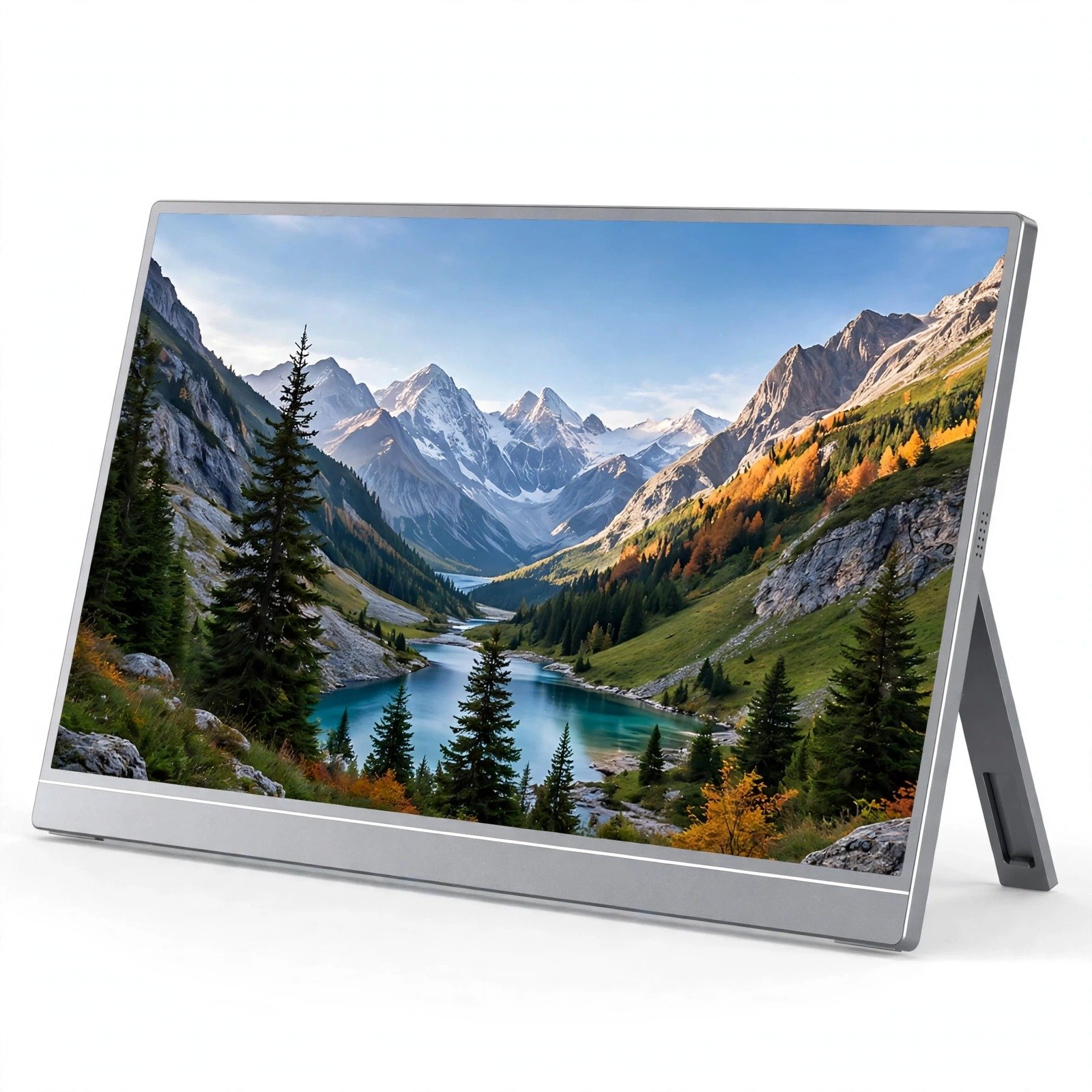
The ARZOPA Z1RC is the monitor for people who read all day. It is a 16 inch IPS panel with a 2560 x 1600 resolution, which is 2.5K, in a taller 16:10 shape that shows more lines of a document, more rows of a spreadsheet, and more lines of code than a standard 16:9 screen. The manufacturer lists 350 nits of brightness, 123% sRGB color coverage, HDR10 support, and a 10-bit color depth, which puts it in a different class from the 1080p panels above. It weighs around 1.79 lb, it is around 9.3 mm thin, and the aluminium alloy body feels more premium than the plastic shells on most budget monitors. The official store price is around $118, and independent roundups list it at around $110 to $130, which makes it the cheapest way to get a genuinely sharper screen.
What makes the Z1RC stand out is how much extra workspace the resolution buys. At 16 inches, 2560 x 1600 text is noticeably crisper than 1080p at 15.6 inches, and the extra vertical space means less scrolling through long documents and web pages. Reviewers who tested it call it the sleeper pick of the category, because it beats monitors at twice the price on sharpness and brightness, and the 123% sRGB coverage makes it usable for light photo and design review, which the budget 1080p panels are not. It supports portrait mode, so you can turn it on its side for reading documents, code, or long web pages. The built-in stand holds it in landscape or portrait, and the box includes a USB-C to USB-C cable, a USB-A to USB-C cable, and an HDMI to mini-HDMI cable, so it connects to laptops, consoles, and phones with no extra shopping. Two built-in 1W speakers cover video calls and casual video, which is a small but real convenience on the road.
One warning about the specs is worth stating plainly. Some roundups claim this monitor reaches 500 nits, but the manufacturer spec sheet lists 350 nits, and that is the number we use here. At 350 nits it is still the brightest panel in this roundup, and it stays readable in bright rooms, but do not buy it expecting 500. The other trade-offs are the 60 Hz refresh rate and the slow response time, which make it a poor choice for fast-paced gaming, and the mini-HDMI port instead of a full-size HDMI port, although the included cable covers that. The stand is a built-in kickstand, not the flexible hinge on the Lenovo below, so angle choices are limited. Finally, ARZOPA is a newer brand than ASUS or Lenovo, and the warranty is two years, which is good for the category but not the three years ASUS offers.
Buy it when you write, code, read, or work in spreadsheets all day, when you want the sharpest text for the least money, or when you do light design work and need wide color coverage. Skip it when you play fast games, and a 144 Hz panel is the better buy, or when you want the lightest bag, and the Lenovo M14 below is lighter.
Why we like it
- 16 inch 2560 x 1600 IPS panel in a taller 16:10 shape, for more vertical workspace
- 123% sRGB color coverage with HDR10, usable for light design and photo review
- 350 nits brightness per the manufacturer spec sheet, the brightest panel here
- Aluminium alloy body, around 1.79 lb, with a built-in stand for landscape and portrait
- Two USB-C ports and a mini-HDMI port, with all cables included in the box
- Two-year warranty, longer than most budget portable monitors
Pros
- Best sharp screen here, with 2.5K resolution for crisp text and more workspace
- Best color coverage here, at 123% sRGB, for design review and photo work
- Best brightness here, at 350 nits per the manufacturer spec
Cons
- 60 Hz refresh and slow response time, not suited to fast-paced gaming
- Some roundups claim 500 nits, but the manufacturer spec is 350 nits
- Mini-HDMI instead of full-size HDMI, although the cable is included
- Heavier than the Lenovo M14 below, at around 1.79 lb
Price: around $120 on Amazon
Best for: writers, coders, analysts, students, and anyone who reads long documents or works in spreadsheets all day.
Who should skip it: competitive gamers, where a 144 Hz panel is the better buy, and ultralight travellers, where the Lenovo M14 below is lighter.

4. Lenovo ThinkVision M14: Best for Travel
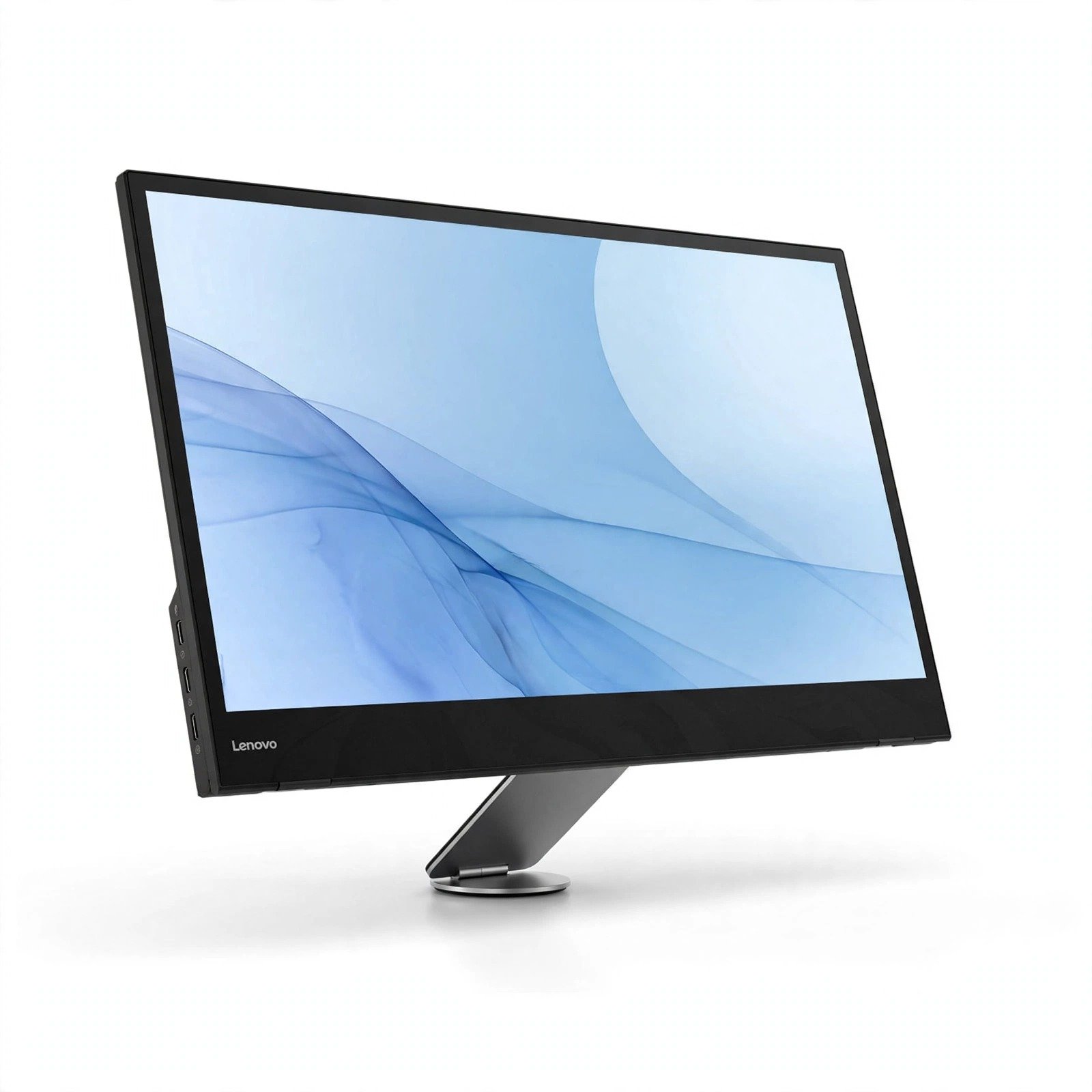
Lenovo ThinkVision M14 (product-style image)
The Lenovo ThinkVision M14 is the lightest serious portable monitor in this roundup, and it shows in every detail. It is a 14 inch Full HD IPS panel that weighs around 0.60 kg, about 1.31 lb, and the display part is around 4.4 mm thin. It slips beside a laptop in a bag without turning the bag into a workout, and it is the monitor frequent flyers keep buying even years after launch. Lenovo lists 300 nits of brightness, a 60 Hz refresh rate, and a 178 degree viewing angle, and independent testing measured around 290 nits with 98% sRGB coverage, which is close to the ASUS above. The smaller 14 inch size makes text look extra crisp, because the same 1920 x 1080 resolution is packed into a smaller screen.
What makes the M14 the travel pick is the stand. Instead of a folio cover or a fold-out leg, it has a built-in metal stand that tilts from minus 5 degrees to plus 90 degrees, so it goes from nearly flat to almost vertical and holds any angle in between. It works on a plane tray table, a hotel desk, and a cafe table, and it never wobbles the way a folding cover can. Two USB-C ports handle video and power, and power passes through the monitor to the laptop, at up to 65W, so one wall charger runs the laptop and the screen together. The matte anti-glare finish helps in bright rooms, and the monitor supports VESA mounting, so it can also live on a desk arm at home. Lenovo backs it with a three-year warranty, the same as the ASUS above, which is rare in this category. Pair it with a wireless keyboard and a monitor light bar and the smallest hotel desk becomes a proper workstation.
The honest trade-offs start with the size. Fourteen inches is less roomy for split-screen work than a 15.6 inch panel, and if your laptop is 15.6 inches or larger, the portable screen will look small beside it. There is no HDMI port, so your laptop must support video over USB-C, which rules out older laptops and some budget models. There are no built-in speakers and no touchscreen, and the price is the highest in the 1080p group here, at around $250. You are paying for the weight, the stand, the brightness, and the brand, not for more pixels. Lenovo has also released a newer touchscreen model in the same line, the M14t Gen 2, which costs more, but the original M14 remains on sale and remains the better value for most buyers, so make sure you buy the original M14 and not the newer model by mistake.
Buy it when you fly often, when every ounce in your bag matters, when you want the most stable stand in the category, or when you want a major-brand monitor with a three-year warranty in the smallest package. Skip it when you want the biggest screen for the money, and the 15.6 inch picks above are roomier, or when your laptop lacks video over USB-C, and the ARZOPA A1 above with its HDMI port is the safer buy.
Why we like it
- 14 inch 1920 x 1080 IPS panel, 60 Hz, 300 nits per Lenovo spec, matte anti-glare finish
- Around 0.60 kg, about 1.31 lb, the lightest monitor in this roundup
- Built-in metal tilt stand, from minus 5 degrees to plus 90 degrees, the most flexible stand here
- Two USB-C ports with DisplayPort Alt Mode and pass-through charging up to 65W
- VESA 100 mm mounting support, so it can live on a desk arm at home
- Three-year warranty from a major brand
Pros
- Best for travel, the lightest serious portable monitor here by a clear margin
- Best stand here, with a metal hinge that holds any angle from flat to vertical
- Best brightness in the 1080p group, at 300 nits per Lenovo spec
Cons
- Around $250, the most expensive 1080p monitor here
- 14 inches is smaller than the 15.6 inch rivals, so less room for split-screen work
- No HDMI port, so your laptop must support video over USB-C
- No built-in speakers and no touchscreen
Price: around $250 on Amazon
Best for: frequent flyers, consultants, and anyone who carries a second screen every day and counts every ounce.
Who should skip it: buyers who want the biggest screen for the money, where the 15.6 inch picks above are roomier, and owners of older laptops without video over USB-C, where the ARZOPA A1 above is the safer buy.
5. KYY K3: Best Under $60
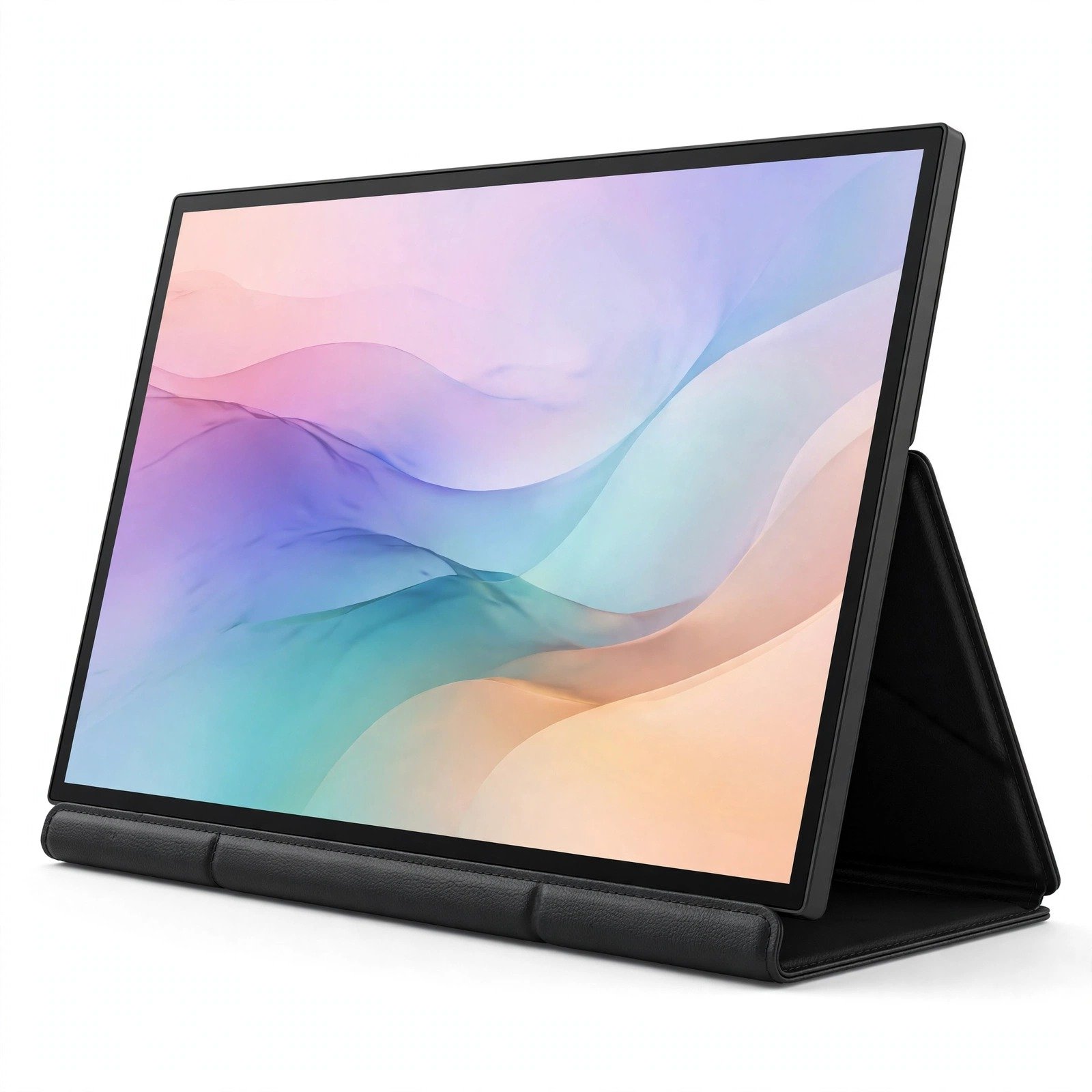
KYY K3 (product-style image)
The KYY K3 is the cheapest proven portable monitor in this roundup, and it is also one of the most reviewed portable monitors on Amazon, with more than 13,000 reviews at a 4.4 star average. It is a 15.6 inch Full HD IPS panel with two USB-C ports, a mini-HDMI port, built-in speakers, and a magnetic smart cover that doubles as a stand, and it sells for around $56 at the time of writing, down from a usual price of around $70. It weighs around 1.7 lb and it is around 0.3 inch thin, so it is as portable as monitors at twice the price. The box includes a USB-C cable, a USB-C to USB-A cable, a mini-HDMI cable, and a power adapter, so it connects to almost anything out of the box.
What makes the K3 the entry-level pick is that it does everything a second screen needs to do, and nothing it does not. The 1080p IPS panel is sharp enough for writing, browsing, spreadsheets, chat, and video calls, with 178 degree viewing angles that hold up when you sit slightly off-center at a cafe table. One USB-C cable handles video and power from a modern laptop, and the second USB-C port is for power input only, which is useful when you connect over HDMI and power the monitor from a charger or a power bank. The smart cover folds into a triangle stand with adjustable angles and protects the screen in your bag, which is a thoughtful touch at this price. Independent testing found the contrast close to the claimed 1000:1, and the monitor works with laptops, phones, and game consoles with no drivers needed. TechRadar names it the cheap portable monitor to buy, and ServeTheHome measured it and called it hard to criticize at this price.
The trade-off is color. Independent testing measured the panel at around 64% to 67% of sRGB, which is the lowest color coverage in this roundup. For documents and video calls that does not matter. For photo editing, design work, or anything where accurate color matters, it matters a lot, and the Z1RC above is the better buy. Brightness is around 250 to 300 nits depending on which source you trust, which is fine indoors and marginal in bright rooms. The build is plastic and flexes slightly under pressure, and the warranty is one year, which is short next to the three years on the ASUS and Lenovo picks. The speakers are basic, as they are on most portable monitors, so use headphones or laptop speakers for anything important.
Buy it when you want to try a second screen for the least money, when you need a spare monitor for a home office or a student desk, or when you want a proven bestseller with thousands of owners behind it. Skip it when color accuracy matters for your work, and the Z1RC above is the better fit, or when you want a longer warranty and a sturdier build, and the ASUS above is the safer buy.
Why we like it
- 15.6 inch 1920 x 1080 IPS panel, 60 Hz, 178 degree viewing angles
- Two USB-C ports plus a mini-HDMI port, with all cables and a power adapter included
- Magnetic smart cover that doubles as a stand and protects the screen in transit
- Built-in speakers and a 3.5 mm audio jack
- Around 1.7 lb and 0.3 inch thin, as portable as monitors twice the price
- More than 13,000 Amazon reviews at a 4.4 star average
Pros
- Best under $60, the cheapest proven portable monitor here
- Best review count here, with more than 13,000 Amazon reviews behind it
- Best included kit at the price, with a cover, cables, and a power adapter
Cons
- Lowest color coverage here, at around 64% to 67% of sRGB, not for photo or design work
- Plastic chassis flexes slightly under pressure
- One-year warranty, far shorter than the three years on the ASUS and Lenovo picks
- Basic built-in speakers, as on most portable monitors
Price: around $56 on Amazon
Best for: first-time buyers on a tight budget, students, and anyone who wants a spare second screen for the least money.
Who should skip it: photo editors and designers, where the Z1RC above covers 123% sRGB, and buyers who want a long warranty, where the ASUS above is the safer buy.
6. UPERFECT 15.6 Inch Portable Monitor: Best Color on a Budget
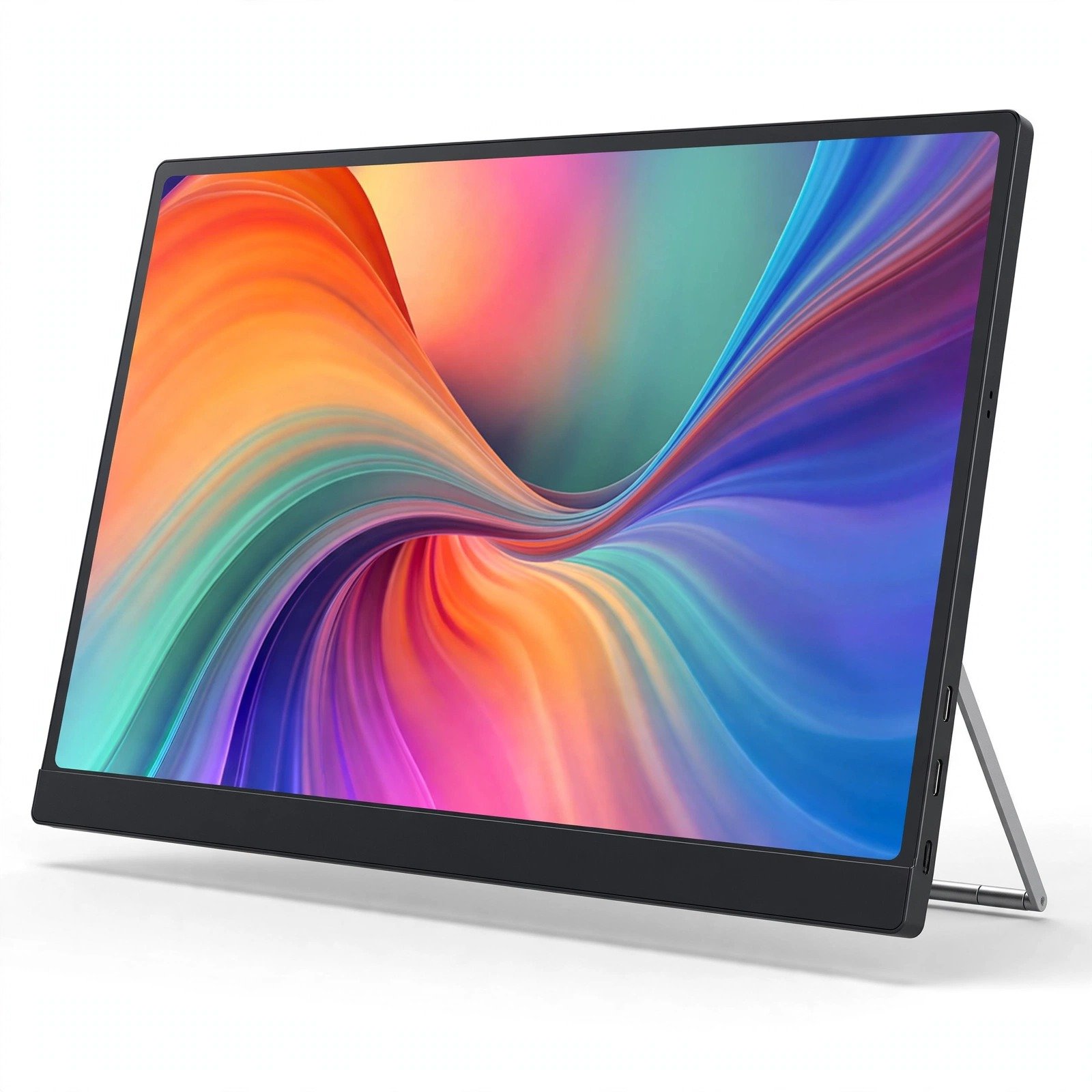
UPERFECT 15.6 Inch Portable Monitor (product-style image)
The UPERFECT 15.6 inch portable monitor is the budget panel for people who care about color but do not want to pay for it. It is a 15.6 inch Full HD IPS panel with 125% sRGB coverage, HDR support, and a matte anti-glare finish, which is a rare combination under $100. It sells for around $90, and it comes with two USB-C ports, a mini-HDMI port, a foldable stand, and VESA 75 mm mounting, so it can live on a desk arm as well as in a travel bag. It weighs around 0.6 kg, about 1.4 lb, which makes it one of the lighter 15.6 inch monitors here, and the three-sided narrow bezel design gives it a modern look that stands out next to the chunkier budget panels.
What makes this monitor worth a place on the list is the color. At 125% sRGB it shows around 25% more colors than a standard sRGB panel, so gradients look smoother, photos look richer, and video looks more vivid than on the ARZOPA A1 or the KYY K3 above. Reviewers who tested it call it a budget 1080p display that punches above its weight for travel and productivity, and the HDR support adds a little extra punch to movies and games. The matte finish avoids the mirror effect of glossy budget panels, which matters in bright rooms. The foldable stand holds the screen at a usable angle without a separate accessory, and the VESA mount means it can become a permanent second screen on a home desk, which is something none of the other budget picks offer. Plug and play setup means it works in seconds with a laptop, a phone, or a console, with no drivers and no settings to change.
The honest trade-offs are brightness and brand. Sources disagree on the brightness, listing it at 300 nits in one place and 350 nits in another, so treat it as a 300 to 350 nit panel and expect good indoor performance rather than outdoor brilliance. The contrast is listed at 1500:1 to 2000:1 depending on the listing, which is another sign that the exact specs vary by listing, so check the listing you buy. UPERFECT is a smaller brand than ASUS or Lenovo, and support and warranty terms are less generous, so buy from a listing with a clear return policy. The refresh rate is 60 Hz, so it is not a gaming monitor, and the speakers, where included, are basic. None of this changes the core value: if you want wide color on a budget, this is the cheapest way to get it.
Buy it when you watch a lot of video, when you do light photo work and want richer color without paying for a 2.5K panel, or when you want a monitor that can also mount on a desk arm at home. Skip it when you want the sharpest text, and the Z1RC above is the better buy, or when you want a major-brand warranty, and the ASUS above is the safer buy.
Why we like it
- 15.6 inch 1920 x 1080 IPS panel with 125% sRGB coverage and HDR support
- Matte anti-glare finish, no mirror effect in bright rooms
- Two USB-C ports and a mini-HDMI port, with plug and play setup and no drivers
- Foldable stand plus VESA 75 mm mounting for a desk arm
- Around 1.4 lb, one of the lighter 15.6 inch monitors here
- Three-sided narrow bezel design, a modern look for a budget panel
Pros
- Best color on a budget, with 125% sRGB for richer photos and video
- Best mounting flexibility in the budget group, with VESA support included
- Best matte finish in the budget group, for glare-free use in bright rooms
Cons
- Brightness specs disagree across listings, at 300 to 350 nits, so treat it as an indoor panel
- Smaller brand with less generous support and warranty than ASUS or Lenovo
- 60 Hz only, no touchscreen, and basic speakers
- Contrast specs vary by listing, so check the listing you buy
Price: around $90 on Amazon
Best for: movie watchers, light photo work, and buyers who want wide color and VESA mounting on a budget.
Who should skip it: readers who want the sharpest text, where the Z1RC above is the better buy, and buyers who want a major-brand warranty, where the ASUS above is the safer buy.

Comparison Table: All 6 Portable Monitors Side by Side
| Monitor | Size and Resolution | Panel and Brightness | Weight | Ports | Price | Best For |
|---|---|---|---|---|---|---|
| ASUS ZenScreen MB16ACV | 15.6 inch, 1920 x 1080 | IPS, around 250 nits, 99% sRGB | around 1.83 lb | USB-C, USB-A | around $170 | Best overall |
| ARZOPA A1 | 15.6 inch, 1920 x 1080 | IPS, around 300 nits, around 70% sRGB | around 1.6 lb | 2x USB-C, mini-HDMI | around $80 | Best budget |
| ARZOPA Z1RC | 16 inch, 2560 x 1600 | IPS, 350 nits, 123% sRGB | around 1.79 lb | 2x USB-C, mini-HDMI | around $120 | Best sharp screen |
| Lenovo ThinkVision M14 | 14 inch, 1920 x 1080 | IPS, 300 nits, 98% sRGB | around 1.31 lb | 2x USB-C | around $250 | Best for travel |
| KYY K3 | 15.6 inch, 1920 x 1080 | IPS, 250 to 300 nits, around 64% to 67% sRGB | around 1.7 lb | 2x USB-C, mini-HDMI | around $56 | Best under $60 |
| UPERFECT 15.6 Inch | 15.6 inch, 1920 x 1080 | IPS, 300 to 350 nits, 125% sRGB | around 1.4 lb | 2x USB-C, mini-HDMI | around $90 | Best color on a budget |
Prices are approximate street prices from current listings and they change often. Brightness figures mix manufacturer specs and independent measurements, so treat small differences as a range rather than an exact ranking. The pattern is clear: the Z1RC is the sharpest and brightest, the M14 is the lightest, the KYY K3 is the cheapest, and the ASUS is the safest buy.
Buying Guide: How to Choose the Best Portable Monitor
Buying a portable monitor is simpler than buying a desktop monitor, but a few details decide whether you love it or return it. Work through this guide before you buy, and the right pick becomes obvious.
Check your laptop ports first
This is the step most buyers skip, and it is the one that causes returns. A portable monitor connects in one of two ways. USB-C with DisplayPort Alt Mode carries video and power over a single cable, and it is the cleanest setup. HDMI carries video only, so you also need a USB-C cable for power. Check your laptop specs for a USB-C port that supports DisplayPort Alt Mode or Thunderbolt. Most MacBooks and modern Windows laptops have one. Older laptops and some budget models do not, and for those you need a monitor with an HDMI port, like the ARZOPA A1, the Z1RC, the KYY K3, or the UPERFECT above, or the ASUS with its USB-A driver option. If you are not sure, the HDMI models are the safer buy.
Pick the right size
Most portable monitors are 15.6 inches, which matches most laptops and gives you a comfortable second screen for split-screen work. Fourteen inches, like the Lenovo M14 above, is lighter and more portable, but it feels small next to a 15.6 inch laptop. Sixteen inches, like the ARZOPA Z1RC above, gives you more room, especially in the taller 16:10 shape. If you travel by plane often, 14 inches fits a tray table best. If you work from hotel desks and cafes, 15.6 or 16 inches is the sweet spot. Bigger than 16 inches exists, but it stops fitting in most laptop bags, so it stops being portable in practice.
Resolution: 1080p is enough for most people
A 1080p panel is sharp enough for documents, email, spreadsheets, and video calls, and it is the standard at every price in this roundup except one. The exception is the ARZOPA Z1RC, whose 2.5K panel shows visibly sharper text and more content on screen. Buy 2.5K if you read all day, code, or work in spreadsheets, because the extra sharpness reduces eye strain over long sessions. Skip it if you mostly watch video and browse, because 1080p looks the same at normal viewing distance and costs less. Avoid 4K portable monitors unless you do color-critical work, because they cost far more, drain laptop battery faster, and the extra pixels are hard to see on a 15 inch screen.
Brightness matters more than you think
Brightness is measured in nits, and it decides whether you can work near a window. For indoor use, 250 nits is the minimum that feels comfortable, and most monitors in this roundup sit at 250 to 300 nits. For bright rooms, cafes with big windows, and outdoor tables, 350 nits and up makes a real difference, which is why the Z1RC leads here. A matte anti-glare finish also helps, because it scatters reflections instead of mirroring them. Glossy panels look punchier in a dark room and worse in a bright one, so check the finish on the listing you buy. PCWorld and TechRadar both test portable monitors for brightness and real-world use, and their roundups are a good second opinion before you buy. See the PCWorld best portable monitors guide at https://www.pcworld.com/article/1787210/best-portable-monitors.html and the TechRadar best portable monitor guide at https://www.techradar.com/uk/news/best-portable-monitor for independent test results.
Weight and the stand decide whether you carry it
A portable monitor you leave at home is not portable. Under 1.5 lb feels light in a bag. Around 1.7 lb is normal. Over 2 lb starts to feel heavy next to a laptop, a charger, and a notebook. The stand matters just as much. A built-in kickstand, like on the ASUS and the ARZOPA models, is simple and reliable. A magnetic smart cover, like on the KYY K3, doubles as protection and a stand, which saves space. A metal tilt hinge, like on the Lenovo M14, is the most flexible and the most stable. A folio cover that folds into a triangle works, but it slips on slick tables, so prefer a kickstand or a hinge if you work on the move.
Color accuracy: know what you need
Color coverage is measured as a percentage of sRGB, and it decides whether the monitor is for work or for design. Around 70% sRGB is fine for documents, email, and video calls. Around 99% sRGB, like the ASUS and the Lenovo, is accurate enough for most office work and casual photo viewing. Over 100% sRGB, like the Z1RC at 123% and the UPERFECT at 125%, is the range for photo review, design work, and rich video. If you edit photos or video for clients, buy the Z1RC and check its color against a calibrated display before you trust it completely. If you write and browse, save the money and buy a 70% panel, because you will not see the difference in a spreadsheet.
Refresh rate and speakers
Every monitor in this roundup runs at 60 Hz, which is fine for work, video, and casual games. If you play fast-paced games, look for a 144 Hz portable monitor instead, because 60 Hz will feel sluggish next to a gaming laptop. Built-in speakers are a convenience, not a feature to pay extra for. They cover video calls and casual video, but they are thin and quiet, so use headphones or your laptop speakers for anything important. A 3.5 mm audio jack, which the KYY K3 has, is useful if you want wired headphones plugged into the monitor.
Warranty and brand
Portable monitors get knocked around in bags, so the warranty matters. ASUS and Lenovo offer three years, ARZOPA offers two years on the Z1RC, and most budget brands offer one year. A longer warranty is worth paying for if the monitor travels every day. Buy from a listing with a clear return policy, and test the monitor in the first week: check for dead pixels, check the stand holds its angle, and check that your laptop powers it over a single cable. If anything is wrong, return it early, because a wobbly stand or a dead pixel only gets more annoying. For the official specs, see the ASUS ZenScreen MB16ACV page at https://www.asus.com/latin/displays-desktops/monitors/zenscreen/zenscreen-mb16acv/ and the ARZOPA Z1RC page at https://www.arzopa.com/products/z1rc-2k-portable-monitor?_pos=1&_sid=e889f6619&_ss=r&variant=67778725380259, and keep your home office fast and reliable with a good mesh WiFi system so your second screen never waits on a slow connection.
Frequently Asked Questions
Do portable monitors need a separate power supply?
Most portable monitors do not need a separate power supply. They draw power from your laptop over the same USB-C cable that carries the video signal, which is called bus power. If you connect over HDMI, you need a second USB-C cable for power, because HDMI carries video only. Some monitors also work with a phone charger or a power bank over USB-C. The Lenovo M14 above even passes power through to the laptop, so one wall charger runs both devices. Check the power draw before you buy: a monitor that draws too much power can drain a small laptop battery faster, so a laptop with a large battery or a charger nearby is the safest setup for long sessions.
Will a portable monitor work with my laptop?
It works with almost any modern laptop, but check the ports first. You need either a USB-C port that supports DisplayPort Alt Mode or Thunderbolt, or an HDMI port plus a USB-C port for power. Most MacBooks and Windows laptops from the last few years have a video-capable USB-C port. Older laptops, Chromebooks, and some budget models may not, and for those you need a monitor with HDMI, like the ARZOPA A1, or the ASUS with its USB-A driver option. Check your laptop manual or the manufacturer specs page for the words DisplayPort Alt Mode, DP Alt Mode, or Thunderbolt before you buy. If your laptop has a full-size HDMI port, any monitor with a mini-HDMI port and the included cable will work.
Is 1080p enough for a portable monitor?
Yes, for most people. A 15.6 inch 1080p panel shows sharp text at normal viewing distance, and it is the standard for documents, email, spreadsheets, video calls, and browsing. The upgrade to 2.5K, like the ARZOPA Z1RC above, is worth it if you read, code, or work in spreadsheets all day, because the text is visibly crisper and you see more content without scrolling. It is not worth it if you mostly watch video and browse, because the difference is hard to see in moving images. A 4K portable monitor is only worth it for color-critical photo and video work, and it costs far more and drains battery faster.
Can I use a portable monitor with a phone or a games console?
Yes, with the right ports. Many Android phones with USB-C video output, like Samsung DeX phones, can drive a portable monitor over a single USB-C cable, which turns the phone into a small desktop. Games consoles like the Nintendo Switch, PlayStation, and Xbox connect over HDMI, so you need a monitor with a mini-HDMI port, like the ARZOPA A1, the Z1RC, the KYY K3, or the UPERFECT above, plus the included HDMI cable. Consoles need a separate power source for the monitor, because HDMI does not carry power. iPhones need an adapter, because they do not output video over USB-C in the same way, so check your phone model before you buy a monitor for phone use.
How bright should a portable monitor be?
For indoor use, 250 nits is the minimum that feels comfortable, and 300 nits is a good target. For bright rooms, cafes with big windows, and outdoor tables, 350 nits and up makes a real difference. The brightest panel in this roundup is the ARZOPA Z1RC at 350 nits per the manufacturer spec. A matte anti-glare finish also helps in bright rooms, because it scatters reflections instead of mirroring them. If you mostly work indoors, do not pay extra for brightness. If you work from cafes and hotel lobbies, brightness is the spec to prioritize, ahead of resolution.
What is the difference between a USB-C and an HDMI portable monitor?
USB-C with DisplayPort Alt Mode carries video and power over one cable, so the setup is a single plug and the desk stays tidy. HDMI carries video only, so you need a second USB-C cable for power, which means two cables and a charger or a power bank. Most monitors in this roundup offer both, which is the best of both worlds: USB-C for a modern laptop, HDMI for a console, a desktop, or an older laptop. The exceptions are the ASUS ZenScreen MB16ACV, which is USB-C and USB-A only, and the Lenovo ThinkVision M14, which is USB-C only, so check your devices before you buy one of those.
Are portable monitors good for gaming?
They are good for casual gaming and great for handheld consoles, but not for competitive gaming. Every monitor in this roundup runs at 60 Hz, which is fine for story games, strategy games, and casual play, and the larger screen is a big upgrade over a phone or a Switch screen. For fast-paced shooters and competitive play, 60 Hz feels sluggish next to a 144 Hz or faster gaming display, and the response time on most portable panels is slower than a desktop gaming monitor. If gaming is the main use, look for a portable monitor with a 144 Hz refresh rate and a fast response time. If gaming is a side use and work is the main use, any monitor in this roundup will handle it.
Final Verdict: Which Portable Monitor Should You Buy?
The best portable monitor for most people is the ASUS ZenScreen MB16ACV. It is the safe pick: a major brand, a three-year warranty, accurate color out of the box, a stable kickstand, and a single-cable setup that just works. At around $170 it is not the cheapest, but it is the one you buy when you want to stop researching and start working.
The best value is the ARZOPA A1. At around $80 it gives you a full-size 1080p screen, a metal kickstand, a cover, and every cable in the box. It is the monitor to buy when you want a second screen and you do not want to think about it again.
The best screen for readers is the ARZOPA Z1RC. At around $120 the 2.5K panel, the taller 16:10 shape, and the 123% sRGB coverage make it the sharpest and most colorful monitor here, and it is the one to buy when your work is words, code, and spreadsheets all day.
The best travel monitor is the Lenovo ThinkVision M14. At around 1.31 lb with the most flexible stand in the category, it is the monitor for people who fly every week and count every ounce.
The best budget pick is the KYY K3. At around $56 it is the cheapest proven second screen, backed by more than 13,000 Amazon reviews, and it is the monitor to buy when you want to try a second screen for the least money.
The best color on a budget is the UPERFECT 15.6 inch portable monitor. At around $90 the 125% sRGB panel, the matte finish, and the VESA mounting make it the monitor for movie watchers and light photo work on a budget.
Whichever you pick, the change is the same: your laptop stops being a single cramped window and becomes a two-screen workstation that fits in your bag. Buy the one that matches your laptop ports, your bag, and your budget, and check the live price before you checkout, because portable monitor prices move often and the best deal changes week to week.