Affiliate Disclosure: Buyiox is reader-supported. When you buy through links on this page, we may earn a small commission at no extra cost to you. We only recommend products we would use ourselves.
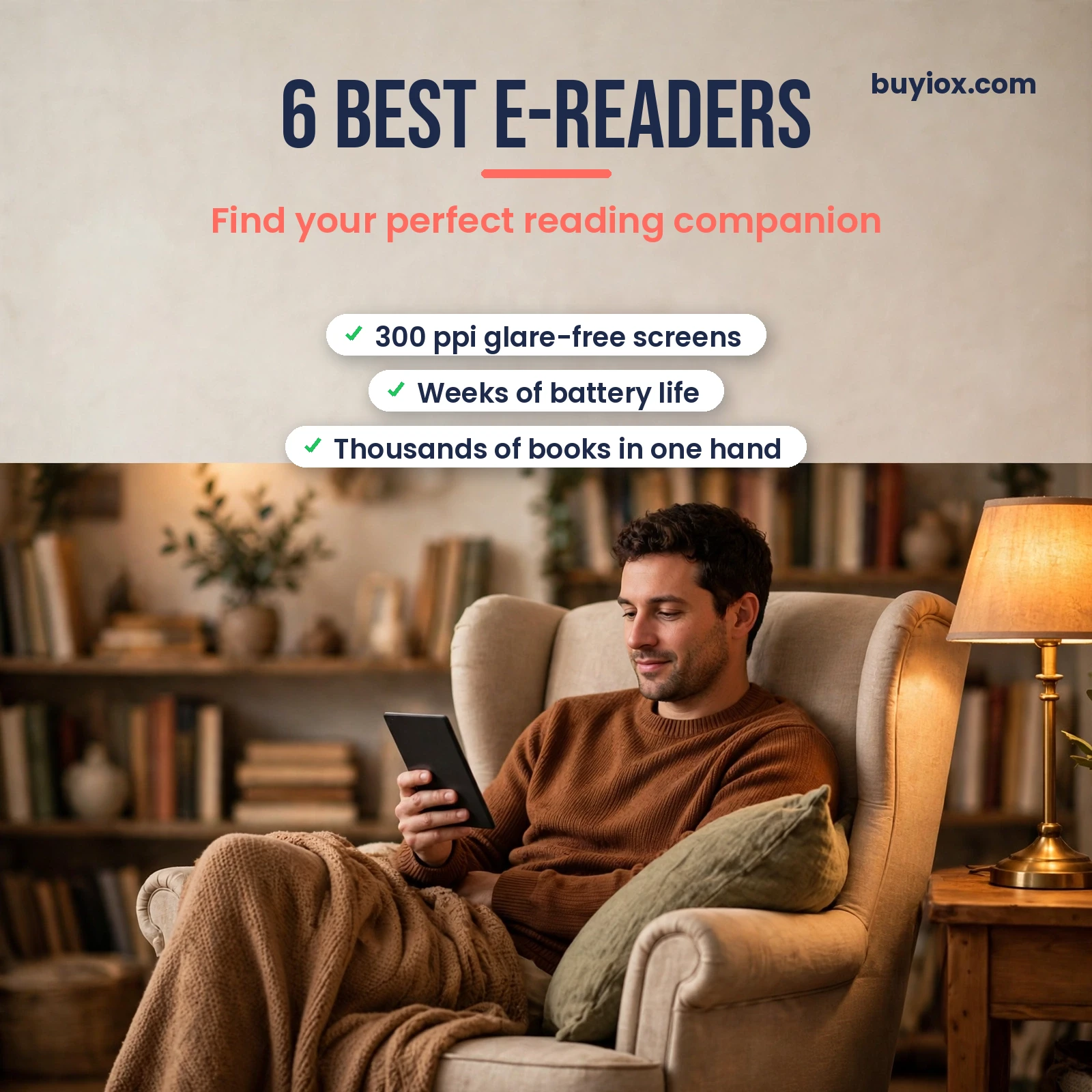
Your phone buzzes, the screen glares, and by page three your eyes are tired and your focus is gone. That is the problem with reading on a phone or tablet: the device is built to distract you, and the glowing screen is built to tire your eyes. An e-reader fixes both problems at once. The screen looks and reads like paper, there are no notifications popping up, and a single charge lasts for weeks, not hours.
But which e-reader should you buy? Amazon’s Kindle owns roughly 80 percent of the market, yet Kobo makes the better reader for library borrowers and open formats, and color E Ink has finally arrived at prices normal readers can afford. Pick the wrong ecosystem and you can end up locked into the wrong bookstore for years. That is why this guide covers all six of the best e-readers worth buying right now, from a budget Kindle under $150 to a note-taking tablet that replaces paper notebooks.
We compared screen quality, lighting, battery life, waterproofing, bookstore and library support, and real-world value for money. Here is the honest breakdown, including who each reader suits and who should skip it.
https://buyiox.com/wp-content/uploads/2026/11/er-featured.webp
Our Top 6 E-Readers at a Glance
- Kindle Paperwhite 12th Generation – Best overall, the default choice for most readers
- Kindle Basic 16GB – Best budget e-reader for beginners
- Kobo Clara BW – Best for library readers and open formats
- Kobo Libra Colour – Best color e-reader
- Kindle Colorsoft Signature Edition – Best color e-reader for Amazon readers
- Kindle Scribe – Best e-reader for note-taking
1. Kindle Paperwhite 12th Generation – Best Overall
https://buyiox.com/wp-content/uploads/2026/11/er-prod-1.jpg
Amazon Kindle Paperwhite 12th Generation E-Reader in Black (product-style image)
The Kindle Paperwhite is the best e-reader for most people, and it is not close. The 7-inch screen is sharp at 300 pixels per inch, so text looks like print on paper rather than pixels on a display. The adjustable warm light shifts the screen from white to a soft amber at night, which makes bedtime reading genuinely comfortable. It is waterproof to IPX8, so it survives the bath, the pool and a spilled coffee, and Amazon rates the battery at up to 12 weeks on a single charge with light use.
What makes the Paperwhite the default pick is how little you have to think about it. It holds 16GB of storage, which is thousands of books. Page turns are fast, the flush-front screen wipes clean easily, and the Kindle store has the largest ebook catalog in the world. Reviewers at Stuff also rate the Paperwhite as the best e-reader you can buy, and it is easy to see why: nothing else at this price does so many things this well.
One honest note: Amazon has since announced a redesigned Paperwhite at a higher price, which makes this 12th-generation model the better value while it is still in stock. If you see it on sale, that is the time to buy.
Why we like it
- Sharp 7-inch 300 ppi screen that reads like real paper
- Adjustable warm light for comfortable night reading
- IPX8 waterproofing for baths, beaches and pools
- Up to 12 weeks of battery life per charge
- Access to the largest ebook store in the world
Pros
- Best all-round screen, light and waterproofing combination at the price
- Fast page turns and a huge, proven book catalog
- Light enough to hold one-handed for long sessions
Cons
- Locked into Amazon’s ecosystem, no native EPUB support
- No physical page-turn buttons, touchscreen only
- No warm light adjustment on the cheaper Kindle, so this is the step-up model for a reason
Price: around $160 on Amazon
Best for: almost every reader, especially anyone buying their first serious e-reader or upgrading from an old Kindle or a phone.
Who should skip it: heavy library borrowers who want built-in OverDrive, and readers with a large EPUB collection, who should look at the Kobo Clara BW instead.
2. Kindle Basic 16GB – Best Budget E-Reader for Beginners
https://buyiox.com/wp-content/uploads/2026/11/er-prod-2.jpg
Amazon Kindle Basic E-Reader 16GB in Black (product-style image)
If you just want to read books and spend as little as possible doing it, this is the Kindle to buy. The basic Kindle is the smallest and lightest reader in Amazon’s lineup at just 158 grams, with a 6-inch 300 ppi screen that is every bit as sharp as the Paperwhite’s. It holds 16GB, charges over USB-C, and the battery lasts up to 6 weeks per charge. It slips into a jacket pocket and disappears, which is exactly what a travel reader should do.
The trade-offs are honest ones. There is no warm light, so the screen stays white at night, and there is no waterproofing, so keep it away from the bath. The screen is smaller than the Paperwhite’s, and page turns are a touch slower. None of that matters much if you mainly read in daylight and want the cheapest way into the Kindle ecosystem. For a first e-reader, or a second reader to keep in a bag, it is hard to beat.
One price warning: this Kindle launched at $109.99 and now lists around $150 after Amazon raised prices across the range. It is still the cheapest new Kindle, and it still goes on sale regularly, so patient buyers can often catch it for less.
Why we like it
- Same sharp 300 ppi screen as the Paperwhite in a smaller body
- Lightest Kindle ever at 158 grams, truly pocket-sized
- 16GB of storage holds thousands of books
- USB-C charging and up to 6 weeks of battery life
- Cheapest way into the Kindle ecosystem
Pros
- Best value for money of any Kindle
- Perfect size for commuting, travel and one-handed reading
- Simple to use, ideal for beginners and for gifting
Cons
- No warm light, so night reading is less comfortable
- Not waterproof, unlike the Paperwhite
- Price has risen from its launch price, so watch for sales
Price: around $150 on Amazon
Best for: beginners, budget buyers, commuters and anyone who wants a cheap, light second reader.
Who should skip it: bedtime readers who want a warm light, and bath or poolside readers who need waterproofing, who should spend a little more on the Paperwhite.
3. Kobo Clara BW – Best for Library Readers and Open Formats
https://buyiox.com/wp-content/uploads/2026/11/er-prod-3.jpg
Kobo Clara BW E-Reader in Black (product-style image)
The Kobo Clara BW is the best e-reader for anyone whose books do not come from Amazon. It reads EPUB files natively, which means books from almost any store, free public-domain classics, and files you already own all open without conversion. It has built-in OverDrive, so you can borrow ebooks directly from your local library on the device itself, no computer needed. That single feature saves regular library users a small fortune over a year.
The hardware is excellent for the size. The 6-inch E Ink Carta 1300 screen is sharp at 300 ppi, the ComfortLight PRO warm light adjusts color temperature for night reading, and the whole device is IPX8 waterproof. It holds 16GB, supports audiobooks, and has a dark mode that flips the screen to white text on black. Owner surveys rank it among the most recommended e-readers of all, with particular praise for the crisp screen and easy library borrowing.
The honest trade-off is the store. Kobo’s ebook store is smaller than Amazon’s, and if you already own a large Kindle library, your Amazon books will not transfer over. But if you borrow from the library, read EPUBs, or simply do not want to be locked into one store, the Clara BW is the smarter buy, and it costs about the same as the basic Kindle while adding a warm light and waterproofing.
Why we like it
- Native EPUB support, no conversion or lock-in
- Built-in OverDrive for direct library borrowing
- ComfortLight PRO warm light and IPX8 waterproofing
- Sharp 6-inch 300 ppi Carta 1300 screen
- Dark mode and audiobook support included
Pros
- Best e-reader for library users, by a wide margin
- More open and flexible than any Kindle
- Warm light and waterproofing at a budget price
Cons
- Smaller ebook store than Amazon, and no Kindle book compatibility
- 6-inch screen feels small next to the 7-inch Paperwhite
- Plastic build feels less premium than the price suggests
Price: around $160 on Amazon
Best for: library borrowers, EPUB collectors, and anyone who wants to keep their books outside Amazon’s walls.
Who should skip it: readers with a big existing Kindle library, and anyone who mainly buys bestsellers from Amazon, who should get the Paperwhite instead.
4. Kobo Libra Colour – Best Color E-Reader
https://buyiox.com/wp-content/uploads/2026/11/er-prod-4.jpg
Kobo Libra Colour E-Reader in White (product-style image)
Color changes what an e-reader can do. Book covers look alive, comics and graphic novels finally work properly, and highlighted passages show up in real color you can actually tell apart. The Kobo Libra Colour is the best color e-reader you can buy, and the reason is simple: it pairs a 7-inch Kaleido 3 color E Ink screen with the same open ecosystem that makes the Clara BW great, then adds physical page-turn buttons and stylus support on top.
The screen shows color at 150 ppi and black-and-white text at a sharp 300 ppi, so novels look just as crisp as on a monochrome reader while covers and comics gain real color. It holds 32GB, which is double the storage of the readers above, and it is IPX8 waterproof with a warm front light. The page-turn buttons sit on the wide side bezel and make one-handed reading genuinely pleasant, especially on trains and in bed. It also supports the Kobo Stylus 2, sold separately, for highlighting and writing notes directly on the page.
The price is the honest catch. It launched at $219.99 and now lists around $260, which is a lot more than a monochrome reader. Color E Ink is also softer and less punchy than a phone screen, so do not expect tablet-style color. But if you read comics, cookbooks, magazines or illustrated books, or you simply want your book covers to look like book covers, this is the color e-reader to buy.
Why we like it
- 7-inch color E Ink screen, covers and comics in real color
- Physical page-turn buttons for easy one-handed reading
- 32GB of storage, double the budget readers
- Native EPUB, built-in OverDrive library borrowing
- Stylus support for notes and highlighting
Pros
- Most flexible color e-reader, open formats plus library access
- Best screen for comics, cookbooks and illustrated books
- Buttons plus touchscreen gives you two ways to turn pages
Cons
- Most expensive Kobo here, and the price has risen since launch
- Color is muted compared to a phone or tablet screen
- Stylus costs extra, around $70, and is sold separately
Price: around $260 on Amazon
Best for: comic and graphic novel readers, cookbook and magazine fans, and anyone who wants color covers without giving up E Ink battery life.
Who should skip it: readers who only read novels in black and white, who will get the same text quality for much less money from the Paperwhite or Clara BW.
5. Kindle Colorsoft Signature Edition – Best Color E-Reader for Amazon Readers
https://buyiox.com/wp-content/uploads/2026/11/er-prod-5.jpg
Amazon Kindle Colorsoft Signature Edition E-Reader in Black (product-style image)
If you live in Amazon’s world and want color, this is your reader. The Kindle Colorsoft Signature Edition is Amazon’s first color Kindle, with a 7-inch color E Ink display that brings book covers, comics and highlighted notes to life in color. It keeps everything that makes the Paperwhite great, the sharp 300 ppi black-and-white text, the warm light and the waterproof body, and adds color on top.
The Signature Edition extras are genuinely useful. You get 32GB of storage, an auto-adjusting front light that adapts to the room, and wireless charging, so you can drop it on a charging pad instead of hunting for a cable. A wireless charger on your nightstand makes the whole setup feel effortless. Amazon rates the battery at up to 8 weeks per charge, and the device is IPX8 waterproof like the Paperwhite.
The honest comparison is with the Kobo Libra Colour. The Colorsoft has the better store and the smoother Amazon experience, but it costs more, it has no page-turn buttons, it does not read EPUB files natively, and it has no built-in library borrowing. If your books come from Amazon, the Colorsoft is the right color reader. If your books come from the library or from EPUB files, the Libra Colour wins.
Why we like it
- Color E Ink with sharp 300 ppi black-and-white text
- Auto-adjusting front light and wireless charging
- 32GB of storage for large libraries and comics
- IPX8 waterproofing for baths and pools
- Full access to the Kindle store and Kindle Unlimited
Pros
- Best color e-reader inside the Amazon ecosystem
- Premium feel with wireless charging and auto light
- Great for comics, covers and color highlights
Cons
Price: around $280 on Amazon
Best for: committed Kindle readers who want color covers, comics and highlights without leaving Amazon.
Who should skip it: library borrowers and EPUB readers, who should buy the Kobo Libra Colour instead, and budget buyers, for whom the Paperwhite is the smarter spend.
6. Kindle Scribe – Best E-Reader for Note-Taking
https://buyiox.com/wp-content/uploads/2026/11/er-prod-6.jpg
Amazon Kindle Scribe E-Reader With Premium Pen (product-style image)
The Kindle Scribe is not just an e-reader, it is a paper notebook that never runs out of pages. The huge 10.2-inch screen shows a full page of a book at a comfortable size, and the included Premium Pen lets you write in the margins, jot down ideas, and keep notebooks that sync to the cloud. The pen never needs charging, it snaps to the side magnetically, and it has a built-in eraser and a shortcut button.
For students, researchers and professionals, this changes the calculation. You can read a PDF or a textbook and annotate it directly, keep meeting notes next to your reading, and carry a whole shelf of notebooks in one slim device. The Active Canvas feature lets you write anywhere in a book while the text flows around your note, and built-in AI tools can summarize your notebooks and tidy up messy handwriting. The screen is a sharp 300 ppi, the battery lasts for weeks, and 16GB of storage holds thousands of books and notebooks.
The honest truth is that this is a specialist device. At around $400 it costs more than twice the Paperwhite, it is too big and heavy for one-handed reading in bed, and if you never take notes, the extra screen is wasted money. A newer 11-inch Scribe range now exists at higher prices, which makes this 10.2-inch model the value way into pen-and-paper reading while it is still available. Buy it for the pen, not for the screen size alone.
Why we like it
- Large 10.2-inch 300 ppi screen, great for PDFs and textbooks
- Premium Pen included, battery-free with eraser and shortcut button
- Write in book margins with Active Canvas
- AI notebook summaries and handwriting cleanup
- Weeks of battery life despite the big screen
Pros
- Best e-reader for students, researchers and note-takers
- Replaces paper notebooks completely
- Full Kindle store access plus note-taking in one device
Cons
- Most expensive reader here at around $400
- Too big and heavy for comfortable one-handed reading
- Overkill if you only read novels and never take notes
Price: around $400 on Amazon
Best for: students, researchers, professionals and anyone who reads and writes in the same device.
Who should skip it: pure novel readers, who should buy the Paperwhite and save the difference, and travelers who want a pocket-sized reader.
E-Reader Comparison Table
| E-Reader | Best For | Screen | Storage | Standout Feature | Around Price |
|---|---|---|---|---|---|
| Kindle Paperwhite | Most readers | 7-inch, 300 ppi, warm light | 16GB | Waterproof, 12-week battery | ~$160 |
| Kindle Basic | Budget, beginners | 6-inch, 300 ppi | 16GB | Lightest Kindle at 158g | ~$150 |
| Kobo Clara BW | Library readers | 6-inch, 300 ppi, warm light | 16GB | EPUB plus OverDrive library | ~$160 |
| Kobo Libra Colour | Color reading | 7-inch color E Ink, 300 ppi text | 32GB | Page-turn buttons, stylus support | ~$260 |
| Kindle Colorsoft Signature | Amazon color reading | 7-inch color E Ink, 300 ppi text | 32GB | Wireless charging, auto light | ~$280 |
| Kindle Scribe | Note-taking | 10.2-inch, 300 ppi | 16GB | Premium Pen included | ~$400 |
Buying Guide: How to Choose the Best E-Reader
An e-reader is a long-term purchase. The device lasts for years, but the bookstore you buy into lasts even longer. Here is what actually matters before you buy.
1. Pick your ecosystem first, then the device
This is the single most important decision. If your books come from Amazon, buy a Kindle. If you borrow from the library or read EPUB files from other stores, buy a Kobo. Switching ecosystems later means rebuying books or converting files, which is a chore nobody enjoys. Check where your current books live before you spend a dollar on hardware.
2. Screen size: 6 inches for pockets, 7 inches for comfort
A 6-inch reader like the basic Kindle or Clara BW fits in a jacket pocket and is easy to hold for hours. A 7-inch reader like the Paperwhite or Libra Colour shows more words per page and feels closer to a paperback. If you read mostly at home, go 7 inches. If you read on trains, planes and in queues, go 6 inches. All six readers here have sharp 300 ppi screens, so text quality is excellent on every one.
3. A warm light matters more than you think
A front light is standard on every reader here except the basic Kindle, but a warm light, which shifts the screen toward amber, is what makes night reading comfortable. The Paperwhite, Clara BW, Libra Colour, Colorsoft and Scribe all have one. If you read in bed, do not buy a reader without it.
https://buyiox.com/wp-content/uploads/2026/11/er-in1.webp
4. Waterproofing is worth paying for
Every reader here except the basic Kindle is IPX8 waterproof, which means it survives being dropped in the bath or the pool. Readers go everywhere, beaches, baths, rainy commutes, and water damage is the most common way they die. Treat waterproofing as cheap insurance, not a luxury feature.
5. Battery life is measured in weeks, not hours
Unlike a phone, an e-reader only uses power when the page changes, so batteries last for weeks. Amazon rates the Paperwhite at up to 12 weeks and the Colorsoft at up to 8 weeks, while the basic Kindle manages up to 6 weeks. Real-world life depends on how bright you set the light and how much you read, but even heavy readers charge roughly once a month. For travel, pack a portable charger and you will never run dry on a long trip.
6. Think about where you read
A good reading spot makes a good reader better. A comfortable chair, a warm lamp and a quiet corner turn a quick chapter into an evening habit. If you are setting up a reading nook, a digital photo frame on the side table keeps family photos on display without adding clutter, and a Bluetooth key finder clipped to your reader sleeve means the device never goes missing around the house.
https://buyiox.com/wp-content/uploads/2026/11/er-in2.webp
Kindle vs Kobo: An Honest Answer
This is the question every buyer asks, and the honest answer is that neither brand is better in general. They are better for different readers. Kindle wins on store size, on the smoothness of the buying experience, and on extras like Kindle Unlimited, the subscription service that lets you borrow from a large catalog for a monthly fee. If you buy most of your books and you like bestsellers, Kindle is the easier life.
Kobo wins on openness. It reads EPUB files natively, it borrows library books directly on the device through OverDrive, and it lets you buy books from more stores. If you borrow more than you buy, or you have a collection of EPUB files, Kobo saves you real money and real hassle. Independent roundups agree: Tom’s Guide covers both brands in depth, and the right choice always comes down to where your books come from, not which logo is on the bezel.
Our advice is simple. Count where your last ten books came from. If most were Amazon, buy the Paperwhite. If most were the library or another store, buy the Clara BW or Libra Colour. You will be happy either way, as long as the ecosystem matches your habits.
Frequently Asked Questions
Is a Kindle or a Kobo better?
It depends on where your books come from. Kindle has the biggest ebook store and the smoothest buying experience, plus Kindle Unlimited for subscribers. Kobo reads EPUB files natively and borrows library books directly through OverDrive, which Kindle cannot do. Amazon readers should buy a Kindle, library borrowers should buy a Kobo.
Can I borrow library books on a Kindle or a Kobo?
Yes, but Kobo makes it much easier. Kobo has OverDrive built in, so you can browse and borrow from your local library right on the device. Kindle supports library borrowing through the Libby app, but the process runs through Amazon’s website and is less direct. If library borrowing is your main source of books, Kobo is the better choice.
Are e-readers better for your eyes than a phone or tablet?
Yes. E-readers use E Ink, which reflects light like paper instead of shining light into your eyes like a phone or tablet screen. There is no glare in sunlight, no flicker, and far less eye fatigue during long sessions. The warm front light on most modern readers also cuts blue light at night, which helps with comfortable bedtime reading.
Can you read an e-reader in direct sunlight?
Yes, and this is one of the biggest advantages over a phone or tablet. E Ink screens get easier to read in bright light, just like a paperback, because they reflect ambient light instead of fighting it with a backlight. That is why e-readers are the best devices for reading outdoors, on beaches and in sunny gardens.
What is the difference between the Kindle Paperwhite and the basic Kindle?
Three things: screen size, warm light and waterproofing. The Paperwhite has a larger 7-inch screen, an adjustable warm light for night reading, and IPX8 waterproofing, with up to 12 weeks of battery life. The basic Kindle has a smaller 6-inch screen, no warm light and no waterproofing, with up to 6 weeks of battery. Both have the same sharp 300 ppi screen and 16GB of storage. The Paperwhite is worth the extra money for most readers, but the basic Kindle is the better buy if budget is the priority.
Can I read PDFs and comics on an e-reader?
Yes, but the experience depends on the device. A 6 or 7-inch reader handles novels perfectly but makes PDFs and comics feel cramped, with small text and lots of zooming. Color readers like the Kobo Libra Colour and Kindle Colorsoft handle comics and illustrated books much better. For heavy PDF reading, textbooks or academic papers, the large 10.2-inch Kindle Scribe is the right tool, because a full page fits comfortably on screen.
Do I need Kindle Unlimited to use a Kindle?
No. Kindle Unlimited is an optional subscription that lets you borrow from a large catalog of books for a monthly fee, but you can buy books individually from the Kindle store without it, and you can read free public-domain classics too. Many Kindle owners never subscribe and simply buy the books they want. If you read several books a month and you like the genres in the catalog, the subscription can save money, but it is never required.
Our Verdict: Which E-Reader Should You Buy?
If you want the safest, most proven choice, get the Kindle Paperwhite. It has the best combination of screen, light, waterproofing and battery life at a fair price, and it suits almost every reader. If you are on a tight budget or buying your first e-reader, the basic Kindle gives you the same sharp screen and the same bookstore for less money.
If you borrow from the library or read EPUB files, the Kobo Clara BW is the smartest buy at the same price as the basic Kindle, with a warm light and waterproofing thrown in. For color reading, pick the Kobo Libra Colour if your books come from the library or EPUB files, and the Kindle Colorsoft Signature Edition if your books come from Amazon. And if you take notes for a living, the Kindle Scribe is the only reader here that replaces a paper notebook.
Whatever you choose, remember the formula: pick your ecosystem first, then your screen size, then your budget. Your eyes will thank you every single night, your bag will get lighter, and your reading habit will finally have a device that is built for reading and nothing else.
Was this guide helpful? Share it with a fellow book lover before your next read. And if you try one of these e-readers, come back and tell us how it changed your reading habit – your experience helps other readers choose with confidence.